
Read and write with Zebra v3.3.6
Ernst Klett Verlag GmbH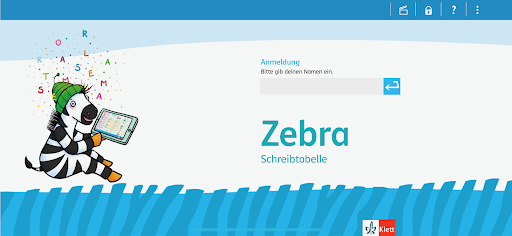









About this app
Developer Description
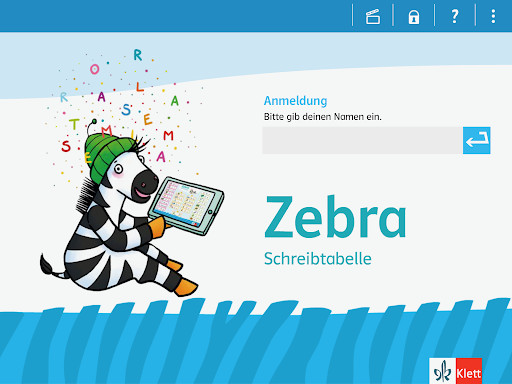
Funny app to start reading and writing the first German letters and words with.
conceptually based on it. But it can also be used independently of the textbook. It offers a learning path with
films, a game and various exercises. These chapters illustrate the first stages of learning the written language.
This app is the prelude to the Zebra App series for learning to read and write in German, years 1 to 4.
The new app ZEBRA WRITING TABLE provides exercises for the writing of phonetically words based on
fundamental vocabulary. Basic phonetic-letter assignments are practiced. Wrong words are automatically
corrected after the third incorrect attempt. By showing the correctly written word as well as their own input,
the children can compare and recognize mistakes. Basic orthographic awareness is practiced in a playful way.
The contents of the tutorials in the two areas change with each new game of the app, so practicing doesn’t get
boring even with multiple games.
The following contents are included:
- Videos explaining the basics in a child-friendly way
- Incorrect entries are corrected, after the third attempt the correct solution is displayed automatically.
- Clear arrangement of exercises on a learning path
- Self-determined learning is possible
- Motivation by collecting stars and trophies
- Detailed evaluation for teachers and parents as a basis for promotion
In the app there are two areas to practice:
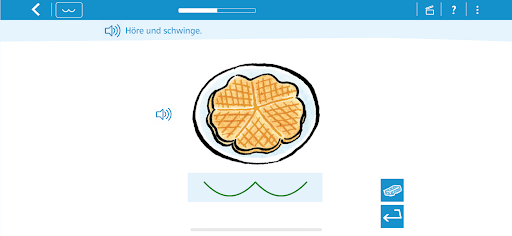
The area SWINGING SYLLABLES AND WRTING familiarizes children with the writing table and offers exercises.
- “initial-sound-rap”
- Movie "speak - listen - swing"
- Task "hear and swing"
- “ZEBRA writing table game”
- Movie "writing with the ZEBRA writing table"
- Task "swing and write" simple level
- Task "Swing and Write" difficult level
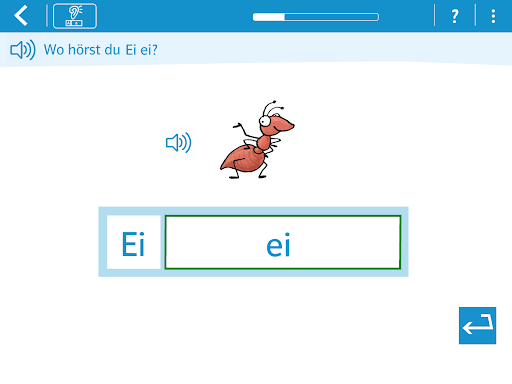
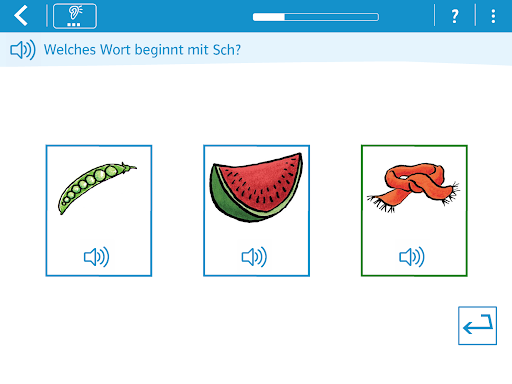
The area HEARING SOUNDS contains exercises for phonological awareness, which is a basic requirement for the
acquisition of the written language.
The following listening task types are included to the sounds section:
- Which word begins with...?
- Which words sound similar at the beginning?
- Where do you hear the sound in the word?
- With which sound does the word begin?
The four listening tasks can be acquired as an in-app purchase. This purchase is shown on the learning path, but
it is only possible in the teacher-parent area, which is protected from unwanted access by a numerical barrier.
It also provides information that protects the tablet from unwanted in-app purchases, making it impossible for
the child to purchase the app extensions.
We hope you and your child enjoy the exciting process of learning to write and look forward to receiving your
comments and remarks.
Your Zebra Team
What's New
Version Information
- Version
- 3.3.6
- Downloads
- 100K+
- Updated on
- Aug 12, 2025
- Released
- Nov 25, 2013
- Requires
- Android 8.0
Statistics
Google Play Rating History
Rating Distribution
Downloads Over Time
Read and write with Zebra has been downloaded times. Over the past 30 days, it averaged downloads per day.
Shaded area shows 30-day prediction based on historical trends
Historical data collection started recently. More data points will be available over time.
Read and write with Zebra users say on Google Play
 A Google user
Very nice
 Mohamed hassan Mohamed noor
W arwick I think it is not just the the world 😍😍
 Pi Rad
Format stimmt nicht. Rechts und links abgeschnitten. Schade. Wollte gerne die anderen Leseapps vom Klett testen.
 Alicia Niemi
App lässt mich nicht anmelden. In dem Rechteck, wo man die Namen eingeben soll, kann ich nichts eingeben. Also geht es nicht weiter als der Homescreen. ENG: Just downloaded this app yesterday. The app is stuck on the home screen. The keyboard pops up when the app opens, but typing doesn't put letters in the name box. When I click on the box to enter a name, the keyboard won't reappear. I uninstalled and reinstalled, but the same issue occurs. I have an Android OS 6.0.
ApkTrusted Ratings & Reviews
More from Ernst Klett Verlag GmbH
See more apps
Klett Lernen
Free

Frohes Lernen Klasse 1-4
Paid
Richtig rechnen 4
Paid

Calculightning 0 - Early Educa
Paid

Come in - Englisch lernen
Paid
Das Zahlenbuch
Paid
Bücherwurm Deutsch Klasse 1-4
Paid
Blitzrechnen
Paid
Richtig rechnen 2
Paid

Richtig rechnen 3
Paid
Richtig rechnen 3
Paid
Wörter schreiben 1 mit Zebra
Paid
Niko Deutsch Klasse 1-4
Paid

Piri Deutsch Klasse 1-4
Paid
RabenApp
Paid

Textopus
Free
Similar Apps
Learn German Vocabulary - Kids
Free
Pre-k Preschool Learning Games
Free
Helen Doron Read
Free
Multiplication Flash Cards Gam
Free
Kids Numbers and Math
Free

Preschool Learning Kids Games
Free
Preschool Learning Games
Free
Animal Math Preschool Math
Free
Silhouette Match - Educational
Free
Intellijoy Kids Academy
Free
Baby Learning Games Flashcards
Free
Kids Kindergarten Math
Paid
Play ABC, Alfie Atkins
Free

Kids Math Logic Puzzle Games
Free

Super Sticker Studio
Paid

PeekAZoo
Free
Scan this QR code to download

Forwarding you to the page at Google Play market in seconds...
Open Google Play market now