Tappy: T9, Old Style, Keyboard v24.02.03
Mini Bytes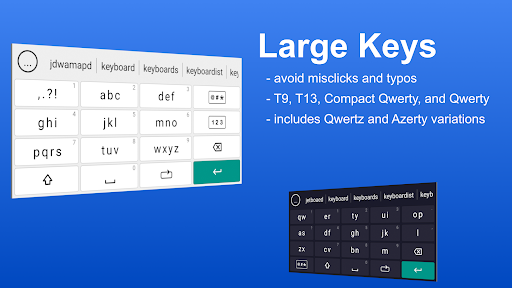

About this app
Developer Description
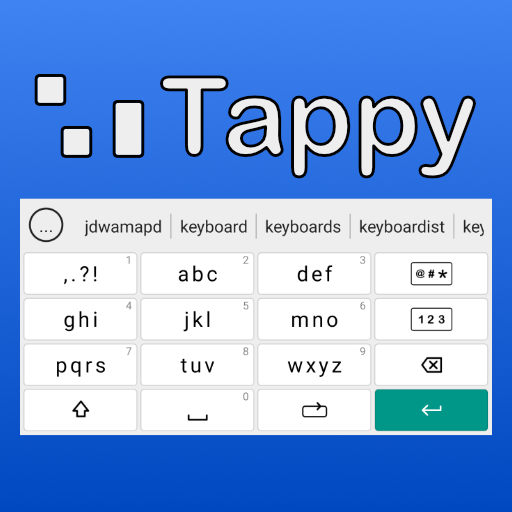
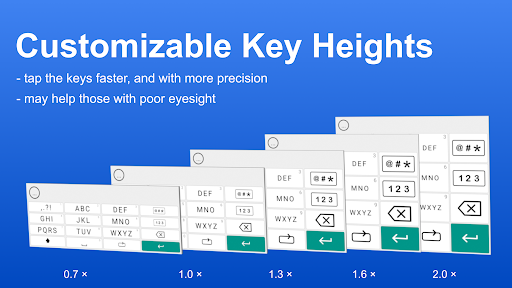
Old style, big key, T9 keyboard for small screen and fat fingers typing.
⌨️ Tappy Keyboard is for users looking for a big key keyboard, or who want an easy to use keyboard for "fat finger" typing. Tappy includes Type-9 (T9) and Compact Qwerty like layouts, as well as T13 and T13-TE (thumbs edition). Ordinary Qwerty is also included, as well as Qwertz and Azerty variations.
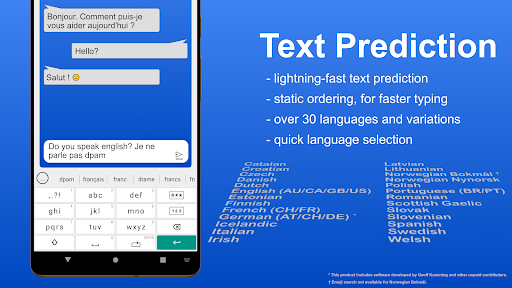
🔮 Tappy Keyboard includes fast text prediction in over 30 languages and variations. The T9 keyboard is non-learning, which ensures text prediction remains consistent, and typing is faster.
🥰 Unlike many other keyboards, Tappy supports all emojis supported by your Android phone — that’s up to 3,633 emojis — organised into nine categories, and with search and history features. Tappy isn’t just another big key keyboard with emoji support added as an afterthought.
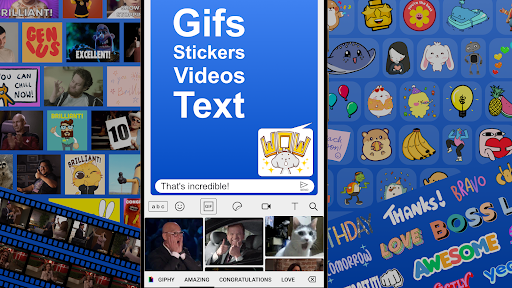
🎬 If you love your GIFs and stickers, Tappy uses Giphy to give you access to all the GIFs, stickers, video clips, and text images, that you will ever need. And just as with emojis, search and history features are built right into the keyboard.
🔒 Privacy is a central feature to Tappy. Apart from Giphy search phrases, nothing that you type is stored or transmitted online. Text prediction is processed entirely on your own device.
📝 Other features that Tappy Keyboard provides:
• optionally swipe from the backspace key to delete
• swipe from the space key to move the cursor
• use the shift key to change the case of selected text
• automatic symbol insertion for dictionary words
• clipboard functionality
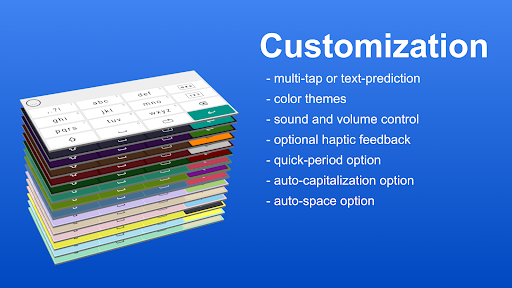
• choose between multi-tap or text prediction
• a selection of color themes to pick from
• sound and volume control
• optional haptic feedback
• character previews
• quick-period option
• auto-capitalization option
• auto-space option
💬 For help, to find out more about Tappy, or to make feature requests, visit the Tappy Keyboard subreddit at https://www.reddit.com/r/TappyKeyboard/
✨ If you find a feature you want that is not yet available in Tappy Keyboard, please contact me before leaving a review as I might be able to offer a fast turnaround solution. The following features are some of what is being worked on now, or in the near future (in no particular order):
• an option to automatically concatenate dictionary words (compound words). For example: cream + cake = creamcake. Pending investigation.
• advanced backspace functionality.
• shortcuts. For example: ty = thank you.
✅ The following features have been recently added to Tappy Keyboard, most recent first:
• shortcuts for text deletion, cursor movement, and changing case of selected tex
• automatic symbol insertion for dictionary words.
• clipboard functionality.
• import personal dictionaries from Gboard or SwiftKey. Or import a manually prepared word-list.
• emojis can be favorited for quicker access.
• more auto space options added to preferences.
• voice-to-text.
• email addresses can be saved to your personal dictionary.
• add to personal dictionary from the navigation bar.
• input method (multi-tap/prediction) selector button added to navigation bar.
🧪 To join Open Testing, visit https://play.google.com/apps/testing/app.minibytes.keyboard
What's New
In-app purchases
$4.49 - $5.49 per item
Version Information
- Version
- 24.02.03
- Downloads
- 10K+
- Updated on
- Aug 29, 2025
- Released
- Aug 13, 2022
- Requires
- Android 7.0
Statistics
Google Play Rating History
Rating Distribution
Downloads Over Time
Tappy: T9, Old Style, Keyboard has been downloaded times. Over the past 30 days, it averaged downloads per day.
Shaded area shows 30-day prediction based on historical trends
Historical data collection started recently. More data points will be available over time.
Tappy: T9, Old Style, Keyboard users say on Google Play
 Kate Knott
So glad to have found this. Been using t9 for years but all the new keyboard apps don't have the option. I have similar niggles to other reviewers around abbreviated words not showing straight off and I'd like the most used punctuation to have their own buttons. Other than that I like it so much I bought it. No ads either, that really does make me happy.
 Annie J
A decent replacement for the Go SMS keyboard since it stopped working after the latest android update. but definitely not as user friendly or customizable. Wish punctuation had its own bar to the right and that the pop up bar was easier to navigate. Also need continuous delete instead of one letter at a time. I will be using this until the GO SMS Keyboard is fixed. However if we can get the option to quickly switch to QWERTY I would keep this keyboard permanently. Love the dictionary function.
 Deano
Deano
I'll keep this simple. If I was rich I would pay someone £1,000,000 to recreate a modern version of the Nokia T9 keyboard! When I press the '1' key I would like a full stop, then get a simple smile :) if I press twice. Also pressing the '*' key to cycle through the symbols of each key. I still use my old Nokia, I've not found a single t9 keyboard that even comes close to it's greatness. Sure it wasn't perfect but a 2023 version would destroy two hand typing forever! 😁 Nice try though 👍
 Michael Yvon
Decent keyboard but needs some more customized features. Like make the space bar bigger. Lose the next predict button. Add contractions to predictions add numbers and punctuation to keys. I only used this for a short while but these were my hiccups.
 Christian White
I was using this for a month and liked it until this "Your 30 day free trial has ended" message popped up out of nowhere and was UNABLE TO TYPE UNTIL I'D ENABLED GBOARD!! NOWHERE DOES IT SAY IN THE DESCRIPTION OR APP ABOUT A 30 DAY FREE TRIAL AND THAT I WOULD HAVE TO PAY TO CONTINUE USING IT AFTER A MONTH!! IT'S MISLEADING AND DISRUPTIVE AND AS A RESULT I WON'T PURCHASE THE APP!! If you'd said in the description or app that I would have to pay after a month I would've considered purchasing!!
ApkTrusted Ratings & Reviews
Similar Apps



Scan this QR code to download

Forwarding you to the page at Google Play market in seconds...
Open Google Play market now