
Device Info: CPU, RAM, Storage v100.32.05
Master Technologis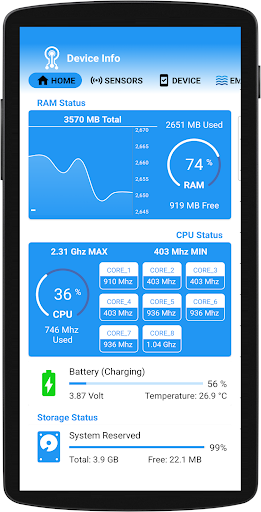

About this app
Developer Description
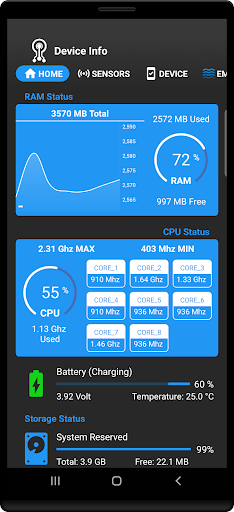
Analyze your device: Check CPU, RAM, storage, battery health, and sensor info.
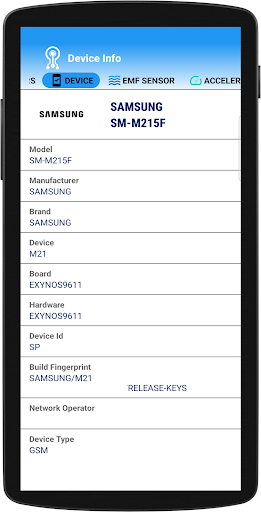
Unlock the full potential of your Android device with **Device Info**, the ultimate phone analysis tool. Whether you're a tech enthusiast or just curious about your device's specifications, our app provides comprehensive information about your phone's hardware and software.
**Key Features:**
- **CPU Monitoring**: 🖥️
- Check real-time CPU clock speed and performance.
- Detailed CPU architecture information.
- **RAM Usage**: 💾
- Monitor RAM utilization with easy-to-understand graphs.
- Identify memory-hogging apps for better performance.
- **Storage Analysis**: 📂
- View available internal and external storage.
- Explore detailed information about installed apps and system storage.
- **Battery Health**: 🔋
- Get insights into your battery's capacity, level, temperature, and voltage.
- Monitor battery usage to extend battery life.
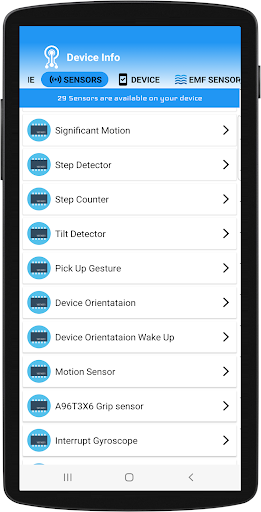
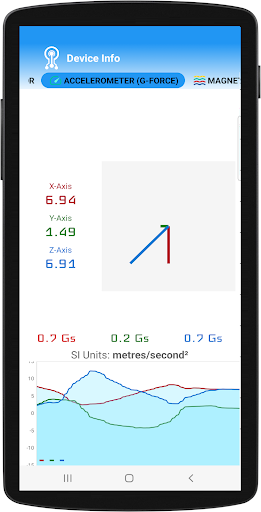
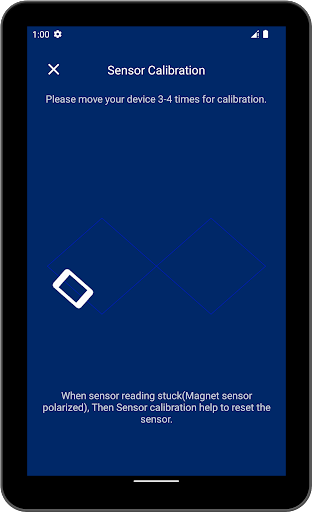
- **Sensor Information**: 🔍
- Access data on all installed sensors, including:
- Accelerometer
- Gyroscope
- Proximity sensor
- Light sensor
- Check power consumption and specifications of each sensor.
**Why Choose Device Info?** 🤔
- User-Friendly Interface: Intuitive design makes it easy for anyone to navigate and understand.
- Real-Time Updates: Get real-time information to help you optimize your device.
- Regular Updates: We continuously improve the app based on user feedback and Android updates.
**Who Can Benefit?** 🌟
- Tech Enthusiasts: Get in-depth knowledge about your device's performance.
- Developers: Test your apps against various device specifications.
- Everyday Users: Stay informed about your phone’s health and performance to enhance user experience.
**Download Device Info Today!** ⬇️
Take control of your device with our all-in-one solution. Download **Device Info** now and unlock the full potential of your Android device!
Version Information
- Version
- 100.32.05
- Downloads
- 50K+
- Updated on
- Oct 28, 2025
- Released
- Jan 5, 2018
- Requires
- Android 5.0
Statistics
Google Play Rating History
Rating Distribution
Downloads Over Time
Device Info: CPU, RAM, Storage has been downloaded times. Over the past 30 days, it averaged downloads per day.
Shaded area shows 30-day prediction based on historical trends
Historical data collection started recently. More data points will be available over time.
Device Info: CPU, RAM, Storage users say on Google Play
 A Google user
Tried several apps like this. Fast, no-nonsense results. Indicates low, medium, or high level. Like it.
A Google user
Liked it. Helps to find where you do or don' t want to be. The icon did not seem to load. But the app works. Can' t find the app anywhere on my phone but if I go to the app store I am told it is installed and when I open it the app works but I still don't have the icon.
A Google user
The emf meter works fine.But why is the RF Meter always showing 99dbm/1.630W and never changes?
 Vaibhav Aggarwal
Not captured smartwatch radiation
A Google user
why does it say no sensor found?
ApkTrusted Ratings & Reviews
More from Master Technologis
See more apps
Scan this QR code to download

Forwarding you to the page at Google Play market in seconds...
Open Google Play market now