
Katana Man Pro - EatonPlan v23.1a
EatonPlan








About this app
Developer Description
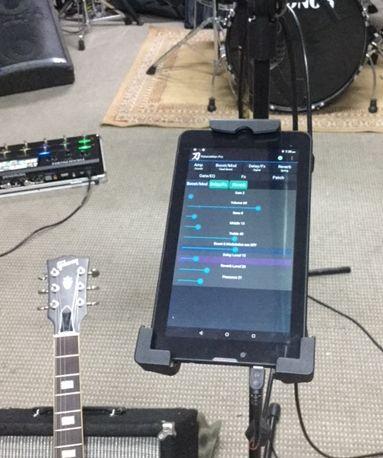
Katana Man - EatonPlan use the full capabilities of your Boss Katana guitar amp
Main features:
- Easy navigation interface designed for studio / performance use. Amp settings can be adjusted and saved ‘on the fly’ making KatanaMan an ideal tool for the home guitarist, as well as for practice sessions, studio work, and on-stage performances.
- Supports both Series 1 and MkII amps
- Supports firmware version 4 features on Series 1 amps; firmware version 2 features on MkII amps
- Supports Bluetooth connection to the amp. (Supported adapters include : CME Uhost, and XSONIC Airstep Kat). See web site for details : https://eatonplan.tech/pages/how-to-connect-using-bluetooth
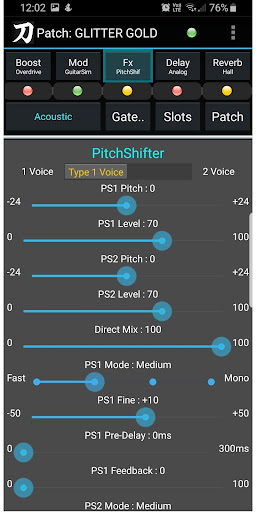
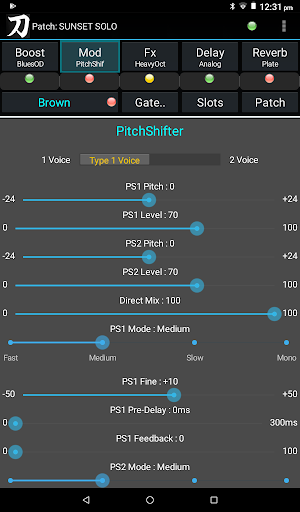
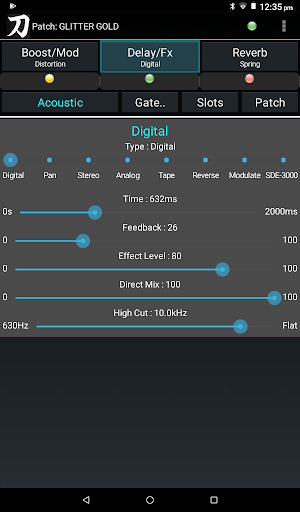
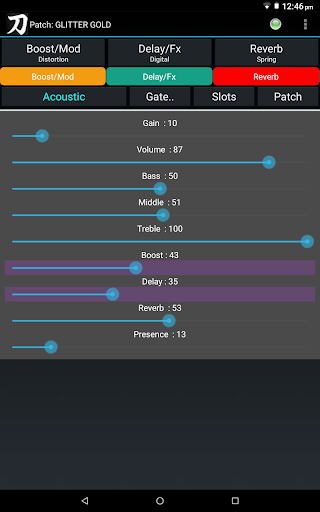
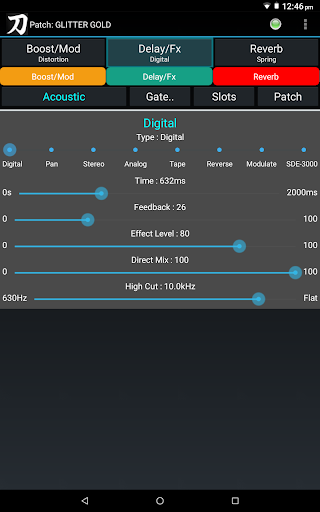
- Enable and configure all effects, delay types, reverb, boost types, EQ, system settings etc
- Use 25 different pre-amp models (included in the amp firmware, but not otherwise accessible)
- Pedal Fx support
- Solo, Contour, EQ2 etc on MkII Firmware Version2
- Bluetooth devices (eg foot switches) can be used to control the main features of the app (and thus the amp). See web site for details: https://eatonplan.tech/pages/how-can-i-use-a-bluetooth-controller
- Create, save and load tones ('patches') – in TSL format or EatonPlan proprietary (faster) – on your android device.
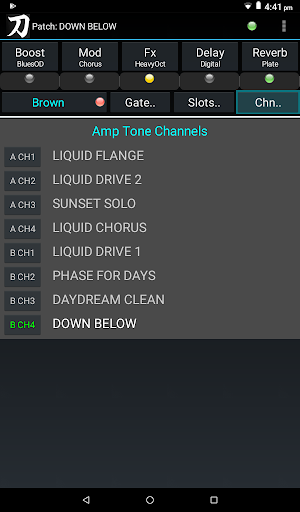
- Load and Save tones to physical amp channels (Tone Setting buttons)
- Unlock the full capabilities of the Series 1 amp by enabling Boost, Mod, Delay and Fx simultaneously using 'Advanced Mode' (normally the amp only allows one of Boost/Mod, and one of Delay/Fx to be active at one time).
- A connection status ‘led’ ensures that you know amp is still connected correctly. MkII Firmware Version 2 also has a Solo ‘led’ to show the Solo state.
- Set Lists of songs (pre-created outside KatanaMan) – are lists of songs in order of performance, with each song ‘linked’ to the associated patch. As each song title in the list is tapped the corresponding patch is loaded into the amp, ensuring that the correct patch is loaded for each song as you progress through your live performance. Great for live performances – especially for covers bands using different patches/tones for each song. SetLists can be created using a text editor or the KatanaSets app (recommended).
- Song Notes (created outside of KatanaMan using a text editor) can be used to display ‘memory joggers’ such as chord progression, lyrics etc.
- Suited to both the hobby/home guitarist and the performing musician.
Connection Details
KatanaMan connects to your Boss Katana guitar amplifier via a USB cable, or Bluetooth. See the web site for USB connection requirements / details:
https://eatonplan.tech/pages/how-to-connect-my-android-device
User Guide
A user guide / quick start guide is available (on-line and PDF download) from the EatonPlan web site at :
https://eatonplan.tech/support/support-katanaman-blog/katanaman-quick-start-guide
Related Apps
There are two apps which are designed to work with KatanaMan - KatanaSets for setlist management and KatanaSync for data back-up and restore.
What's New
Version Information
- Version
- 23.1a
- Downloads
- 1K+
- Updated on
- Aug 1, 2024
- Released
- Dec 17, 2018
- Requires
- Android 5.0
Statistics
Google Play Rating History
Rating Distribution
Downloads Over Time
Katana Man Pro - EatonPlan has been downloaded times. Over the past 30 days, it averaged downloads per day.
Shaded area shows 30-day prediction based on historical trends
Historical data collection started recently. More data points will be available over time.
Katana Man Pro - EatonPlan users say on Google Play
 A Google user
Amazing app! Allows you to access all of the great tones amd effects of our amp without having to find a computer. Even better, you can access a ton of different tones live rather than be locked in to only a few
 Keith Marriott
I haven't tried the pro version yet (only just purchased it) but the free version is pretty good. What I can't understand is why it worked on my older Samsung phone but can not be installed on my newer Lenovo tablet, Any idea why this would happen? Now tried Tried the pro version on my phone and tablet and ran into a problem. Both devices had the free version on and it worked but when I try and launch to Pro version it wants to create a file (or use existing) and whichever I try it says 'can't create file'. Why is this because it's stopping it working. Managed to create the file but now it crashes when I connect the OTG cable. Works on my phone with the same cable but the screen is a bit small.
 Michael Stone
Wish it was easier to use and connected better
 Francis J Fichera
App has no fire to it. What you need guide that explains what each peddle does and there parameters giving that people would spend more time on the app. The sneaky amps there a sleeper. Also I have to spend another ten bucks on the app can someone please explain that.I am a busy person can anyone putspqf
 Brendon Christiansen
Unfortunately opted for a refund pretty quickly after purchase. In the "about app" section, was really excited about the setlist option, that was the decider for the purchase. It doesn't state that the setlist feature is another separate purchase again, which for me was misleading. It states the setlist feature is part of this purchase, which it is not. Pretty disappointing.
ApkTrusted Ratings & Reviews
More from EatonPlan
See more apps



Similar Apps

Chaos Audio
Free

PodBot - podcast player
Free

Cubasis 3 - DAW & Music Studio
Paid

Fender Play: Music Lessons
Free

The Podcast
Paid

Solo - Fretboard Visualization
Paid

Audacy: Radio & Sports Talk
Free

Moove - Team-Based Fitness
Free

LiveMixtapes - Hip-Hop Culture
Free

IMSLP
Free

Vertica
Free

NESTRE: Mind & Brain Training
Free

Spark: Chords, Backing Tracks
Free

Earz Solo - Game to the Music
Free

DRC - Polyphonic Synthesizer
Free

Philadelphia Business Journal
Free
Scan this QR code to download

Forwarding you to the page at Google Play market in seconds...
Open Google Play market now