
Shopping list — Lister vVARY
Lister Studios


About this app
Developer Description
Create shopping lists quickly and stay organized while shopping
To briefly clarify, each group has its own chat with picture and text messages. Helpful if you don't know which shampoo to buy? Or who will bring the barbecue charcoal after Max has cancelled at short notice?
With the group chat you can rely on the fact that the messages are sent to all group members. You don't have to create a group in WhatsApp first. Or worry about whether everyone is on WhatsApp? Or Facebook Messenger, Telegram or Viber.
Here's how you can create long lists quickly: (see picture #3)
• Suggested items from your master list appear after you type two letters. Click on it to add the desired item.
• Select items from the master list and add them with one click.
• Create a shopping list of items you buy regularly, select all items with one click and add them to the preferred list.
Display shopping lists either categorized, alphabetically sorted or manually sorted (see picture #4). Each shopping list can have its own sorting.
In the supermarket you do not have to scroll the list, because if you sort the items into categories and set the category order for the supermarket, the items will appear one after the other as you go through the supermarket. Crossed-off items and whole categories are placed at the end of the list (see picture #5).
Create recipes with ingredients, directions and pictures. With a few clicks you can add all ingredients to a shopping list (see picture #6).
Add pictures to items to always buy the right shampoo, cat food or coffee.
Do you still have something to do? Write it down in the task lists.
There are 4 different designs including Dark theme, 4 font sizes and 6 fonts to choose from.
Additional features:
• If necessary you can edit the master list (including categories, units, stores) in the management menu
• The shopping mode enlarges the lines and makes it easier to cross off items in the supermarket
• Reminders
• Barcode scanner
• Resolve inputs with quantity and price, e.g. 500g tomatoes 2.99
• Edit all items of a shopping list in a single view
• Customize layout in settings, e.g. hide/show progress bar, hyphens, select single-line layout
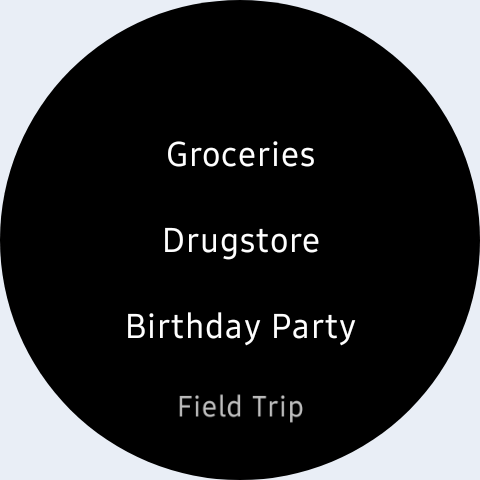
• Available on Wear OS
• and much more!
Convinced? Try it out! If you have any questions, please contact support by email at ask@lister-studios.com.
What's New
In-app purchases
$0.49 - $329.99 per item
Version Information
- Version
- -
- Downloads
- 1M+
- Updated on
- Dec 26, 2025
- Released
- Oct 9, 2011
- Requires
- Android 8.0
Statistics
Google Play Rating History
Rating Distribution
Downloads Over Time
Shopping list — Lister has been downloaded times. Over the past 30 days, it averaged downloads per day.
Shaded area shows 30-day prediction based on historical trends
Historical data collection started recently. More data points will be available over time.
Shopping list — Lister - Google Play Rankings
Top Rankings
| Rank | Country | Category | List | Change |
|---|---|---|---|---|
| — |
Ranking History in
No ranking data available yet. Rankings are updated daily.
#16 in Top Grossing Shopping in Germany


#25 in Top Grossing Shopping in Spain


#29 in Top Grossing Shopping in Australia
 Shopping List - Buy Me a Pie!
Shopping list — Lister
Shopping List - Buy Me a Pie!
Shopping list — Lister
#52 in Top Grossing Shopping in Egypt

Shopping list — Lister users say on Google Play
 David Petz
I've been using the Lister app for several years and would be lost without it. It's very customizable and the sort-order option allows for the prioritization of tasks and items within each list you create. The tech support provided by Benjamin is amazing. He recently helped me sync my lists from my old phone to a new one. The app is great and the hands-on support has been quick and consistent over the years. If I could rate higher than 5 stars I wouldn't hesitate to do so... thanks!
 Jaba Chutlashvili
I was searching for an "out of milk" alternative as their new owners decided to operate outside my region. This app looks almost perfect. The only problem is inability to sync lists bet8my phone & desktop computer. If devs will add ability to login on their website & let us sync our list to our phone, I will definitely give it 5 stars.
 Mark Anthony Fadulla
It's almost perfect. But I would love to have a volume/content field. For example, if I added 3 quantities of a beverage that comes in 1L volume, and 1L costs 50, it should computer 3 quatities x 50. The current "quantity" field should be "volume" or "net contents" and should not be used to compute as quantity. Edit: I already sent an email.
 Bryce Brogan
Serious screen orientation bugs on tablets. My tablet is locked on a screen orientation of portrait mode, as is Lister. Nevertheless, when I exit lister my screen orientation frequently (but not always) changes to lanscape. I have to go into tablet settings, unlock the orientation option, shift my tablet to change to portrait mode, and then relock the orientation again. This makes lister annoying and frustrating to use on tablets. It's fine on phones.
 A Google user
FRAUD! CONMEN!. I paid to get rid of adverts. I parted with my money on the basis that I wouldn't be pestered by adverts. Now the developers has moved the goal posts and wants me to start paying either monthly or annually in order not to see adverts. That is a total rip-off and fraud. If the developer wants to introduce monthly or annual payments, then it should apply only to new purchasers of the app, NOT to those who have already paid for no Adverts! Total rip-off!! :(
ApkTrusted Ratings & Reviews
Similar Apps





Scan this QR code to download

Forwarding you to the page at Google Play market in seconds...
Open Google Play market now