FPV Freerider Recharged v2.5
FPV Freerider


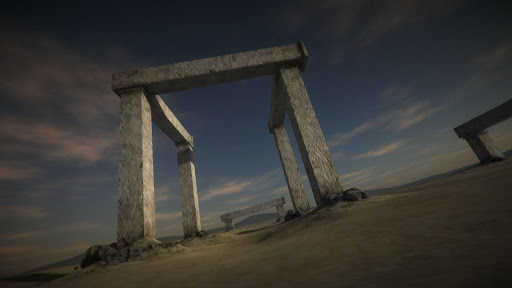
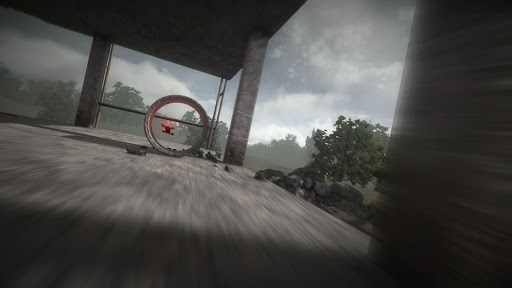

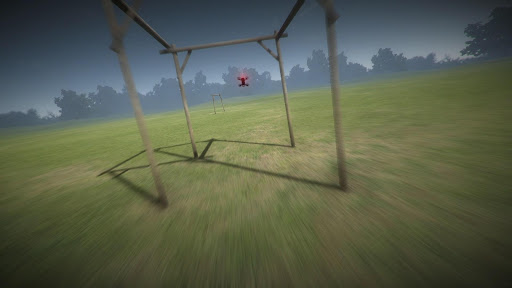


About this app
Developer Description
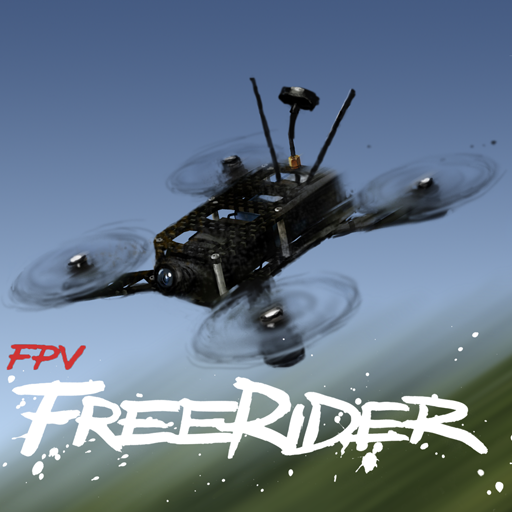
RC Quadcopter Simulator
This is a simulator, not a game. The simulator enables you to practice your FPV racing/freestyle and LOS flying skills on your android device.
This simulator requires a powerful device.
You will get best performance if selecting Low Screen Resolution and Lowest Graphics Quality on the main menu. Also, if possible activate "Performance Mode" or similar in your phone settings to get the best performance.
(There is a free version of the original FPV Freerider app that you can try to see if it works on your setup. If the original FPV Freerider app works on your device, chances are pretty good that FPV Freerider Recharged will work too. Recharged is more demanding though).
Supports self-leveling and acro mode, as well as 3D mode (for inverted flying).
Custom settings for input rates, camera and physics.
Google Cardboard side-by-side VR view option.
Touchscreen controls support mode 1, 2, 3 and 4. Mode 2 is default.
You can use touchscreen controls to fly, but flying a racequad with touchscreen controls is very hard. Using a good physical controller (such as an RC radio connected via USB OTG) is highly recommended. There are a lot of videos on youtube that shows how to connect an RC transmitter to FPV Freerider. You can also find more info in the manual, there is a link at the end of this text.
Physical controllers are configurable between mode 1,2,3 and 4 during the Calibrate Controller procedure.
Controllers that have been successfully used include FrSKY Taranis, Spektrum, Devo, DJI FPV, Turnigy, Flysky, Jumper, Radiomaster, Eachine, Detrum, Graupner and Futaba RC radios, Realflight and Esky USB Controllers, Logitech, Moga, Xbox and Playstation gamepads.
This version of FPV Freerider Recharged is adapted to android devices. In order to keep the file size low and performance up, it does not contain the usual built-in levels of the desktop version. Instead it has some adjusted/previously unreleased levels more suitable for mobile devices.
The full level editor is included. The levels are fully compatible with the desktop version of Recharged.
You can use the touchscreen to create and edit levels. Levels can be saved and loaded locally on your device.
It can be difficult to make precise editing on a small screen - for extensive editing it is recommended to use a USB/bluetooth mouse (and keyboard). An even better alternative is to use the desktop version to create your levels and then simply copy them to the correct folder on your android device.
The correct folder is usually found at
"/storage/emulated/0/Android/data/com.Freeride.FreeriderRecharged/files"
(or "Internal Storage/Android/Data/com.Freeride.FreeriderRecharged/files/")
You can find more information in the user manual (PDF)
https://drive.google.com/file/d/0BwSDHIR7yDwSelpqMlhaSzZOa1k/view?usp=sharing
portable drone / multirotor / quadrocopter / miniquad / racequad simulator
What's New
Version Information
- Version
- 2.5
- Downloads
- 10K+
- Updated on
- Oct 9, 2025
- Released
- Oct 22, 2019
- Requires
- Android 5.1
Statistics
Google Play Rating History
Rating Distribution
Downloads Over Time
FPV Freerider Recharged has been downloaded times. Over the past 30 days, it averaged downloads per day.
Shaded area shows 30-day prediction based on historical trends
Historical data collection started recently. More data points will be available over time.
FPV Freerider Recharged - Google Play Rankings
Top Rankings
| Rank | Country | Category | List | Change |
|---|---|---|---|---|
| — |
Ranking History in
No ranking data available yet. Rankings are updated daily.
#32 in Top Paid Simulation in India

#37 in Top Paid Simulation in France

#66 in Top Paid Simulation in United Kingdom



#67 in Top Paid Simulation in South Korea

FPV Freerider Recharged users say on Google Play
 Dave Fowler
Excellent App - if you have problems with control select sluggish settings then change the numbers for pitch and roll to around 300, & throttle to around 60, this helps with on screen controller that can be a bit crazy on high rates. Next once you've got it start to.go up on the numbers 300 up to 400 and 60-75. Higher caused me issues when using on screen touch controls. Plugged a TX in and it works really well and after a couple of hours practice you can go up on rates - HIGHLY RECOMMENDED !!
 Blaine Coury
Found this app while waiting on my first FPV controller to arrive. Great way to start wrapping your brain around the mode 2/acro controls. A bug I noticed on Android is if you were previously using the sluggish rate preset and you activate the timed race, it always sets it to very high rates during the race. Not sure if it's same with USB controller. Hopefully an easy software fix. Update/workaround: if you create a user preset in the settings, the rates arent over ridden during a timed race.
 Tomas E. Caram
Good sim. Lacking Bluetooth compatibility for controllers. My elrs module works fine with Android in Bluetooth mouse but not in the game because it only sports USB controllers.
 Dice
Dice
App keeps closing down as soon as I open it, even tho in using the Samsung galaxy tab s8 ultra with the snapdragon 8 gen 1 :(
 Tyler Feik
DOES NOT WORK ON SAMSUNG. After several failed attempts the app will not open. Dev told me to uninstall as a solution. DO NOT PAY FOR BROKEN APPS
ApkTrusted Ratings & Reviews
More from FPV Freerider
See more apps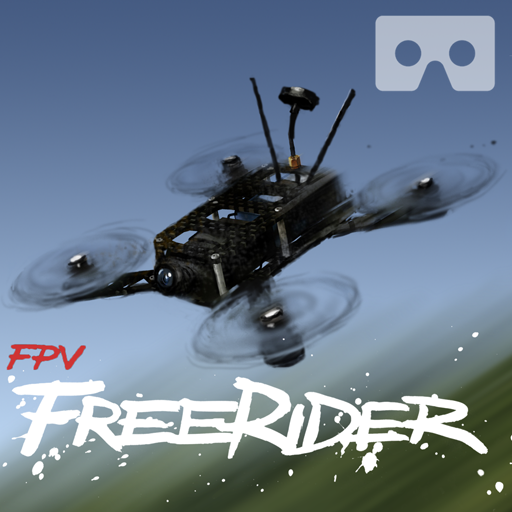
Similar Apps

RC Car Race
Paid

Racing Car Driving Offroad Sim
Paid

Pilot Training Classes Sim 3D
Paid

Military Truck Driving Games
Paid

Truck Driving Real Truck Drive
Paid

i Am Aeglo Bird Flight Sim
Paid

FPV and UAV Simulator
Paid

Dream fight & Car sim game
Paid

My Village Car: Winter Drive
Free

OffRoad Drive Pro
Paid

Snow Bus Offfroad Driving Sim
Paid

Hill Bike Challenge Game
Paid

Beach Pick & Drop Bike sim 3D
Paid

City Bus Driver Bus Game
Paid

Fractal Combat X (Premium)
Paid

Drifting & Driving Car Racing
Paid
Scan this QR code to download

Forwarding you to the page at Google Play market in seconds...
Open Google Play market now