
Framelapse 2 Time Lapse Camera v11.7
Neximo Labs












About this app
Developer Description
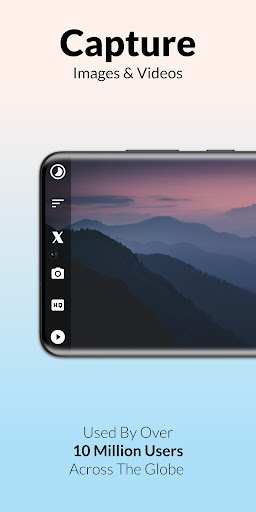
Capture stunning time-lapse images and videos with the press of a button.
🎞️ Effortlessly record high quality time lapse or fast motion footage with instant playback, no rendering time needed!
🎬 Create unlimited content with no ads, even internet permission not requested! App built with user privacy and security at its core.
🆕 Get ready for the new iteration of Framelapse. This version has the latest updates and exciting new features.
✨ FEATURES:
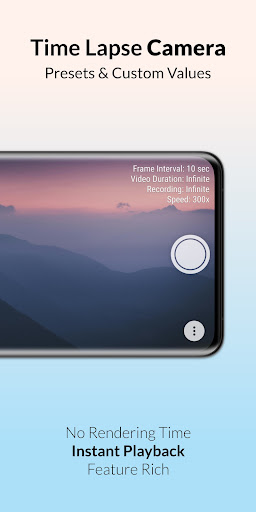
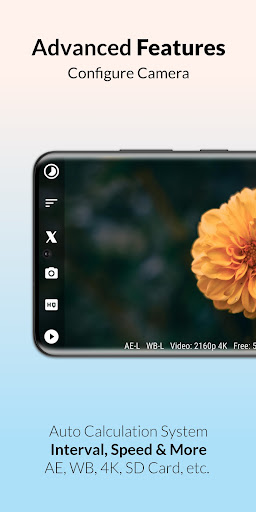
• Frame interval to adjust capture frequency.
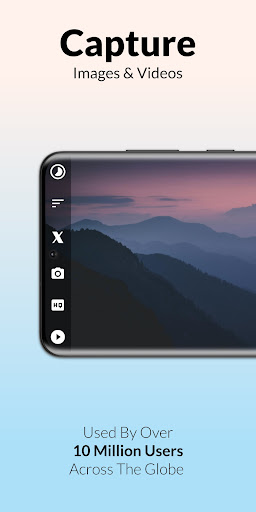
• Capture video, images or both together.
• Instant playback, no rendering time.
• Set duration to auto-stop recording.
• Video resolution up to 2160p 4K*.
• Front and back camera support.
• Storage with SD Card support.
• Video frame rate options.
• Inbuilt app guide and FAQ.
• Self timer and colour effects.
• Focus options and zoom range.
• Timelapse visible in device gallery.
• Dynamic preview with no cropping.
• Displays length of video being recorded.
• White balance and exposure compensation.
• Inbuilt calculator to estimate recording duration.
* Support for certain features determined by device camera hardware.
✨ ADVANCED FEATURES:
• Custom intervals starting from 0.1 seconds.
• Save space by directly recording to video.
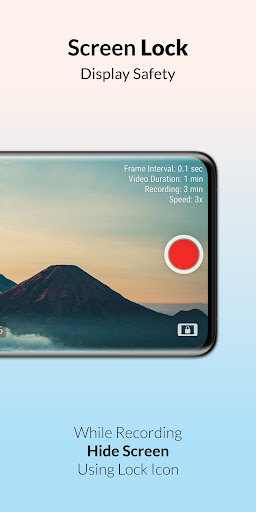
• Black screen option while recording.
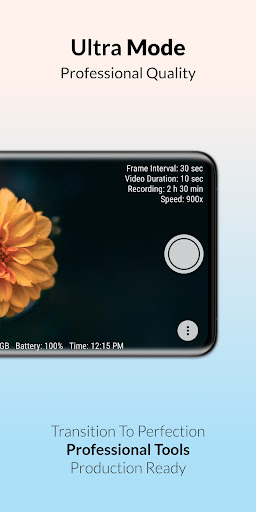
• View free space, battery and time.
• Timestamp in image mode.
• Custom video duration.
• White balance lock.
• Remote shutter.
• Exposure lock.
• Video stabilisation.
• Preset wizard mode.
• JPEG image quality control.
• MP4 video bitrate adjustment.
• Custom timer for recording delay.
🌟 BRAND NEW FEATURES:
🖼️ CAPTURE IMAGES let's you store high resolution pictures captured by the device camera with or without video. Works like an intervalometer for professional quality output.
⏱️ SPEED OPTIONS allow you to directly change speed value relative to real-time (starting from 1x to 999x). Thus, avoiding any hassle to calculate frame interval yourself. Scene based suggestions are also included in this feature!
🪄 CUSTOM WIZARD gives you access to custom values in wizard mode instead of being limited to presets. Very useful if you know the time duration you will record for.
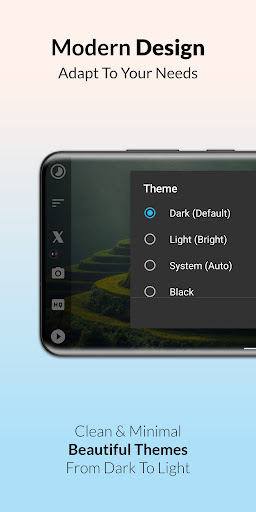
🎨 APP THEMES has over 20 beautiful app themes ranging from dark to light hues, to go along with your personal taste. You've got to try 'midnight ocean' and many more!
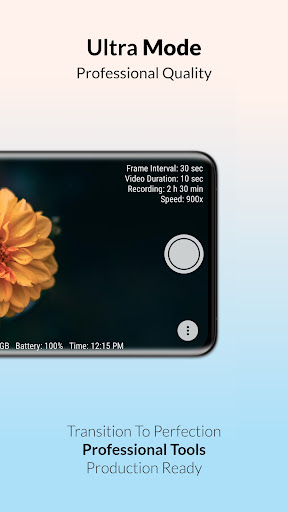
𖣐 REMOTE SHUTTER and ULTRA VIEW also come as bonus features. Remote shutter allows you to control camera with volume buttons or bluetooth remote. Ultra view adds advanced information such as capture quality, storage left, battery and time to the camera preview which helps to see overview in a single glance..
💠 So, let's discover beautiful new patterns in everyday events which remain invisible to our eyes. Watch the setting sun in a few seconds or a journey in a minute and prepare to be amazed. Record amazing timelapse and hyperlapse videos with ease now.
Please note on most devices turning on video optimisation inside HQ button>Advanced, can help improve performance.
🏆 We are proud to announce Framelapse has been supported on the Google Play Store for over a decade now!
❄️ The most loved time lapse, intervalometer and fast motion app has gotten even better with the release of 11th Anniversary Winter Update!
What's New
• Enhanced speed interface.
• Timestamp in images.
• Video stabilisation.
• Major UI overhaul.
• All in one ultra pack.
• Remote shutter feature.
• Improved SD card support.
• Ultra view for advanced info.
• Performance optimisation & more.
In-app purchases
$1.99 - $4.99 per item
Version Information
- Version
- 11.7
- Downloads
- 5M+
- Updated on
- Jan 12, 2025
- Released
- Mar 31, 2013
- Requires
- Android 6.0
Statistics
Google Play Rating History
Rating Distribution
Downloads Over Time
Framelapse 2 Time Lapse Camera has been downloaded times. Over the past 30 days, it averaged downloads per day.
Shaded area shows 30-day prediction based on historical trends
Historical data collection started recently. More data points will be available over time.
Framelapse 2 Time Lapse Camera users say on Google Play
 scott
scott
As a truck driver I've used this app to record entire trips across the country or over crazy weather mountain passes or during traffic when people are being idiots just set up to different seconds that you want it to skip and your left with all kinds of memories good or bad The one thing I wish it would do is work both directions horizontally with the phone. Well look at that EDIT. they added a setting now I can flip it the other way now it's just too cool. Just went from four to five star!
 Brian
Brian
It's a good app. I'm using an older phone Galaxy A31 and have run time lapse over 7 days with no problems. I do stop and start every morning and evening just to make sure all is well. I am not sure why the video result does not look as good as what I see while recording. video quality just seems that it should be better. Will quality improve if the premium version is purchased?
 David McReynolds
Wow! This is an incredible app that does exactly what it says it will. It even saved a recording when the phone ran out of power. I didn't give 5 stars because I've discovered a bug that has just caused me to have to reinstall it! Other than that and no easy way to exit the app it's just about perfect! Update June '25: Many of the features mentioned are now extras that you have to pay for even after subscribing.
 Matt Gidney
I hadn't used this app for a good while but I recall liking it a lot and had given it 5 stars. I can't recall if it was paid or free. I would have bought it I'm pretty sure to remove ads or nags, however now when I go to use it everything wants me to pay more and I cannot restore past purchases. so I'm down grading my review as I don't want to be forced to pay for new features that I don't want to use sorry dude. keep it simple. keep old customers happy.
 GeorgeL LGeorg
"You stopped the recording too early" so you deserve to lose all the footage (without any explanation or anything), and the fact that you can't do much with the app without paying (without the option to try before you buy) gets the devs no stars. devs are lucky google gives them one. One of the dumbest apps I've ever tried, the most frustrating being the opportunities missed and the time wasted. Should actually be removed from gplay as it does not what it says in description.
ApkTrusted Ratings & Reviews
More from Neximo Labs
See more apps

Similar Apps
Cameringo Lite. Filters Camera
Free

Professional HD Camera
Free
Camera - HD Camera for Android
Free

Camera FV-5 Lite
Free

MiX Camera for Mi Camera
Free
POV – Disposable Camera Events
Free

Cymera - Photo Editor Collage
Free

Protake - Mobile Cinema Camera
Free
HD Camera
Free

Manual Camera DSLR (Lite)
Free
InFrame - Photo Editor & Frame
Free

InstaSize: AI Photo Editor
Free

Canon Camera Connect
Free

HD Camera for Android
Free

Cool S20 Camera Galaxy S20 cam
Free

Camera360 :Photo Editor&Selfie
Free
Scan this QR code to download

Forwarding you to the page at Google Play market in seconds...
Open Google Play market now