
Cyberpunk KWGT Widget, Icons v2.4
Aionyxe


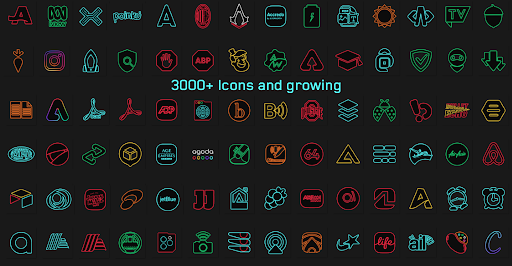
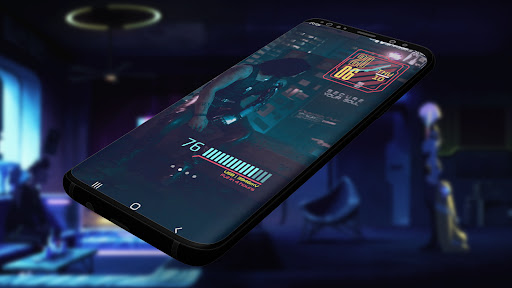


About this app
Developer Description
KWGT Widget pack based on Cyberpunk 2077 Game and Edgerunners series
This is not a standalone app, you need a pro key to use it!
KWGT pro https://play.google.com/store/apps/details?id=org.kustom.widget.pro
Dive headfirst into the pulsating heart of Cyberpunk universe with this KWGT Widget Pack. Elevate your device's interface to the next level, embracing the edgerunner spirit and the neon-soaked ambiance of Night City. Seamlessly melding style and functionality, this widget pack is your gateway to a cybernetic future right at your fingertips.
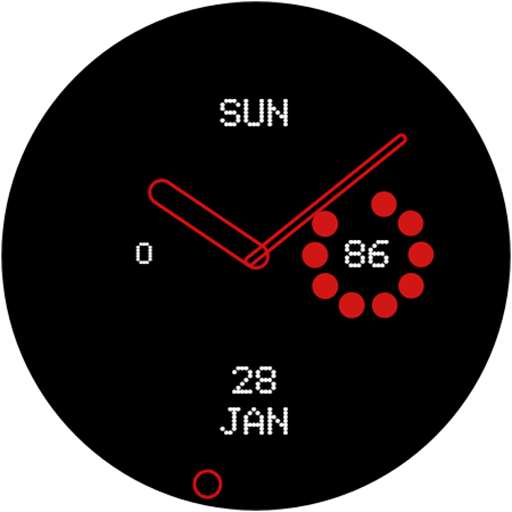
🌆 Neon City Clock: Stay on the cutting edge of time with a futuristic clock widget that boasts Cyberpunk 2077's distinctive aesthetic. Witness the digital world in motion as time slips through the neon-lit skyline of Night City.
🗺️ Location Integration: Let your home screen adapt to your surroundings with real-time location information, merging seamlessly with the urban tapestry of the Cyberpunk universe.
🔋 Battery Insights: Stay in control of your power with a sleek battery information widget. Monitor your device's energy levels and ensure you're always ready for the next mission.
⚙️ CPU Crunch: Dive deep into your device's performance with a CPU usage widget, mirroring the intricate workings of Cyberpunk's high-tech landscape.
📡 Data & WiFi Matrix: Keep a watchful eye on your data and WiFi usage with widgets that embody the data-driven essence of Cyberpunk technology.
🌡️ Temperature Tracking: Sync up with Night City's ever-changing climate using temperature widgets that mirror the city's dynamic weather patterns.
☁️ Weather Wisdom: Equip yourself with real-time weather updates, ensuring you're prepared for whatever storm or sunshine Night City throws your way.
🎵 Synced Soundscapes: Tune into the rhythmic pulse of the streets with a music player widget, allowing you to control your beats while you navigate the cybernetic expanse.
Disclaimer: Cyberpunk KWGT Widget Pack is an independently developed fan art app and is not affiliated with or endorsed by the Cyberpunk 2077 game or CD Projekt Red company. Immerse yourself in the cyberpunk experience while enjoying the innovative functionalities these widgets bring to your device. Connect with the future – download now and sculpt your home screen into a technologically advanced masterpiece!
What's New
Optimized icons for better visibility
In-app purchases
$0.49 - $4.99 per item
Version Information
- Version
- 2.4
- Downloads
- 1K+
- Updated on
- Jan 5, 2026
- Released
- Aug 11, 2023
- Requires
- Android 5.0
Statistics
Google Play Rating History
Rating Distribution
Downloads Over Time
Cyberpunk KWGT Widget, Icons has been downloaded times. Over the past 30 days, it averaged downloads per day.
Shaded area shows 30-day prediction based on historical trends
Historical data collection started recently. More data points will be available over time.
Cyberpunk KWGT Widget, Icons users say on Google Play
 Logan Overly
Not sure what all the hate is about. These widgets are awsome! For those who are struggling, first get third-party KWGT and KWGT pro, then booted up KWGT. Then create widget wherever. While creating, it will ask you to select an app. Go to KWGT, then select a widget placeholder. A blank widget will be created. Next, select a Cyberpunk widget. To make the widget do things, you'll have to get familiar with the third-party KWGT app. Specifically with the add shape and touch function.
 Ash
Ash
The widgets look great, but the icons dont seem to be working for me. Update: even though my problem is not fixed yet, the developer(s) are really helpful. I would definitely recommend this app :)
 Dylan Stepp
So, to start icons work manually with nova launcher. Lawn chair is the same and it will not auto set any. When it comes to widgets they look great but I am unable to get sizing to work very well. And wallpapers sadly just don't load. So in the current app state I would say it's icons only and all set by hand from my testing.
 Jaime Martinez
I cant use icons or widgets,its says i can use nova launcher for icons but when i choose the theme it wont work,also can't seem to use the widgets,they wont appear,not sure if i need a nother app for this,need some help before i request a refund,i really like the widgets.
 Citrusity
This is pretty dumb you have to basically spend money to unlock the ability to spend more money to then be able to get the widgets.
ApkTrusted Ratings & Reviews
More from Aionyxe
See more apps




Similar Apps

Retro Mode - Icon Pack (Light)
Paid

Cyberpunk Red Companion
Free

Ares Dark Icon Pack
Paid

PurpleLine Icon Pack : LineX
Paid

Lena Icon Pack Shapeless Icons
Paid

Area 51 Fireworks
Free

Cloaked: Protect your privacy
Free

Borealis - Icon Pack
Paid

Vera Icon Pack: shapeless icon
Paid

BOLT Icon Pack
Paid
Retro Mode - Icon Pack (Neon)
Paid

W18m: Test PR app 02
Paid

Fold: Bitcoin Personal Finance
Free

Ares Light: Pastel Icon Pack
Paid

Freedom Street Garage
Free

Guideline
Free
Scan this QR code to download

Forwarding you to the page at Google Play market in seconds...
Open Google Play market now