
Touch Controls vVARY
AppListo

About this app
Developer Description
VLC-style gesture-based brightness and volume controls for the YT app.
Touch Controls provides VLC-style gesture-based brightness and volume controls for the YT app when playing videos in full screen mode.
You can increase or decrease the volume by swiping your finger up or down on the right side of the screen. Swiping the finger on the left adjusts the screen brightness.
Only the official YT and YT Go apps are supported.
Go premium to enable:
• Brightness controls
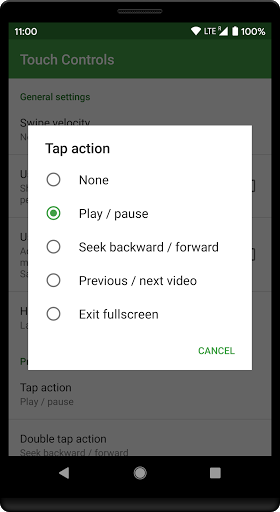
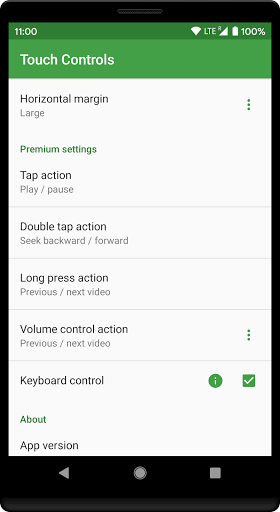
• Tap action
• Double tap action
• Long press action
• Volume control action
• Seek support
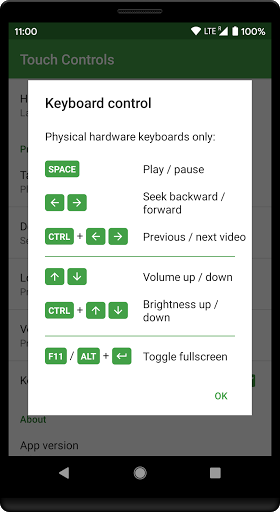
• Keyboard control
If the overlays do not work please try restarting the device.
This app uses accessibility services to:
• Detect when the YT/YT Go app is playing videos in fullscreen. This will activate the transparent touch overlays to control the screen brightness and volume.
• Perform touch gestures in order to make the player controls visible.
• Listen to key presses to support the hardware keyboard control functionality.
The accessibility service is limited to the YT/YT Go app. It will not receive events from any other app. The app does not obtain or collect any personal information related to your YT activity.
In-app purchases
$4.99 per item
Version Information
- Version
- -
- Downloads
- 100K+
- Updated on
- -
- Released
- Sep 3, 2015
- Requires
- Android Varies with device
Statistics
Google Play Rating History
Rating Distribution
Downloads Over Time
Touch Controls has been downloaded times. Over the past 30 days, it averaged downloads per day.
Shaded area shows 30-day prediction based on historical trends
Historical data collection started recently. More data points will be available over time.
Touch Controls users say on Google Play
 A Google user
Makes binge watching youtube that much more enjoyable. It would be great with youtube music too.
A Google user
The application is really good but you should give a setting to control the seek limit as it seeks up to 10 minutes when ever I bouble tap. So, please take a look on it..... 😊
A Google user
Great, but needs a bit more. I am on a note 10+ which has a wider screen aspect ratio. I used to use two fingers in full screen landscape mode to zoom in or out to either fill the screen or to set it to full hd size. That is no longer possible. Being a premium user, if devs do understand my issue, it will be helpful and i will be really happy even more. Till then, the brightness control, volume control, double tap to fast forward or go back is working fine. Btw, this is my 15min use review.
A Google user
Unable to buy premium version of this app due to not supporting my debit card no.format for google..
A Google user
Not working on note 10 plus
ApkTrusted Ratings & Reviews
More from AppListo
See more apps


Similar Apps





Scan this QR code to download

Forwarding you to the page at Google Play market in seconds...
Open Google Play market now