
Add Timestamp On Gallery Lite vVARY
Appnovasi Studio



About this app
Developer Description
Add Date, Time & GPS to Old Photos — Lightweight, Fast, and Simple!
With Add Timestamp On Gallery LITE, you can add date, time, GPS location, and watermark to old photos directly from your gallery — no retake required.
This LITE version is designed for users who want fast results, simple layout, and lightweight performance, even on low-end Android devices.
All essential documentation features remain available, including GPS tagging, logo watermark, mini map, altitude, and speed — with a more streamlined workflow.
Main Features
Manual Date & Time Editing
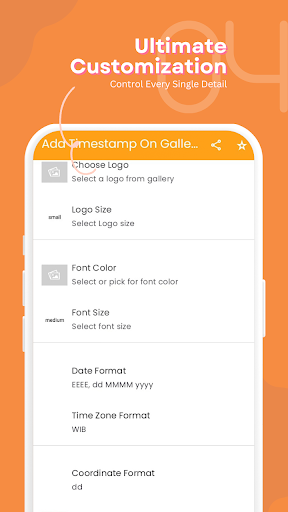
Set date and time manually based on the actual event. Supports custom formats and 12h/24h clock.
GPS Location & Mini Map
Add address, latitude–longitude, and optional mini map overlay.
Photo Details
Include altitude, speed, compass direction, and custom text or project notes.
Logo & Watermark
Insert company logo and adjust text color, font, and background.
Single Professional Template
The LITE version includes one clean and professional watermark template for all photos.
No Re-Edit After Saving
Saved photos cannot be edited again. To change information, create a new photo from the original image.
This keeps the app fast, stable, and lightweight.
Perfect for
Fieldwork and basic project documentation
Inspection and survey photos
Daily work records
Users who need quick timestamped photos
LITE vs Full Version
The LITE version includes all essential data (timestamp, GPS, logo, compass, map, altitude, speed, and custom text), with two limitations:
Only one watermark template
Need more templates and re-edit capability? Try Add Timestamp Manual On Gallery Photos (Full Version) on Play Store.
Note: Date, time, and location information are added manually by the user and may differ from the original photo metadata.
In-app purchases
$1.99 per item
Version Information
- Version
- -
- Downloads
- 50K+
- Updated on
- -
- Released
- Apr 16, 2024
- Requires
- Android Varies with device
Statistics
Google Play Rating History
Rating Distribution
Downloads Over Time
Add Timestamp On Gallery Lite has been downloaded times. Over the past 30 days, it averaged downloads per day.
Shaded area shows 30-day prediction based on historical trends
Historical data collection started recently. More data points will be available over time.
Add Timestamp On Gallery Lite - Google Play Rankings
Top Rankings
| Rank | Country | Category | List | Change |
|---|---|---|---|---|
| — |
Ranking History in
No ranking data available yet. Rankings are updated daily.
#83 in Top Free Art And Design in Indonesia


Add Timestamp On Gallery Lite users say on Google Play
 Mohrzky Malayse
good lahh bisa membantu pekerjaan kalau lupa foto pake timestamp
 BIMAL CHHAJER
OK
 Pravin Chimote
app not working or not open
 Mani Kandan
Waste
ApkTrusted Ratings & Reviews
More from Appnovasi Studio
See more apps





Similar Apps



Scan this QR code to download

Forwarding you to the page at Google Play market in seconds...
Open Google Play market now