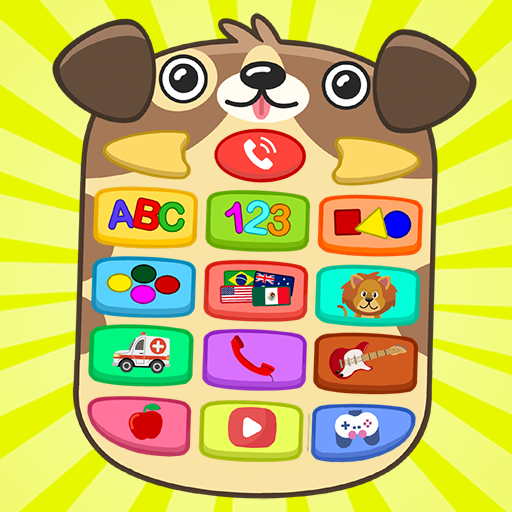
My Educational Phone for Kids v12.1
Apps Bergman












About this app
My Educational Phone for Kids solves the problem of providing a safe and educational platform for children to learn the alphabet, numbers, and more, with a unique approach of simulating a cell phone experience. This app benefits parents and educators seeking a engaging and interactive learning tool, and it stands out from alternatives in the Game Educational category due to its high user rating and large download base. However, its reliance on ads and in-app purchases may be a drawback for some users. Compared to other educational apps, My Educational Phone for Kids has a strong focus on simulating real-world experiences, making it a great choice for kids who enjoy interactive learning.
Pros
- With over 5 million downloads and a 4.1-star rating, My Educational Phone for Kids has demonstrated its effectiveness and popularity among parents and children, providing social proof of its quality and educational value.
- The app's developer, Apps Bergman, has a reputation for creating engaging and educational content, which is reflected in the app's high user rating and frequent updates.
- My Educational Phone for Kids is designed to be accessible and easy to use, making it a great choice for young children who are just starting to learn the basics of reading and math.
- The app's offline capability and lack of required permissions make it a great choice for parents who want to limit their child's exposure to the internet and potential security risks.
- The app's unique approach to learning, which simulates a cell phone experience, makes it a great choice for kids who enjoy interactive and immersive learning experiences.
Cons
- The app's monetization model, which includes ads and in-app purchases, may be a drawback for some users who prefer ad-free experiences or are concerned about the potential for in-app purchases to be exploited by children.
- Some users may find the app's features and content to be limited, particularly compared to other educational apps that offer a wider range of subjects and topics.
- The app's lack of transparency about the data it collects and how it is used may be a concern for some parents who are sensitive about their child's privacy and security.
- The app's compatibility with certain devices may be limited, which could result in performance issues or other problems for some users.
Best for: The ideal user for My Educational Phone for Kids is a child between the ages of 3 and 8 who is just starting to learn the basics of reading and math, and who enjoys interactive and immersive learning experiences, with parents or educators who are seeking a safe and educational platform to support their child's learning and development.
Developer Description
A whole cell phone designed for children to learn the alphabet, numbers and more
A menu full of buttons, made for fun and teaching with:
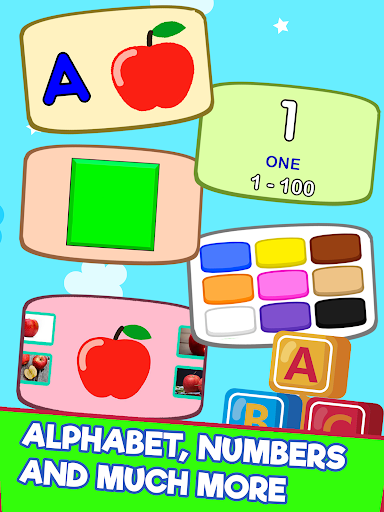
- Alphabet from A to Z with uppercase and lowercase letters with illustration.
- Numbers from 0 to 100.
- Geometric shapes (square, circle, triangle, rectangle, hexagon, pentagon and others).
- Flags of several countries, their main language and photos of tourist places.
- Colors and their nuances (various shades of yellow, blue, red and all other colors).
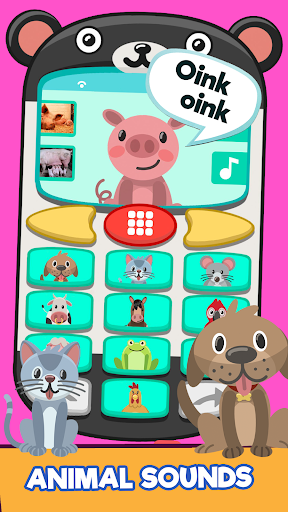
- Animals with illustration, photo and the sound they make (dog, cat, mouse, horse, frog, sheep and several other animals).
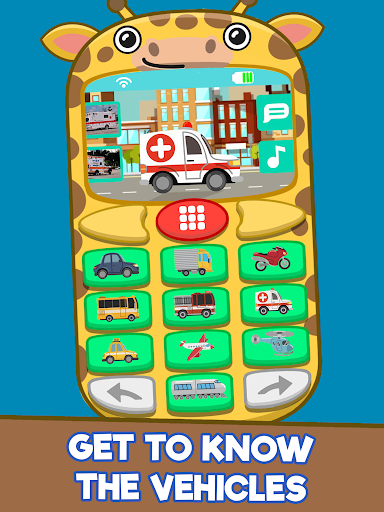
- Means of transport with illustration and photos (car, motorcycle, plane, train, skateboard and others).
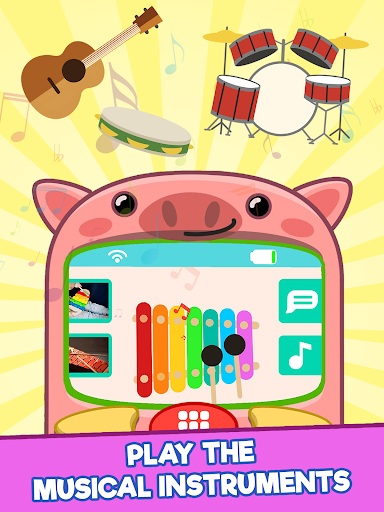
- Musical instruments with illustration, photo and the sound of the instrument (xylophone, guitar, drums, accordion, harmonica and several other instruments).
- Fruits with illustration and photo (apple, banana, grape, pineapple and more fruits).
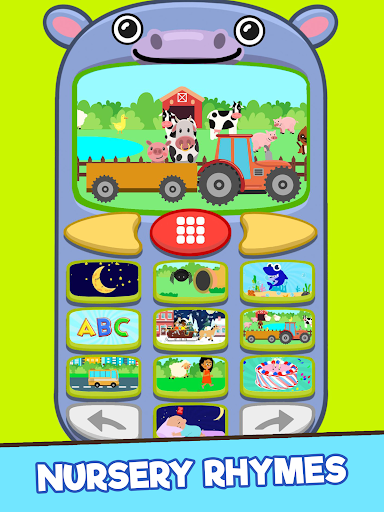
- Kids Songs and Nursery Rhymes.
- It has the possibility of dialing and calling imitating a real cell phone.
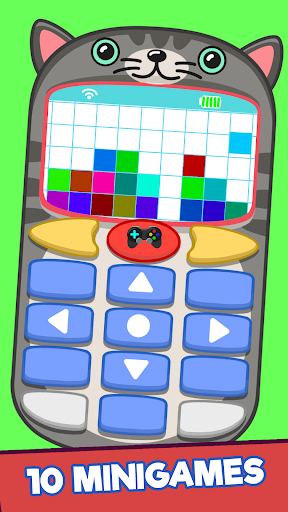
- 10 easy level mini-games for the little ones to enjoy.
With a clock on the screen and other details make it much more like a real cell phone.
There are 6 animal-themed animated case options
Various screensavers and background colors to choose from.
A different way of learning with lots of content and interaction.
Available in 12 languages to learn in other languages like English, Portuguese, Spanish, Italian, French and others.
This makes everything more fun and personalized!
Privacy
Since My Educational Phone for Kids requires no permissions, it is a relatively safe choice for children, but parents should still be cautious about the potential for in-app purchases and ads to be exploited by children. To minimize risks, parents should set up password protection for in-app purchases and monitor their child's activity when using the app. Additionally, parents should review the app's terms of service and privacy policy to understand what data may be collected and how it is used.
Tips
To get the most out of My Educational Phone for Kids, parents should start by setting up the app's parental controls and customizing the learning experience to their child's needs and skill level. Additionally, parents can use the app's reporting features to track their child's progress and identify areas where they may need extra support. Finally, parents can encourage their child to explore the app's different features and activities, such as the simulated phone and messaging system, to make learning a fun and engaging experience.
What's New
In-app purchases
$1.99 per item
Version Information
- Version
- 12.1
- Downloads
- 5M+
- Updated on
- Apr 8, 2024
- Released
- Jul 14, 2017
- Requires
- Android 5.1
Statistics
Google Play Rating History
Rating Distribution
Downloads Over Time
My Educational Phone for Kids has been downloaded times. Over the past 30 days, it averaged downloads per day.
Shaded area shows 30-day prediction based on historical trends
Historical data collection started recently. More data points will be available over time.
My Educational Phone for Kids users say on Google Play
 A Google user
I like this a lot but there is one major problem the d in the alphabet is being pronounced as b and that isn't right
A Google user
This app would have been lovely, only if the "phone" would stay still. I swear my head hurt after previewing it after I installed it. Very trippy. Uninstalled it right ahead. But again, this game has lots of potential, just real trippy.
A Google user
Not so good
A Google user
The music in the background is distracting, graphics aren't nice at- too busy but the robotic voice is the worst part of the app.
A Google user
I love the app but the voice is just terrible , it ruins the whole app . I would rate 5 stars if the voice sounded more real , and cheerful at that . Smh
ApkTrusted Ratings & Reviews
More from Apps Bergman
See more apps
RETRO SPACE
Free

What is the traffic sign?
Free

My Magical Book
Free
Silabando
Free
ABC Learn Alphabet Kids
Free

Colors: Learning and Coloring
Free

Body Parts for Kids
Free

ShufflePic - Puzzle Game
Free

Biblical Games and Activities
Free

Little Math
Free
Educational Memory Game
Free
Coloring Pixels 8x8: 3D Cubes
Free
Caça-Palavras Silábico
Free

Who said this? (Biblical)
Free

Carta de Caça Pro
Free

Float or Sink
Free
Similar Apps

Unicorn Academy: Magic School
Free
Baby Panda's Baby Games
Free

Kindergarten Games for Toddler
Free
Baby Phone Animals Game
Free

Hobbedu Toddler Learning Games
Free
Kids Phone - Baby Games
Free
Animal drawings: Learn to draw
Free

Smart Toddler Learning & Play
Paid

Letters Game: Play ABC & Learn
Free

Baby Phone - Kids Mobile Games
Free
Match Game - Play & Learn
Free

Coloring, Music and Games
Free
Learning Games for Kids
Free

Toddler Games For 3+ Year Old
Free

RMB Games 1: Toddler Games
Free
Piano Kids: Musical Journey
Free
Scan this QR code to download

Forwarding you to the page at Google Play market in seconds...
Open Google Play market now