
Pix You Dark Android Icon Pack v7.0.7
Arjun Arora

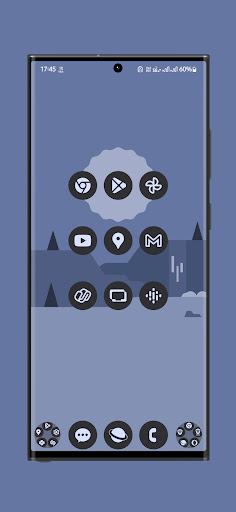
About this app
Developer Description
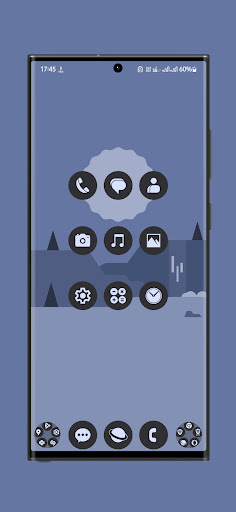
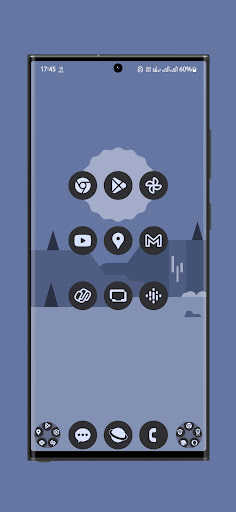
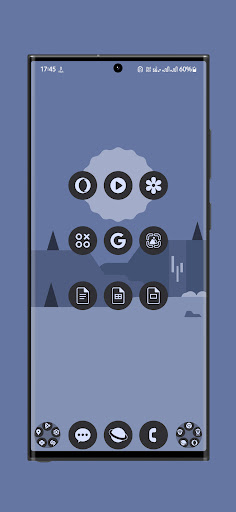
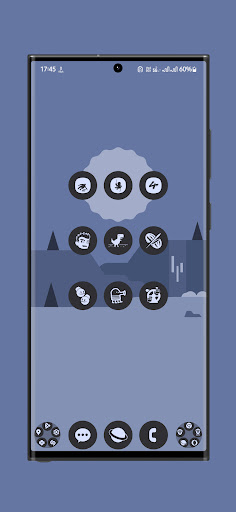
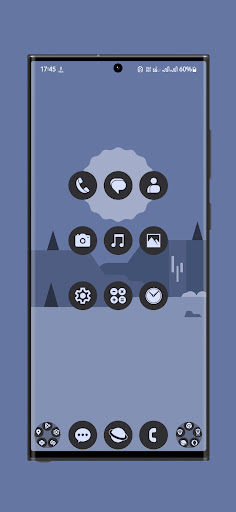
Circular material icon pack with cornflower colored gradients.
I have created each icon with utmost precision.
You need a supported launcher to apply this Pix You Dark Icon Pack theme.
IMPORTANT:
This is not standalone app. You need a compatible android launcher to use this icon pack.
Please be patient as the app's Icons and Request sections may load slowly based on the installed apps and RAM on your smartphone.
Steps:
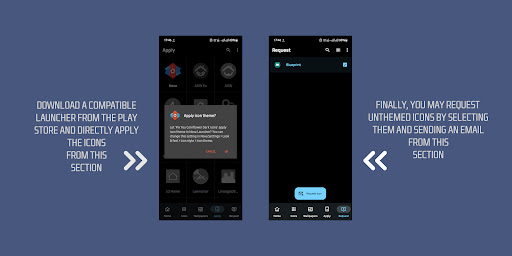
1. Download a supported launcher (Nova Recommended).
2. Open Pix You Dark Icon Pack and Apply.
Features:
1. Based on stock android.
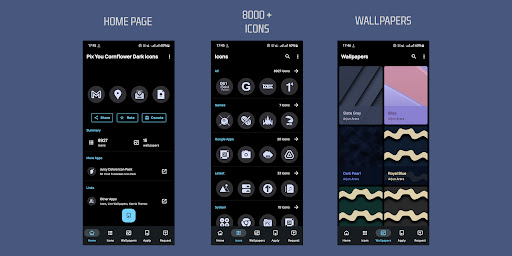
2. 8900+ [Latest & popular icons]
3. A big thanks to iOSXPC for providing the wallpapers.
4. Various alternate icons to choose from.
5. Icons based on vector graphics.
6. Monthly updates.
8. Multi Launcher Support.
Supported Launchers:
1. Nova Launcher
2. Lawnchair
3. Microsoft Launcher (and many more..)
4. App shortcut maker is necessary for pixel devices.
Icon Updates:
I'll try my best to add new icons as well as update older icons every month.
Please feel free to contact me on my email or any of the following social media platforms.
Facebook: https://www.facebook.com/arjun.aa.arora
Twitter: https://twitter.com/Arjun_Arora
Kindly Rate & Review
Thanks to Jahir Fiquitiva & iOSXPC.
What's New
- Please restart your device after the update finishes.
In-app purchases
$3.99 - $9.99 per item
Version Information
- Version
- 7.0.7
- Downloads
- 100K+
- Updated on
- Jan 14, 2026
- Released
- Sep 10, 2021
- Requires
- Android 6.0
Statistics
Google Play Rating History
Rating Distribution
Downloads Over Time
Pix You Dark Android Icon Pack has been downloaded times. Over the past 30 days, it averaged downloads per day.
Shaded area shows 30-day prediction based on historical trends
Historical data collection started recently. More data points will be available over time.
Pix You Dark Android Icon Pack users say on Google Play
 Red Aviation
This is an absolute awesome app. It has so much icons, and if it doesn't have the specific app icon, just search up an app similar to it. Example, a notes app, just search up notes, there's several note icons. It looks so nice and clean. I love it.
 Happy “Cereblue” Pottery
4 stars as i miss an option to let we chose what icons will be replaced, as i only want to darken icons that have too much white on it like all from google. Obs: uninstalling didnt undo the replaced dark icons. and i found no option to do that from within the app. i use adw launcher and fortunately it auto saves a backup of ypur effort, and is the only way to undo this theme. you should add an option to undo that could just be an explanation on how to do it for each launcher.
 Stephen (Genesishep)
After the last update my Oneplus 12r says your icons are no longer compatible with my device for some reason. There's a comment from another OnePlus user stating they are receiving the same error. Is there a particular reason for this? Altering my review accordingly but hopefully temporarily?
 Rais Shaikh
why is ur app being detected as a security threat to my phone, I really love ur app but can't keep it in my phone
 Evans Eps
Terrible, worthless, you can't actually benefit from it unless you request or pay for it
ApkTrusted Ratings & Reviews
More from Arjun Arora
See more apps


Scan this QR code to download

Forwarding you to the page at Google Play market in seconds...
Open Google Play market now