Recover Deleted All Photos v13.9
Vasundhara Infotech LLC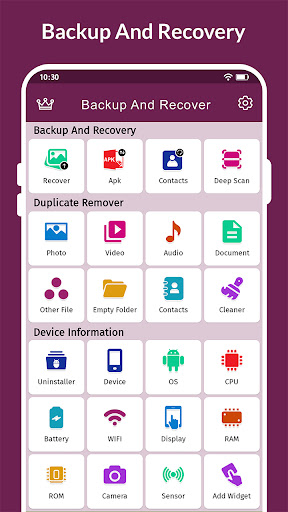





About this app
Developer Description
An application to recover deleted photos, videos, contacts from your storage.
This app goes the extra mile by offering a photo backup feature, allowing you to securely back up your application's data to storage. With two handy tools – backup & restore and Duplicate Remover – the eleted photo recovery app ensures you have control over your files.
Backup and Recuperes Functionality
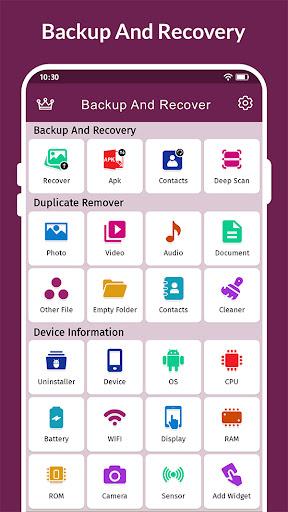
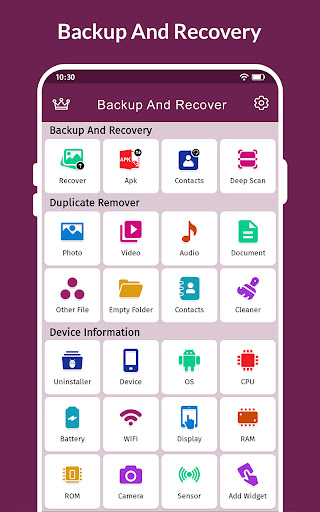
Recuperar Fotos Todo Borradas feature offers a versatile toolkit with four sub-categories: Photo Recovery, APK Backup, Contacts & Deep Scan. With the Backup and Recovery tool, you can effortlessly recover deleted photos, recuperar fotos borradas, and perform photo recovery. The Duplicate Remover tool is designed to help you reclaim valuable space on your device.
Key Features of Recover Deleted Photos :
Retrieve Lost Images:
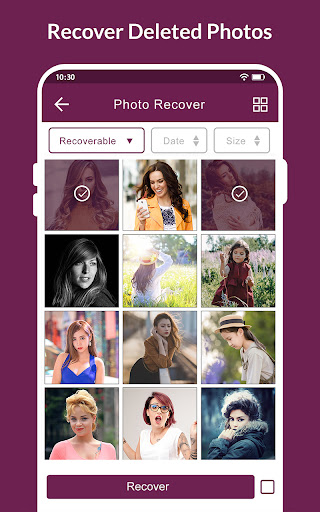
If you've accidentally deleted photos, videos, or contacts and need to recover photo them, simply choose the relevant option — recover deleted photos, recuperar fotos borradas, data recovery, or recovery photos. Click the Recover button, and your lost data will be restored with retrieve deleted photos.
Backup Your APKs:
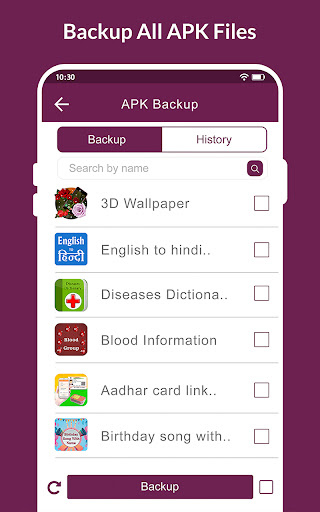
Secure your installed applications by creating backups with our APK Backup feature. This functionality ensures that you have copies of your app files, restore images providing a convenient way to restore them whenever necessary.
Secure Your Contacts:
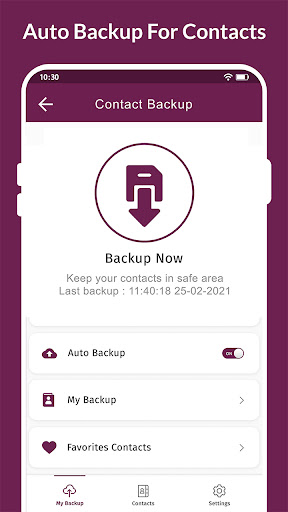
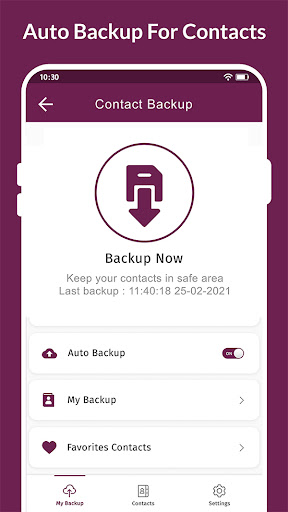
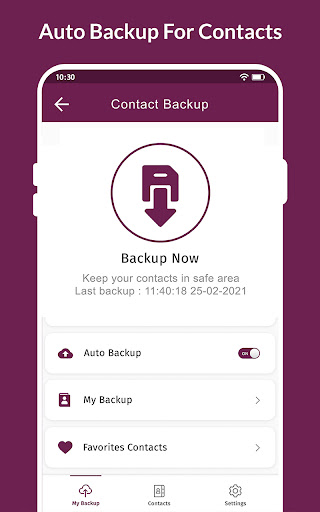
Experience the convenience of our contact backup app! Say goodbye to the worry of losing your contacts, as our application allows you to effortlessly and swiftly backup your contacts, recuperar fotos, and retrieve them whenever needed with ease.
Scan Your Device:
Simplify file management with our Deep Scan feature, offering users a unified platform to access all their files. Explore the advantages of this feature, which efficiently identifies hidden or dispersed files across various locations on your phone.
Features For Duplicate Remover:
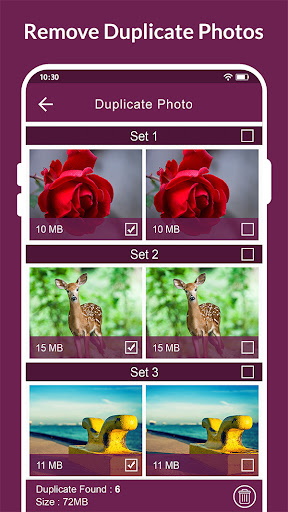
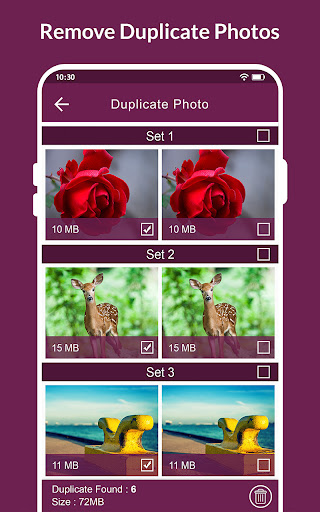
Duplicate Remover is your solution to identify and eliminate duplicate documents stored on both your phone and external storage. This efficient tool targets duplicate files, including images, videos, audio, contacts, documents, empty folders, and more. With Recuperar Fotos Todo Borradas, you can declutter your storage, ensuring a more organized.
Delete Duplicate Documents and Folders:
Our Duplicate Remover & photo delete feature is specifically designed to help you simplify your storage effortlessly. It identifies and removes duplicate documents and folders, streamlining your digital space. Enjoy a cleaner and more organized storage experience as you bid farewell to redundant files.
Cleaner:
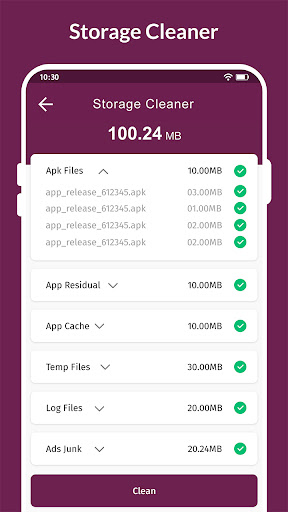
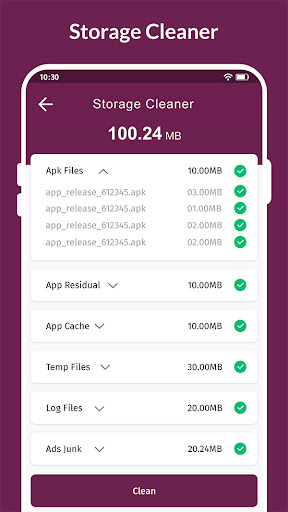
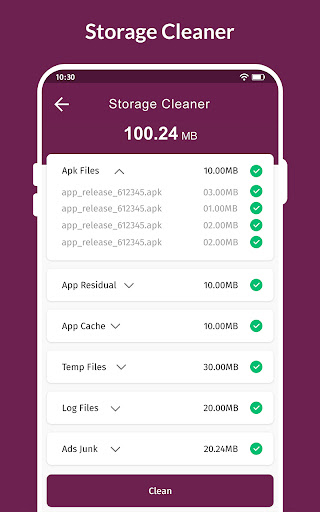
Free Up Space: Use Backup and Recovery to Clear Cache Memory and Junk Files.
Essential Tools Highlights:
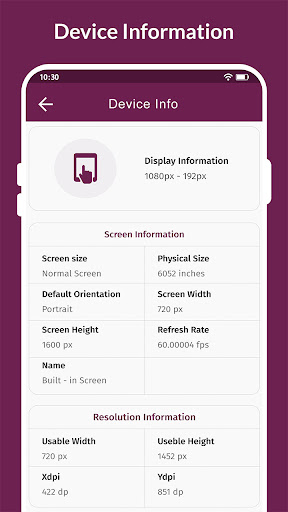
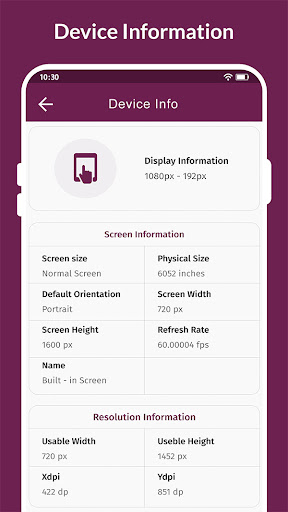
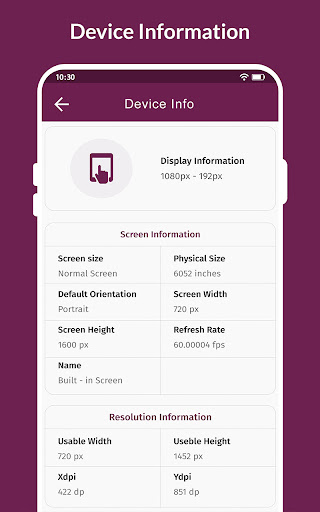
The Essential Tools section encompasses four key features: Recuperar Fotos Todo Borradas File Manager, Uninstaller, Device Info, and Add Widget. The File Manager simplifies organization by displaying your primary folders and details.
File Manager:
Get organized with File Manager! Open apps and tidy up your files by moving or copying them between folders. File Manager makes everything simple and helps you get things done smoothly.
Uninstaller App:
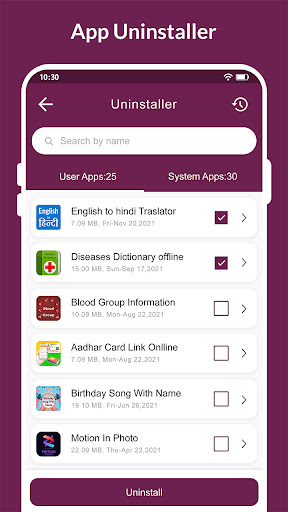
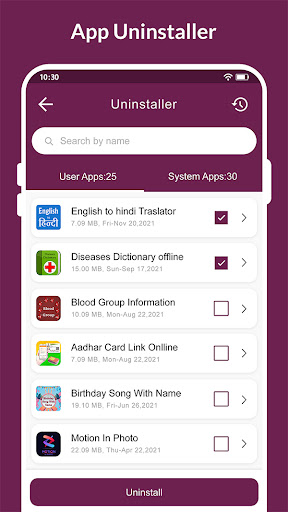
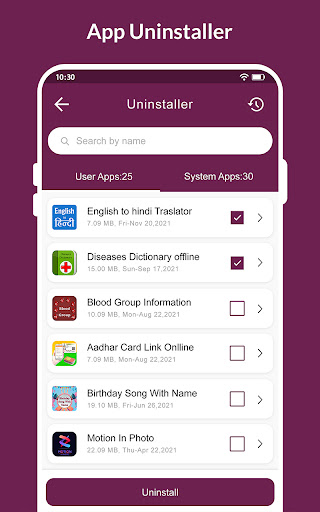
Use our user-friendly uninstaller to swiftly and safely remove any application from your computer. Our uninstaller provides clear warnings before removing an application, ensuring you can be confident that the uninstallation is complete.
Add Widget:
Widgets are nifty little tools placed on your home screen, making it easy to access your apps. With this Photo Recovery app, you can also tidy up your device and create more storage space.
What's New
- Improve Performance.
- Bug Fixes
We love getting feedback from all of you! Please leave your feedback.
In-app purchases
$5.99 - $99.99 per item
Version Information
- Version
- 13.9
- Downloads
- 10M+
- Updated on
- Jan 9, 2026
- Released
- Sep 17, 2018
- Requires
- Android 7.0
Statistics
Google Play Rating History
Rating Distribution
Downloads Over Time
Recover Deleted All Photos has been downloaded times. Over the past 30 days, it averaged downloads per day.
Shaded area shows 30-day prediction based on historical trends
Historical data collection started recently. More data points will be available over time.
Recover Deleted All Photos users say on Google Play
 Raj verma
Awesome best super
 Dilip Pandit
This app good
 Kamal bhai Lk devil
supar
 SHIVA MADAIAH
good
 Simone Preston
I was unable to try out the app before uninstalling it due to my device repeatedly placing it in deep sleep mode due to "frequent crashes." My previous review regarding a similar app-related deep sleep issue resulted in a response saying the problem must be with my phone or its settings; however, both are fine, and this only occurs with specific apps, suggesting an app-specific problem rather than a device or settings issue on my end.
ApkTrusted Ratings & Reviews
More from Vasundhara Infotech LLC
See more apps
Speaker Water Eject & Remover
Free

Screen Mirroring:Cast Smart Tv
Free

Find Level: Bubble, Laser Tool
Free

Contacts
Free

Photo Caller Screen Dialer
Free

Calculator Vault - Hide Photos
Free

Duplicate File Remover
Free

Remote Control for All TV
Free

AI Voice Changer - Prankster
Free

GPS Speed Tracker: Speedometer
Free

Voice Calculator
Free

AI Photo Enhancer & Generator
Free

Calendar: Schedule & Planner
Free

Find My Phone: Clap & Whistle
Free

My GPS Coordinates & Tracker
Free

Palm Reading & Horoscope
Free
Similar Apps

KiWi Vault: Hide Photos, Video
Paid

Smart Switch - File Transfer
Paid

All Recovery: Photo Video
Free

UltData: Photo & Data Recovery
Free

MobiSaver: Data&Photo Recovery
Free

Smart Video Downloader
Paid

Gallery
Free

File Manager - File Explorer
Paid

Sindhi Poetry Sindhi Status
Free
Restore My Old Deleted Photos
Free

Status Saver App
Paid

Video Downloader & HD Player
Paid

Gallery - photo gallery, album
Free
My Folder : Safe Secure Hidden
Free

Simple Gallery Pro
Paid

Earth Map App - Live Cam View
Paid
Scan this QR code to download

Forwarding you to the page at Google Play market in seconds...
Open Google Play market now