Awake Now! - Alarm For Apps v1.30
Bew Technologies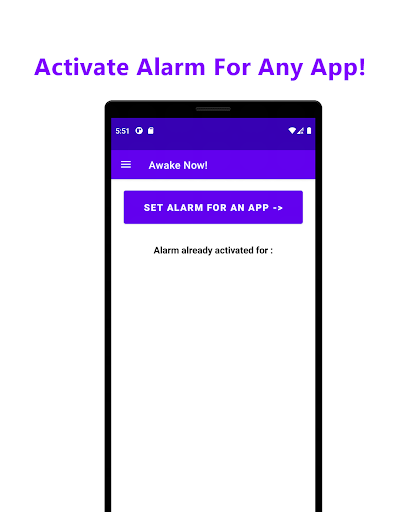
About this app
Developer Description
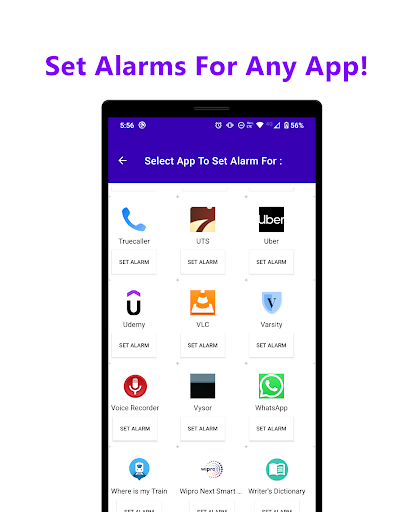
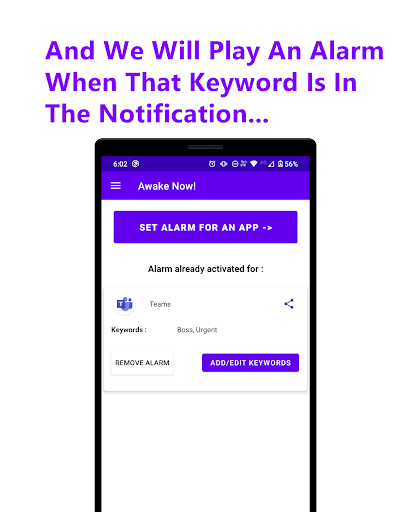
Alarm for important notifications! Select app. Set keyword. Get alarm.
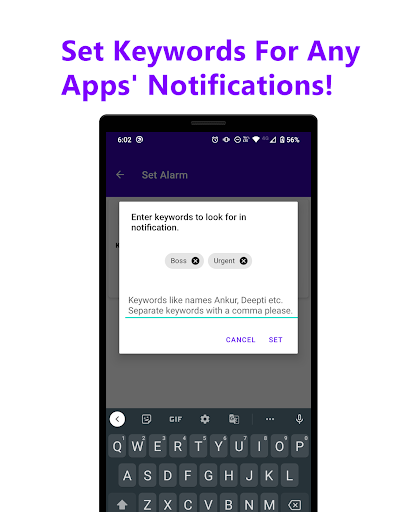
Set any keywords you want to set. (Something like : "Urgent", "boss" or names like "Bob", "Alice" etc).
These keywords are nothing but important phrases or words to look for in notification so that you only get alarm for notifications containing these words.
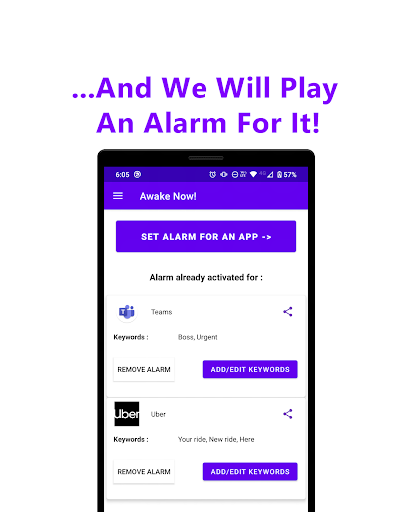
That's it. Next time you get a notification from that app, you will get an alarm.
Steps to follow :
1. Install the app.
2. Give it notification permission. (We would use this to see if notification from your selected app shows up.)
3. Open the app.
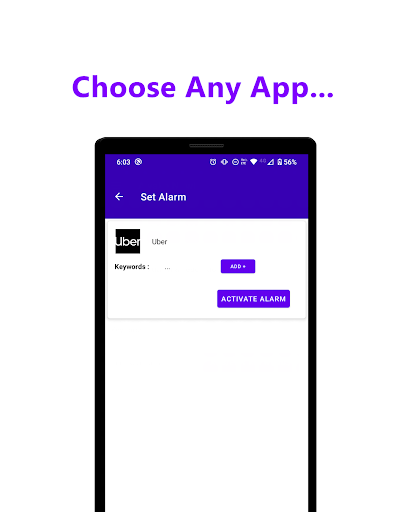
4. Select the app's whose notification you want to play alarm for. (Say Slack, MS Teams etc)
5. Select any keywords to look for in notification like "boss", "meeting", "urgent" etc.
6. Click "Activate Alarm".
5. That's it. Take a nap or walk, whenever any notification from your selected app comes, we will play an alarm.
You will never miss an important message.
Who Is This App For?
- This app can be used by office workers, who work from home, to set alarms for important notifications.
-For use with home automation apps, to set alarm for important notifications like water tank full.
- For students for important messages from specific teachers or classmates.
- For messages from your lover/crush, you can put their name and will get an alarm if they message.
- For uber/ola drivers, you can set alarm for keywords like "New ride" or "Ride available" or whatever message you get on notification in case of new available customer. Meanwhile, you can sleep we will play an alarm for it, if notification comes.
- For IT professionals, who want alarm for specific notifications keywords like "Server crash" "New bug" etc.
- For medical professionals, set an alarm for notifications keywords like "medical emergency", "patient" etc.
- For freelancers, you can set keywords like "new gig", "new offer", or client's name like "Bob" or "Alice" etc.
- For us, for people who need alarm for messages and/or notification from our closed ones; while we work or sleep.
Anyone who is waiting or needs to check for an important message or notification; can set alarm for that app and get the alarm when notification comes.
Share the app if you like! Hope this helps someone! :)
---
Some keywords for ASO : Alarm, alarms, notifications, home automation, uber, ola, driver, cab, apps, important messages, crush, worker, mom, dad, doctors, engineers, IT, medical, teachers, students, college, school, professionals, sleep, wait, awake, now.
What's New
- Now you can swipe the notification to cancel the alarm. So it does not keep ringing if you swipe it. :)
- Bug fixes.
- More awesome updates to come. Stay tuned! :)
Version Information
- Version
- 1.30
- Downloads
- 1K+
- Updated on
- Mar 13, 2025
- Released
- Nov 19, 2022
- Requires
- Android 8.0
Statistics
Google Play Rating History
Rating Distribution
Downloads Over Time
Awake Now! - Alarm For Apps has been downloaded times. Over the past 30 days, it averaged downloads per day.
Shaded area shows 30-day prediction based on historical trends
Historical data collection started recently. More data points will be available over time.
Awake Now! - Alarm For Apps users say on Google Play
 Aditya K
Keep up the good work. One slight issue tho, is once it rings there is no feature to dismiss the alarm, it keeps ringing. Please fix it in the next update. Kudos !
 John LaGreca
It is the best app out there for this. Suggested features, please: 1. Ability to pause and resume KEYWORDS for an app, not just the entire app. Currently one needs to delete and re-add keywords constantly to enable and disable certain notifications, not super friendly. 2. Ability to set different alarm sounds per app (ultimately per keyword) opposed to currently pulling in the system alarm setting for every notification. 3. Pause an app or keyword from the awake notification bubble.
 Rory
Rory
usually works but lacks configuration options like choosing what alarm to play and even a button to confidently shut down the app when not needed.
 MODIDEV D
I hope you are doing well. I have been using the Awake Now app and really appreciate its features. However, I have a concern regarding the notification tone settings. Currently, the app plays the alarm tone for notifications, but I would prefer an option to set a normal notification tone instead of an alarm sound. This would make the experience more user-friendly, especially when receiving notifications during the day. I would appreciate it if you could consider adding this option in a future
 Chris Baldwin
Does not work and keeps crashing. Spent some time trying to set up correctly, but it never did notify me and play an alarm. In the end i had to uninstall and it was causing constant crashes.
ApkTrusted Ratings & Reviews
More from Bew Technologies
See more apps

Scan this QR code to download

Forwarding you to the page at Google Play market in seconds...
Open Google Play market now