Big Keyboard: Easy Phone v1.0.10
SwipeTap Apps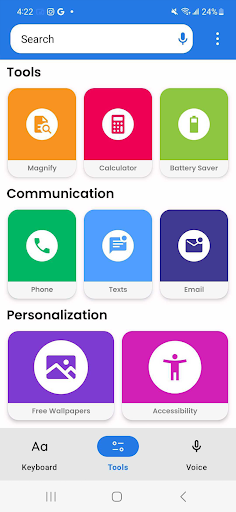
About this app
Developer Description
Make typing easier with bigger keys - Try Big Keyboard: Easy Phone now!
Top Features:
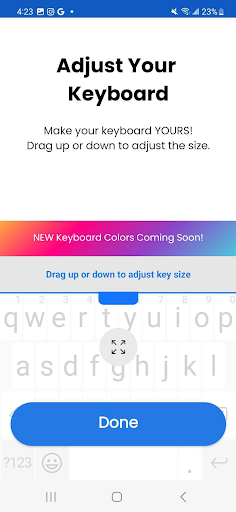
Bigger Keyboard for easier typing
Easy Shortcuts for quick access to settings
Magnifier with Flashlight to read small text
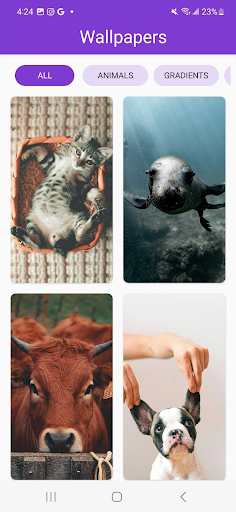
Custom Wallpapers to personalize your phone
Built-in Calculator for convenient calculations
We’re not just another keyboard app—The Big Keyboard: Easy Phone is here to make your life easier. With an array of features, we help you get the most out of your device.
We also want to hear from you! Share your thoughts and feedback as we work to improve future versions. Keep us in the loop about your experience and let us know what you think. We hope you enjoy using the Big Keyboard: Easy Phone app!
What's New
Version Information
- Version
- 1.0.10
- Downloads
- 10K+
- Updated on
- Sep 18, 2025
- Released
- Dec 14, 2023
- Requires
- Android 9
Statistics
Google Play Rating History
Rating Distribution
Downloads Over Time
Big Keyboard: Easy Phone has been downloaded times. Over the past 30 days, it averaged downloads per day.
Shaded area shows 30-day prediction based on historical trends
Historical data collection started recently. More data points will be available over time.
Big Keyboard: Easy Phone users say on Google Play
 Jody Green
It works good but needs spell correction embedded into it to work better
 Ron Bohlae
Everything works and i van see the letters without glasses
 Todd
Todd
no separte number pad like on a pc keyboard. spell checker seem to work that good.
 George Stout
I like the big letters but miss the features of gboard such as predictive typing spell checking etc.
 Matthew Coles
Installed app app failed even open
ApkTrusted Ratings & Reviews
More from SwipeTap Apps
See more apps
Scan this QR code to download

Forwarding you to the page at Google Play market in seconds...
Open Google Play market now