Bird Photo Background Editor vVARY
JITechApps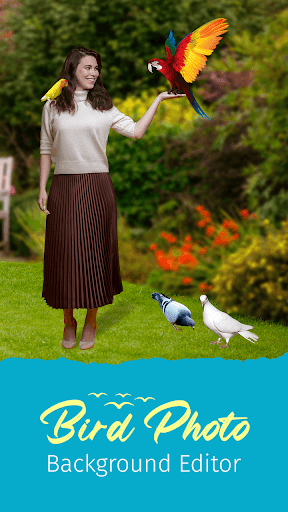
About this app
Developer Description
Add the Bird Photo Background, stickers, text & more on your favorite photo.
Like to click photos with birds? But not able to click with them?
Now, Bird Photo Background Editor app is here to help you.
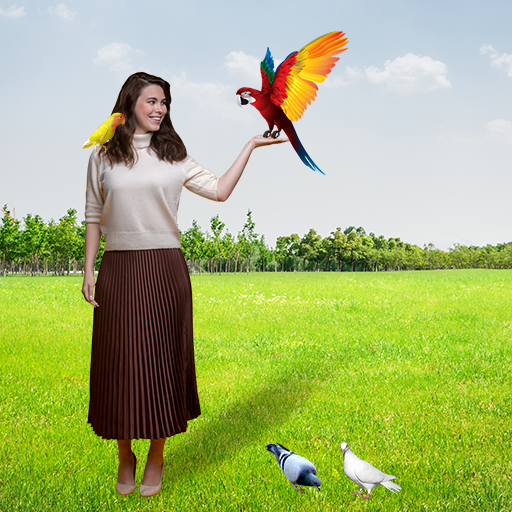
Bird Photo Background Editor allows you to add the bird's photo background on your favorite photos. This app makes the photo look realistic and outstanding.
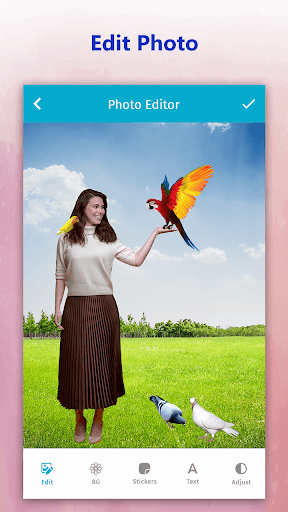
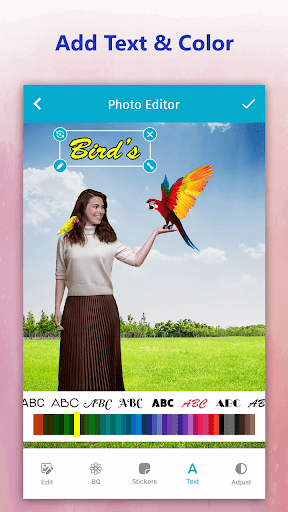
Bird Photo Background Editor gives a huge collection of beautiful birds photo backgrounds. You can also select the photo background from the phone gallery. The app allows adding birds stickers on the photo. You can add text to the photo with stylish font and amazing font colors. In app, you can adjust the brightness, contrast, saturation, and opacity of the photo.
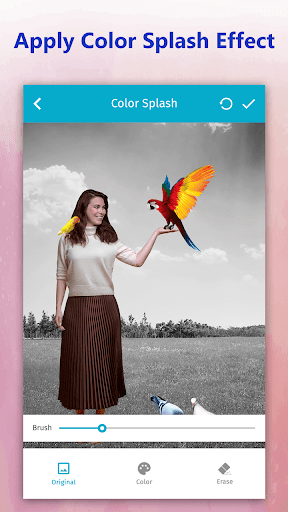
The salient feature of the Bird Photo Background Editor app is that you can add splash color, blur the photo, echo effect, and apply filters.
How To Add The Bird Photo Background?
1. Select the gallery option to pick the photo from the phone's gallery, or take a photo from the camera option.
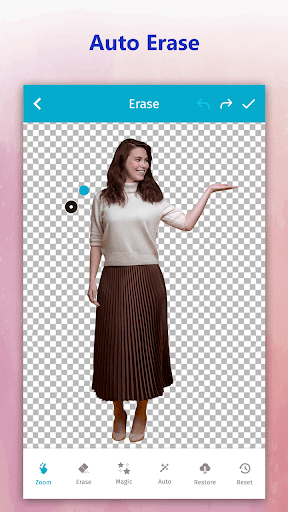
2. Can cut the image automatically & manually.
3. Single tap to rotate and flip the image.
4. Can zoom image and erase automatically - manually and magically.
5. Revert the changes by undo and redo options.
6. Select the Bird Photo Background from the collection or select from the phone's gallery.
7. In addition, add the stickers and text to the photo to make it more decorative.
8. Further, add the splash colors & blur the photo by dragging on the screen.
9. Apply the echo effect and select the echo frames from the collection.
1o. Apply the effects on the filter and adjust the opacity
12. Save the changes and can share them on the social media platform.
Version Information
- Version
- -
- Downloads
- 10K+
- Updated on
- -
- Released
- Feb 21, 2022
- Requires
- Android Varies with device
Statistics
Google Play Rating History
Rating Distribution
Downloads Over Time
Bird Photo Background Editor has been downloaded times. Over the past 30 days, it averaged downloads per day.
Shaded area shows 30-day prediction based on historical trends
Historical data collection started recently. More data points will be available over time.
Bird Photo Background Editor users say on Google Play
 L V Chandrasena
FB GUYS FREE FIRE
 Abhijit Das
Nise
 Cheptoyek Tim
Bushit app with many ads
ApkTrusted Ratings & Reviews
More from JITechApps
See more apps
Draw Beach Sand Name Art
Free

Airport Photo Background Edit
Free

Learn Korean in 15 Days
Free

Beach Photo Background Editor
Free

Kids Fashion Photo Editor
Free

Famous Places Background Edit
Free
Block Touch in Broken Screen
Free

Audio, Video Noise Remover
Free

Learn Japanese in 15 Days
Free

Car Photo Background Edit
Free

K-POP Hairstyle Editor
Free

Hill Photo Background Editor
Free

Photo Mirror Style Editor
Free

Baby Milestones Status Editor
Free

USA Passport Size Photo Maker
Free
Before-After Collage Edit
Free
Similar Apps





Scan this QR code to download

Forwarding you to the page at Google Play market in seconds...
Open Google Play market now