BlackBerry Hub+ Contacts v2.2549.2
BlackBerry Limited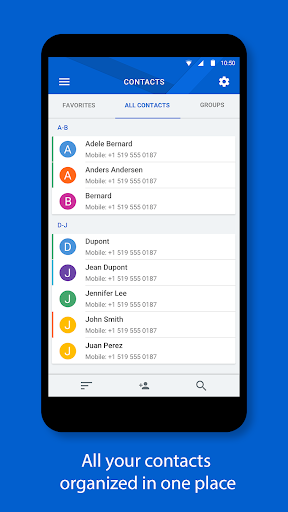

About this app
Developer Description
Store and access all of your contact info in one location
Major Features:
• Sync work and personal accounts for a truly integrated experience. Supports local and synced contacts from popular email providers such as Gmail, Yahoo!, Office 365, Outlook.com, Microsoft Exchange ActiveSync accounts, and more
• Remotely search your work directory address list right from your device
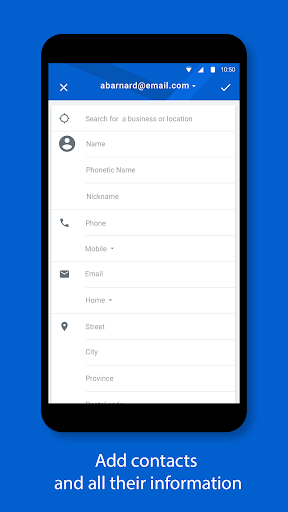
• Add new contacts and search for a business or location to add it to a contact entry
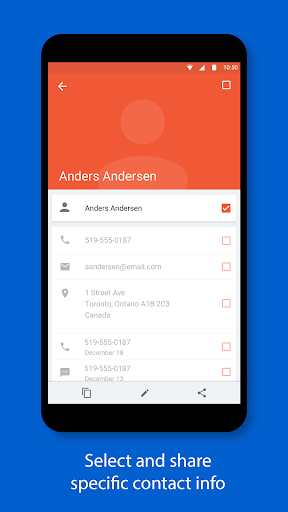
• Safely share a contact and protect their personal data by controlling which info you share
• Dark theme option gives your BlackBerry Hub+ Contacts a fresh new look and feel
• Fully supports Android Enterprise deployment and, when allowed by your administrator, supports unifying your personal and work contacts while maintaining strict data storage separation
BlackBerry Hub+ Contacts requires the BlackBerry® Hub+ Services app to deliver a consistent experience across all BlackBerry® applications, and to manage your subscriptions
Enjoy BlackBerry Hub+ Contacts for free on your BlackBerry® device!
If you don't have a BlackBerry device:
• Enjoy full functionality of the app for 30 days
• Purchase a monthly subscription to enjoy BlackBerry Hub+ Contacts without ads. This grants you access to all the BlackBerry Hub+ apps, including Inbox, Calendar, Notes, Tasks, and Launcher
• Enterprise Customers, please visit: http://web.blackberry.com/forms/enterprise/contact-us
For support, visit docs.blackberry.com/en/apps-for-android/contacts/
What's New
• Minor enhancements and bug fixes
Version Information
- Version
- 2.2549.2
- Downloads
- 1M+
- Updated on
- Jan 15, 2026
- Released
- Oct 26, 2015
- Requires
- Android 9
Statistics
Google Play Rating History
Rating Distribution
Downloads Over Time
BlackBerry Hub+ Contacts has been downloaded times. Over the past 30 days, it averaged downloads per day.
Shaded area shows 30-day prediction based on historical trends
Historical data collection started recently. More data points will be available over time.
BlackBerry Hub+ Contacts users say on Google Play
 Dominic Nocera
Please make the note field highlight phone numbers to a link so you dail by clicking on it. I SO MISS BB10.
 Ron
Ron
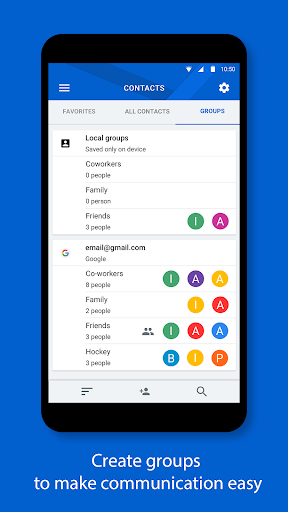
I can't go to separate groups that I have created. The app crashes everytime I attempt to go to a created group of contacts.
 Yves L
Contacts in Dark mode rarely works properly. If Agenda is opened before Contacts then it is likely to open in Dark Mode (if Dark is selected as Display). Otherwise, Light Mode is likely to show despite Dark mode selected. Please fix this annoying issue.
 Victor Ordu
I'm confused. Either something is wrong with me or there's something wrong with this app. I don't understand how the syncing works. When I save contacts, I can't find them via this app - I have to resort to the Phone app to retrieve them. I don't see my contacts saved to the Microsoft Exchange Server. The app settings are so scanty and don't offer much control. I'm not sure whether it is truly part of the BlackBerry Hub ecosystem! I'm a paying customer and I feel cheated.
 Conrad D
Worked great till today but now it is stuck on the subscription or ads. It won't let me continue with ads would like to keep using this app. Can someone please help me fix this.
ApkTrusted Ratings & Reviews
More from BlackBerry Limited
See more apps
CylancePROTECT
Free
BlackBerry Connectivity
Free

SecuSUITE®
Free

BlackBerry Hub+ Tasks
Free
BlackBerry Hub+ Services
Free
BBM Enterprise
Free
BBM Enterprise
Free

BlackBerry Hub+ Inbox
Free
BlackBerry Hub+ Notes
Free

BlackBerry UEM Client
Free
BlackBerry Hub+ Calendar
Free

BlackBerry Radar Mobile
Free

BlackBerry Envoy
Free
Scan this QR code to download

Forwarding you to the page at Google Play market in seconds...
Open Google Play market now