
Flutter Material 3 Design Kit vVARY
BOLT UIX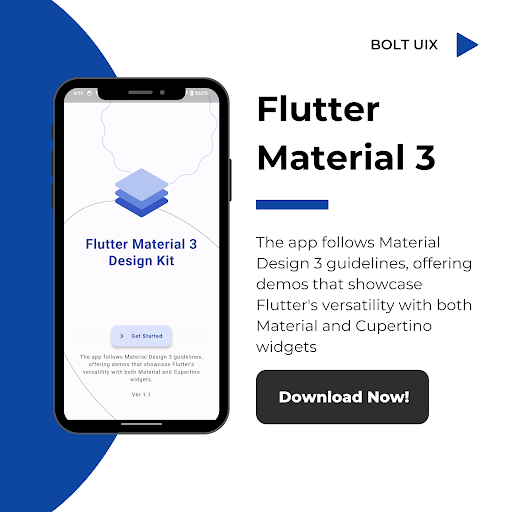



About this app
Developer Description
Explore the power of Flutter with our Material 3 Design Kit!
Flutter Material 3 Design Kit 🎨
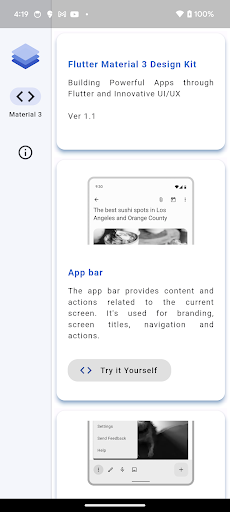
App bar 📱
Bottom app bar ⬇️
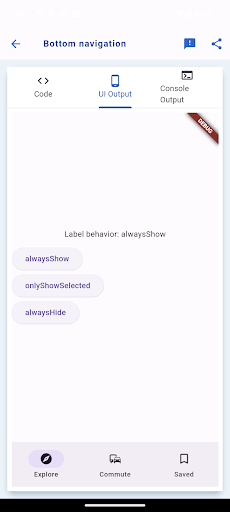
Bottom navigation 🚶♂️
Navigation drawer 🗄️
Navigation rail 🚋
Tabs 📑
Elevated Button 🔼
Filled Button 🟦
Filled Tonal Button 🟦
Outlined Button 🛑
Text Button 🔠
Bottom navigation 🚶♂️
Navigation drawer 🗄️
Navigation rail 🚋
Tabs 📑
Elevated Button 🔼
Filled Button 🟦
Filled Tonal Button 🟦
Outlined Button 🛑
Text Button 🔠
Text Gradient Button 🌈
FAB Regular 💡
FAB Small 💡
FAB Large 💡
FAB Demo 💡
FAB Color Mappings 💡
FAB extended 💡
Icon Button 🔘
Icon toggle Button 🔘
Segmented Button 🔍
Menus 🍽️
Date pickers 📅
Time pickers ⏰
Snackbar 🍔
Filled Text fields ✍️
Outlined Text fields ✏️
Common Text fields ✒️
Action chips 🍟
Choice chip ✔️
Filter chip 🔍
Input chip 💬
Checkbox ✅
Switch 🔀
Radio button 🔘
Sliders 🎚️
Banner 🎏
Tooltips ℹ️
Data tables 📊
Progress indicator 🔄
Divider ➖
Dialog Licenses 💬
Dialogs 💬
Bottom sheet Modal 🛌
Bottom sheet Persistent 🛌
Lists 📝
Grid lists 📊
Badges 🎖️
Navigation transitions 🚀
Typography 🖋️
Elevation ⬆️
Stepper 🚶
ListTile 📋
Icons 🔤
Animated Icons 🔄
ExpansionPanel 📁
Colors 🎨
Onboarding 🚀
Imagery 📸
Elevation ⬆️
Stepper 🚶
ListTile 📋
Icons 🔤
Animated Icons 🔄
ExpansionPanel 📁
Colors 🎨
Onboarding 🚀
Imagery 📸
Responsive and Adaptive 📱
Launch screen 🚀
Empty states ❌
Fade Scale Transition 🔄
Fade Through Transition 🔄
Shared X Axis Transition ↔️
Open Container Transform 🔄
Google Fonts 🅰️
Cupertino Activity indicator ⌛
Cupertino Alert Dialog 💬
Cupertino Action Sheet 💬
Cupertino Buttons 🔘
Cupertino Context menu 📋
Cupertino Date Picker 📅
Cupertino Time Picker ⏰
Cupertino Time Picker ⏰
Cupertino Navigation Bar 📱
Cupertino Picker 📅
Cupertino Scrollbar 📜
Cupertino TextField ✍️
Cupertino Search TextField 🔍
Cupertino Switch 🔀
Cupertino Segmented control 🔍
Cupertino Slider 🎚️
Cupertino TabBar 📑
WEB:
https://boltuix.github.io/
Version Information
- Version
- -
- Downloads
- 5K+
- Updated on
- -
- Released
- Mar 4, 2024
- Requires
- Android Varies with device
Statistics
Google Play Rating History
Rating Distribution
Downloads Over Time
Flutter Material 3 Design Kit has been downloaded times. Over the past 30 days, it averaged downloads per day.
Shaded area shows 30-day prediction based on historical trends
Historical data collection started recently. More data points will be available over time.
Flutter Material 3 Design Kit users say on Google Play
 Kuldeepsinh rathod
Very good app for learning keep it up developers
 mako yass
none of the demos are showing (when I click through into them, they're blank) edit: since the developer replied, indicating that they actually care and might have fixed it, I checked again. The demos load eventually. They're a bit laggy, probably running in a webview or something. Which for me is a bit frustrating (I'm interested in performance) but for other users might be ideal.
 Rajdeep Thakare
I would really like the native output of the code instead of the web browser because it feels janky on my phone 📱
 Azeem Hassan
app is not showing previews
ApkTrusted Ratings & Reviews
More from BOLT UIX
See more apps
Eng Teacher Eng Vid
Free

Web School Offline – Learn Web
Free

Android Material UI/UX
Free

Flutter UI App Template
Free

Compose M Multiplatform UI KIT
Free

Jetpack Compose Template
Free

12 Testers Closed Testing
Free

blog to app template
Free

Voice Command Pro Tips
Free

Kotlin Material UIX Template
Free

InstaPlay -Template
Free

Wallpaper Pro - Beyond 8K
Free

Android Mastery Pro - Learn
Free

Insta Web to App
Free

Learn Compose with BoltUIX
Free

Compose Material Theme
Free
Similar Apps




Scan this QR code to download

Forwarding you to the page at Google Play market in seconds...
Open Google Play market now