
Video Kiosk v8.0.0.250716
Burningthumb Studios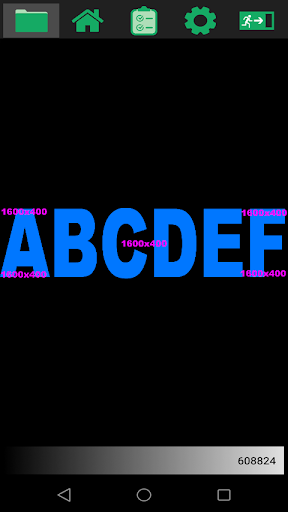






About this app
Developer Description
Loop video, images, web pages, digital signage, interactive kiosk, remote update
Turn your Android device into a reliable, robust, secure Android kiosk loop of videos, images and web pages. You’ll have your Android device playing looping content and running unattended and reliably with minimal set up.
Advanced features include secure Kiosk Mode for access management, remote management, remote update, playback scheduling, overlays, backgrounds and flexible screen layouts – full screen or split screen for digital signage with widgets.
FEATURES
Easy to Use
Plays video and/or images and/or web pages in a loop with a simple 3-step Installation. Here’s what you do:
1. On your computer, create a videokiosk folder and put your media in the folder
2. Copy the folder to your Android device or use the integrated Cloud Download feature
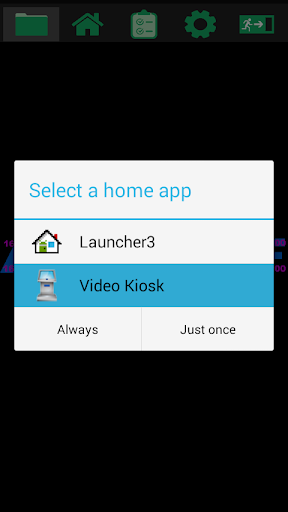
3. Launch Video Kiosk
Video Kiosk will now play the contents of the folder, in a loop, unattended. Video Kiosk can be used to run the big screen at a gym, shop, or anywhere where you need to run a digital signage display. Just turn the TV on - Video Kiosk takes care of the rest.
Flexible display modes
- Use Full Screen display to loop video and images on an Android TV, tablet or phone – perfect for Digital Signage
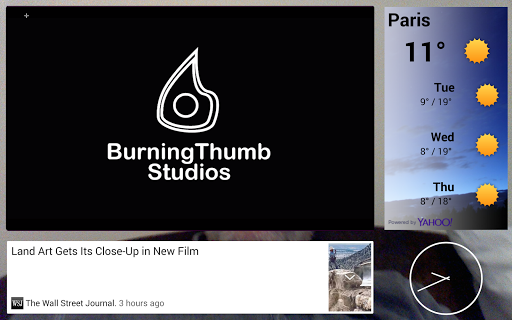
- Use Split Screen for Digital Signage with widgets (looping media in one, widgets in the other three)
- Use Interactive Kiosk mode to set up a Touch Screen Interactive Kiosk
Control Content Loop Playback Order and Schedule
- Control Playback Order using Playlists, Sort by path or filename, Random order or Round Robin through folders
- Set a playback schedule using Android Calendar, Google Calendar, XML schedule file
- Control Playback using the Device Location or Motion Detection
Robust, Secure and Reliable
Secure Interactive Touchscreen Kiosk. Video Kiosk has security options for controlling access to the Kiosk software and for controlling access to the device
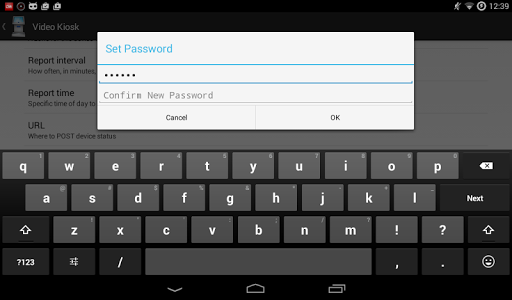
- Password protection
- Restrict access to device controls, especially for interactive devices
- Lock down Kiosk on rooted devices
Reliable Digital Signage. Video Kiosk has built-in logic to recover from common sources of playback interruption.
- Dims screen on battery-powered devices when battery power is low
- Handles restarts, awakening from sleep, unplayable media, recurring errors, abandoned and skips it
- No down time required when updating. If the video loop changes because you have updated it, the new video loop will play the next time the loop starts.
Remote Management and Update
With remote management features and a cloud service, you can update and manage all of your video kiosks, simultaneously, from anywhere that you have Internet access and with no device downtime.
- Remotely manage your content loop or update playback order, schedule, backgrounds, overlays using the cloud
- Integrate Video Kiosk with a management system to receive device status reports.
More
- Free trial download. Try all the features then purchase to activate the App on your device
PERMISSIONS
This app uses the Device Administrator permission.
This app uses all file permissions to implement core kiosk features like automatic configuration using XML files.
SUPPORT
- Watch the Getting Started with Video Kiosk video
- Refer to the Online Tutorials
- Read the Video Kiosk User Manual
- Download the Media Sample Pack and give Video Kiosk a try right now!
What's New
In-app purchases
$14.99 - $15.99 per item
Version Information
- Version
- 8.0.0.250716
- Downloads
- 10K+
- Updated on
- Jul 17, 2025
- Released
- Oct 2, 2013
- Requires
- Android 5.0
Statistics
Google Play Rating History
Rating Distribution
Downloads Over Time
Video Kiosk has been downloaded times. Over the past 30 days, it averaged downloads per day.
Shaded area shows 30-day prediction based on historical trends
Historical data collection started recently. More data points will be available over time.
Video Kiosk users say on Google Play
 A Google user
I've tried several programs for displaying photos and this is simply the best. It works great just with the default settings ('out of the box'), but there are also a lot of powerful options that you can configure if you want to experiment or read the manual. Unlike most apps, it has a pretty hefty manual. And the developers are fantastic about support.
A Google user
This app is quite amazing. The support is also on point. For example, I live in Cape Town South Africa and I had great promt response from support! We are using 7000 of these in 2017. All we need to add is the mapping Robert' wink wink'😉
 Shaheem M
Installed trial..have few issues 1. Does it support internet access through windows AD based proxy server 2. Can it be connected remotely connected over the internet for configuration 3. Can media folder be accessed remotely for updation of files
A Google user
Cant get license on my xiaomi mi box android tv
A Google user
I have been unable to open Video Kiosk on my G3 running the latest update, 5.1.1; I receive a FC error everytime. Uninstalling.
ApkTrusted Ratings & Reviews
More from Burningthumb Studios
See more apps











Similar Apps

Nani – Baby Monitor
Free

Focus Video - Video Compressor
Free

MP4Fix Video Repair Tool
Free

Video Recorder
Paid

NOVA Video Player
Free

Hey, I have a mouth!
Free

Video Downloader & HLS Player
Free

LEKFIT online studio
Free

Screen Recorder: Audio & Video
Paid

Travel Packing Checklist
Paid

Video Downloader Manager VidWe
Paid

HQ Video Player & Casting
Paid

MusiQuest ECE: Sketch-a-Song
Free

IPTV Player: Watch 8K Live Tv
Paid

Dr. Dish Player
Free

PUBBLY Player
Free
Scan this QR code to download

Forwarding you to the page at Google Play market in seconds...
Open Google Play market now