
TV Cast - Cast for Chromecast v1.6.8
Generation z apps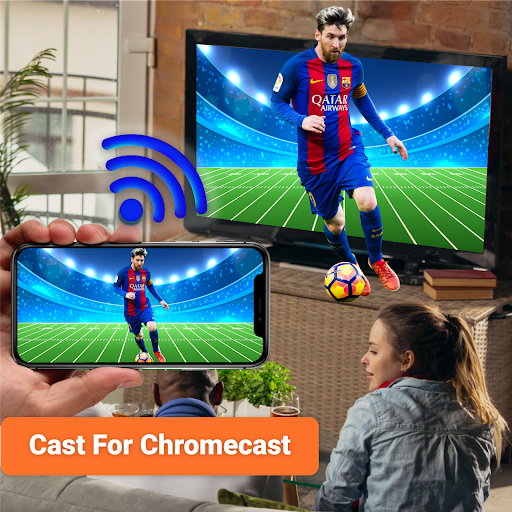






About this app
Developer Description
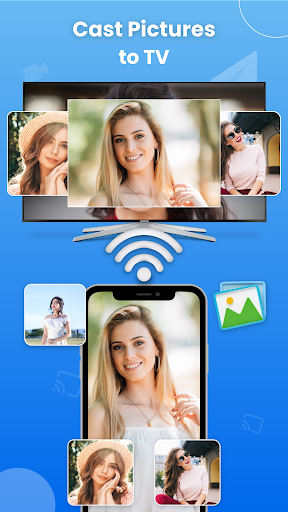
Cast to TV for Chromecast to screen mirror your phone into Smart TV and Roku TV.
Cast to TV & Chromecast for Roku TV helps you to share screen to Roku, Fire VT, Xbox, Samsung and LG TV. Cast Web Browser to smart TV and watch your favorite TV shows, live streams on the big screen TV. Screen mirroring allow you to mirror screen of your phone to smart TV using Roku.
Key features of Cast to TV for Chromecast :
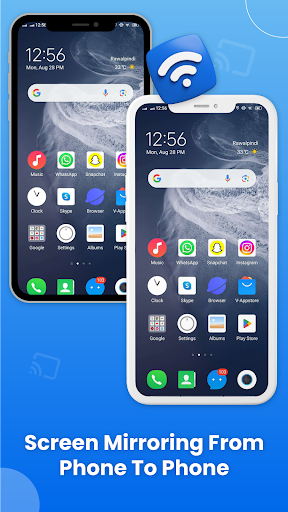
• Cast phone to phone for screen sharing.
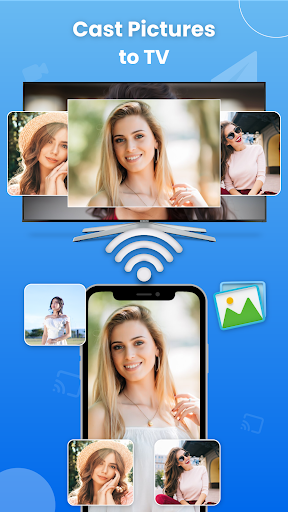
• Cast your videos and photos on Roku TV.
• Chromecast your TV screen to smart TV with Roku.
• Smart cast app for screen mirroring and phone casting.
• Support multiple media like videos, audios, pdfs and E-books.
• Screen mirroring app for cast to TV, live streaming, and phone screening.
• Cast to Roku for live stream of sports and music with remote control access.
• Cast web browser to TV and watch your favorite TV shows on live screencast.
• Cast to TV let you cast to Chromecast, Fire TV, Samsung, Xbox, Xbox one and LG TV.
Cast to Roku:
Screen Mirror your TV screen to Roku and watch videos in HD quality. Enable the Roku and enjoy your favorite TV shows, live streams and videos on big screen. Cast phone to TV using casting devices like Roku stick, Roku box into Smart TV, Samsung and LG TV.
Screen Mirroring:
Smart cast app for Cast to TV and screen sharing. Screen mirroring allows you to mirror your phone screen to Smart TV. Chromecast your phone screen and play games on big screen in HD quality with web video caster. Cast app to stream web videos, online movies and livestreams.
Cast Phone to Phone:
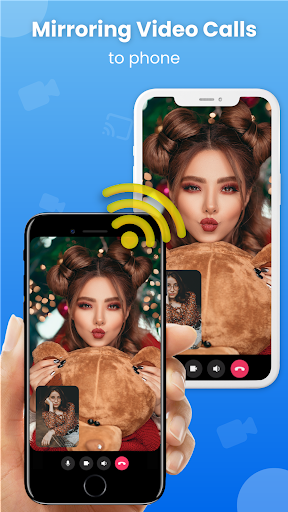
Chromecast phone to phone cast app is all in one screen mirroring and screen casting app. Access Remote camera from another phone using free screen share. Connect phone to TV and cast the mobile game or any app on big TV screen.
Miracast for Android to TV:
Mirror screen your android devices using Miracast. Project videos, photos from your android device wirelessly to your Smart TV. Screen mirroring to browse the web, Netflix, movies and music on big screen TV.
Cast for Chromecast & TV Cast:
Cast TV app for screen sharing, Miracast and Smart cast. Screencast your TV into smart TV like Chromecast, Samsung, Firebox, Roku, Xbox and LG TV. Easy remote access to TV. Screen Mirroring for webcast browser to TV and enjoy live streaming of TV shows, sports and videos.
Control Smart TV from phone:
Cast and control Smart TV with your smartphone. Cast to TV for remote control access to adjust volume, videos and TV programs with android cast. Connect your casting device to you TV and use your smartphone as a remote to cast videos, photos, and apps to your TV.
How to start Screen Mirroring?
• Connect your devices i.e. Smart TV and Smartphone to same WIFI network.
• Launch and connect Miracast app to Smart TV.
• Tap on the cast button to get it started.
• Screen mirroring is enabled now.
Cast to TV supported devices:
Cast to TV lets you cast to:
Chromecast, Roku TV, Samsung smart view, LG TV, Panasonic TV, Smart TV, Vizio, Sony TV, Toshiba, Philips, Hisense, JVC, RCA, Hitachi, TCL TV ,Fire stick TV, and DNLA receivers.
Thank you for downloading TV Cast for Chromecast. For suggestions and feedback about Cast for Chromecast TV Cast, contact us at support@generationztech.com.
In-app purchases
$9.99 - $39.99 per item
Version Information
- Version
- 1.6.8
- Downloads
- 1M+
- Updated on
- Jan 7, 2026
- Released
- Aug 10, 2023
- Requires
- Android 8.1
Statistics
Google Play Rating History
Rating Distribution
Downloads Over Time
TV Cast - Cast for Chromecast has been downloaded times. Over the past 30 days, it averaged downloads per day.
Shaded area shows 30-day prediction based on historical trends
Historical data collection started recently. More data points will be available over time.
TV Cast - Cast for Chromecast users say on Google Play
 Sini Sudhi2021
easy to use this app 💗🖤🖤
 Sabita Pandit
it's good but the problem is ad
 David
David
did not work for me.. did not work at all..
 Ms k Grant
too much to get it started and it doesn't connect alot of the ti.es
 Ryan Godfrey
Horrible, Horrible!!! DO NOT PURCHASE. The app used to be wonderful but after the big update it's absolutely horrible and the best part is they want to charge you money for a product that is 100x worse than the old free version. Not to mention they need a handful of NEW permissions that are not needed so be extremely careful what you allow access.... SCAM!!
ApkTrusted Ratings & Reviews
More from Generation z apps
See more apps


Similar Apps

HQ Video Player & Casting
Paid
Roku Smart Home
Free

Universal Remote for Smart TV
Free

Video Recorder
Paid

Nedis SmartLife
Free

VIDAA Smart TV
Free

IPTV Player: Watch 8K Live Tv
Paid

Lorex Classic
Free
ICG Training
Free
Samsung TV Plus - TV & Movies
Free

Home V
Free

Hamster News
Paid

INTEGRA CONTROL
Free

The Roku App (Official)
Free

Mega TV Remote Control & Cast
Paid
NSCA TV
Free
Scan this QR code to download

Forwarding you to the page at Google Play market in seconds...
Open Google Play market now