AppLock v2.0.48
Cube Apps Ltd

About this app
Developer Description
Safeguard your privacy, lock contacts, messengers & other apps with AppLock
Packed with powerful functionality and slick UI, AppLock is the top locking app that enables you to protect your data and lock apps from intruders in a matter of few clicks.
How does AppLock work?
Having configured the basic AppLock settings upon the first sign-in, you only need to open AppLock and tap the app - to switch on the app lock protection.
Key features:
• Powerful Message Locker
Lock Facebook Messenger, WhatsApp, Viber, Snapchat, WeChat, Hangouts, Skype, Slack and other messenger apps with AppLock to ensure your conversations with family, friends, and colleagues stay protected.
• Advanced AppLock for System Apps
Lock contacts, calendar and other system applications in a flash - using AppLock.
• Broad Range of App Lock Options
AppLock enables you to select the best lock option for your apps, i.e. lock apps with fingerprint, password or pattern you set up.
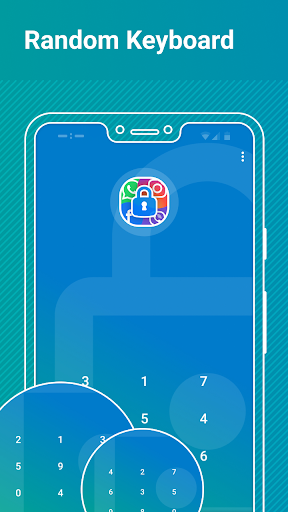
• Random Keyboard
Switch on a “Random Keyboard” feature in AppLock to hide your password from prying eyes.
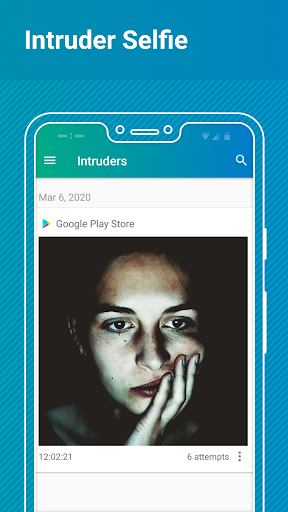
• Intruder Selfie
Turn on the “Intruder Selfie” mode in AppLock and track who’s made unauthorized attempts to snoop into your phone.
• Real-time App Lock Protection
AppLock will notify you of the new app/s on a device, available for locking.
• Customizable Themes
Personalize your experience with AppLock by selecting a Light (Default), or a Dark theme.
AppLock requires the following app permissions:
• App Usage - used to retrieve the list of installed apps, available for locking, and manage their lock status.
• Overlay (Run over other apps) - enables the lock screen display. Note! The “Overlay” permission is mandatory for Android 10 smartphones and tablets - otherwise, AppLock won’t work on the device.
• Camera - used to make an intruder selfie.
Getting Started with AppLock:
AppLock enables you to configure a broad range of settings right away - the first time you’re using the app. Let’s see how it works.
• Open AppLock.
• Grant the required “App Usage” and “Overlay” app permissions.
• Sign in the app using your Google account. Note! Sign-in is required to enable recovering access to locked apps in case you forget your AppLock lock password or pattern.
• Select & configure the app lock option you’d like to apply. Tip! If you’re using the Password (PIN) lock, it’s also possible to switch on the “Random Keyboard” feature right away.
Configure a number of extra stability and security features:
• Enable advanced app lock protection - set AppLock as a device administrator to prevent the app from authorized uninstall attempts.
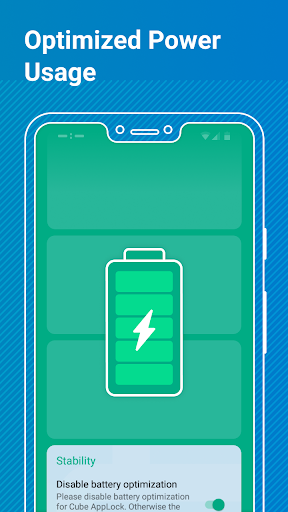
• Disable battery optimization - switch on this feature to prevent AppLock from sleeping and ensure stable app lock protection.
• Set Fingerprint App Unlock - enable unlocking apps instantly, with a fingerprint.
• Switch on “Intruder Selfie”- turn on the feature to enable the app to take photos using the front camera on your device, in case the incorrect AppLock Password (PIN) or Pattern is entered.
What's New
In-app purchases
$0.99 - $9.99 per item
Version Information
- Version
- 2.0.48
- Downloads
- 1M+
- Updated on
- Oct 29, 2025
- Released
- Mar 10, 2020
- Requires
- Android 6.0
Statistics
Google Play Rating History
Rating Distribution
Downloads Over Time
AppLock has been downloaded times. Over the past 30 days, it averaged downloads per day.
Shaded area shows 30-day prediction based on historical trends
Historical data collection started recently. More data points will be available over time.
AppLock users say on Google Play
 Rashida Khan
very bad look no change the lock . dont install app pls guys .
 Charles Spalding
Good for locking apps. Only one issue abd that is, I have app twin activated for WhatsApp on my phone, it only block the originally installed whatsapp, the second doesn't get blocked. No problem for me since whatsapp does have it's own locked function. Other than that I love the app and will propably get the pro version.
 Ankit YADAV
good
 Dinesh Singh
Chandan kumar chandravanshi
 Bob Ross
Started playing a tune at 6am twice. Kept waking us up. Uninstalling.
ApkTrusted Ratings & Reviews
More from Cube Apps Ltd
See more apps
Similar Apps
Applock - lock apps - pin lock
Free
App Lock: Fingerprint, Pattern
Free
AppLock - Fingerprint
Free
App Locker - Lock App
Free

KiWi Vault: Hide Photos, Video
Paid
AppLock Master
Free
Calculator Lock - Hide Photo
Free
LockMyPix Photo Vault PREMIUM
Paid
LockMyPix Safe Photo Vault
Free
My Folder : Safe Secure Hidden
Free
LockTrip
Free
Photo Lock: Hide Videos, Pics
Free
Threema. The Secure Messenger
Paid

PRIVARY Secure Photo Vault
Free

TTLock
Free

Enpass Password Manager
Free
Scan this QR code to download

Forwarding you to the page at Google Play market in seconds...
Open Google Play market now