Blak Azure CM12-13 Theme v0.1.2
cerj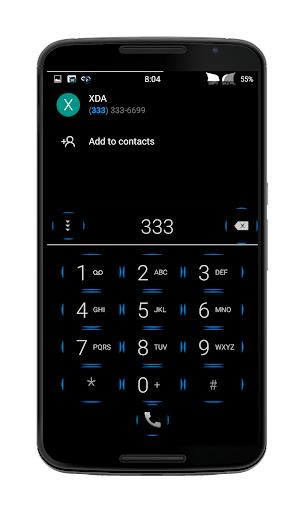




About this app
Developer Description
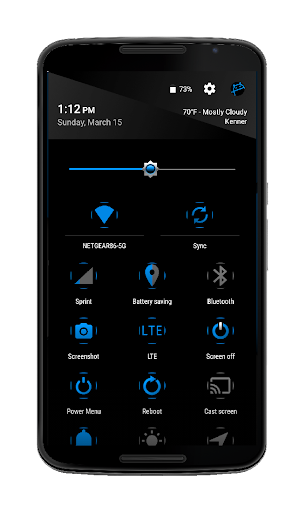
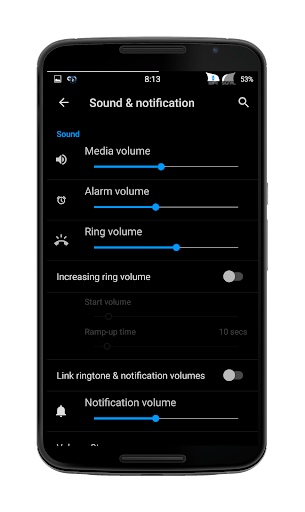
Custom CM12/12.1-13 Theme
If you like my work and would like even more apps themed, install my Blak Azurro Theme here on Gplay... https://play.google.com/store/apps/details?id=com.cerj.theme.blakazurro
☆ IMORTANT☆
Please uninstall the CM12.1 version before installing this new CM13 version. ; )
Confirmed Working On - 5.0 thru 6.0.1
Because some Unofficial Rom builds make Unofficial edits, and add mods that may conflict with heavily modded Themes, I am not supporting Unofficial builds. Please have a good working backup just in case. If you have an issue please email me and I will do my best to fix
If you are using a custom theme, you should install the stock theme, reboot then apply my theme, and reboot twice.. I do run these themes myself and will keep them updated.. Big Thank you to Google, XDA, and CM for there relentless pursuit to give us the best of Android
If you are already using a custom theme, you should re install the stock theme, reboot then apply my theme.. After applying my theme reboot..
*Please check Holo White or blue for my Blu D Keyboard..
*Please check Material Dark for my Material Blu D Keyboard
If you like my work and would like even more apps themed, install my Blak Azurro Theme here on Gplay... https://play.google.com/store/apps/details?id=com.cerj.theme.blakazurro
* I make custom icons for apps I use, if you like my work, and would like your favorite apps icon themed, visit my thread at XDA and post . http://forum.xda-developers.com/android/themes/theme-blak-azure-1-29-15-t3016299
I would like to Thank djdarkknight, you are a gifted Themer/Dev as well as helping so many behind the scenes.. Thank you to Mark Bencze, micmars, and deuce_biggins.. You guys are the best
Special Thanks to Google for Android OS, Google Play and all their apps, XDA for giving us a great place to learn, share and grow, and CyanogenMod for their incredible roms, mods and the CM Theme Chooser we all love..
What's New
1.3.17
Updated - all apps
Added - few new misc app icons
v1.1 -- 7.16.16
Updated All Overlays
---ADDED---
CM screencast
CM platform
CM settings
CM snap
Print Spooler
Spare parts
Telecom
VPN
New misc app icons
---Updated---
All apps in Blak Azure
If you like Blak Azure check out Blak Azurro, its my pro theme with many, many more apps themed..
Thank you Enjoy
..
Version Information
- Version
- 0.1.2
- Downloads
- 10K+
- Updated on
- Jan 3, 2017
- Released
- Feb 14, 2015
- Requires
- Android 5.0
Statistics
Google Play Rating History
Rating Distribution
Downloads Over Time
Blak Azure CM12-13 Theme has been downloaded times. Over the past 30 days, it averaged downloads per day.
Shaded area shows 30-day prediction based on historical trends
Historical data collection started recently. More data points will be available over time.
Blak Azure CM12-13 Theme users say on Google Play
 A Google user
Don't be fooled by the reviews saying it breaks everything. It's simply not true. Normal install from play store and apply from cm 12 or 13. Working perfectly!
A Google user
I use Resurrection Remix version 5.5.8 with the custom kernel Ultra Kernel. I use the Motorola Moto E first generation dual sim version. I followed the instructions to reinstall the stock theme, then install this theme. However, when I reboot my phone with this theme enabled, the boot up process stops at the Upgrade In Progress screen following the bootanimation. My phone doesn't start after this and remains on this screen. Is there a fix for this issue?
A Google user
Less icons and some apps stopped automatically.
A Google user
It's making any app like playstore crash mostly. Even other apps are also crashing
A Google user
Set went to bootloop after applying the theme
ApkTrusted Ratings & Reviews
More from cerj
See more apps



Scan this QR code to download

Forwarding you to the page at Google Play market in seconds...
Open Google Play market now