Desmos Scientific Calculator v7.38.0.0
Desmos Inc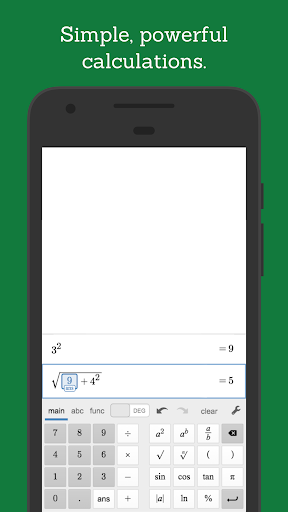
About this app
The Desmos Scientific Calculator app solves the problem of limited mathematical functionality in traditional calculators by offering a comprehensive set of scientific calculation tools, benefiting students, educators, and professionals alike. Compared to alternatives in the Education category, Desmos stands out with its intuitive interface and robust feature set. With over 1 million downloads and a 4.3-star rating, it has established itself as a reliable choice. However, its lack of advanced graphing capabilities compared to some paid alternatives might be a drawback for power users.
Pros
- The Desmos Scientific Calculator boasts a high user rating of 4.3 out of 5 stars, indicating a well-received and reliable app with a strong reputation among its large user base of over 1 million downloads.
- With no ads or in-app purchases, the app provides an uninterrupted and free experience, aligning with its educational purpose and enhancing user satisfaction.
- The app requires no permissions, ensuring a high level of privacy and security for its users, which is particularly important for an educational tool.
- Desmos Inc.'s active development and regular updates, as evidenced by the version history, suggest a commitment to maintaining and improving the app's quality and functionality.
- The app's offline capability allows users to access scientific calculation tools anywhere, making it a valuable resource for both students and professionals in various settings.
Cons
- One concern is the potential lack of advanced features for power users, such as detailed graphing capabilities or specific mathematical tools found in more specialized software, which might limit its utility for certain professionals or advanced students.
- Although the app is highly rated, some users might find the interface less intuitive compared to traditional calculators or other scientific calculator apps, potentially leading to a learning curve.
- The app's reliance on internet connectivity for some features, although not explicitly stated, could be a concern for users in areas with poor internet access, affecting its overall usability.
- There is a risk that the lack of a clear revenue stream could impact the long-term sustainability of the app, potentially leading to future limitations or changes in the service.
Best for: The ideal user for the Desmos Scientific Calculator is a student or professional in the fields of mathematics, science, or engineering, who requires a reliable, feature-rich, and easy-to-use scientific calculator for educational or professional purposes, and values the app's privacy and lack of distractions, such as ads, to focus on their work or studies.
Developer Description
Move beyond arithmetic with the Desmos scientific calculator!
At Desmos, we imagine a world of universal math literacy where math is accessible and enjoyable for all students. To that end, we’ve built a simple yet powerful scientific calculator that runs on the same blazingly fast math engine as our next-generation graphing calculator, but with a more streamlined set of features, for those times when you just don’t need a graph. It’s intuitive, beautiful, and completely free.
Features:
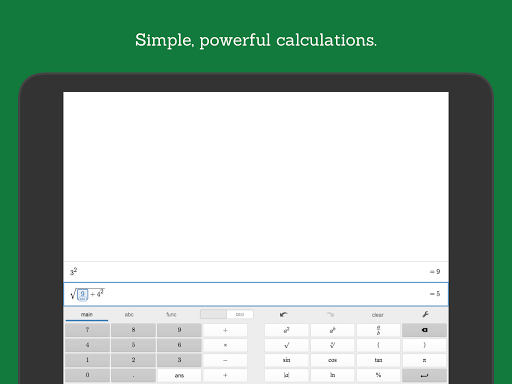
Arithmetic: In addition to the basic operations, the scientific calculator also supports exponentiation, radicals, absolute value, logarithms, rounding, and percentages.
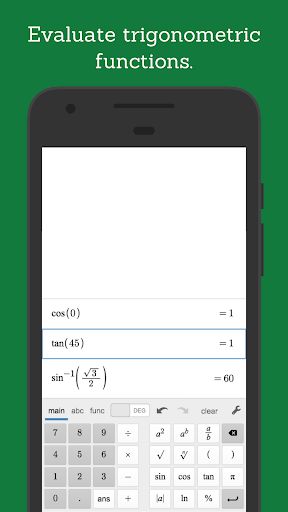
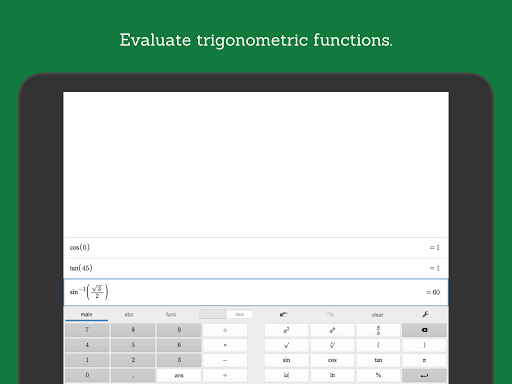
Trigonometry: Evaluate the fundamental trigonometric functions and their inverses, using either radians or degrees for angle measure.
Statistics: Compute the mean and standard deviation (sample or population) of a list of data.
Combinatorics: Count combinations and permutations and calculate factorials.
Other features:
- Works offline, no internet connection required.
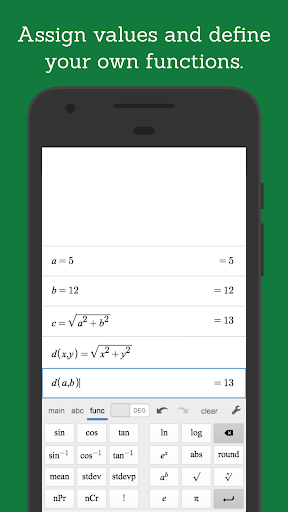
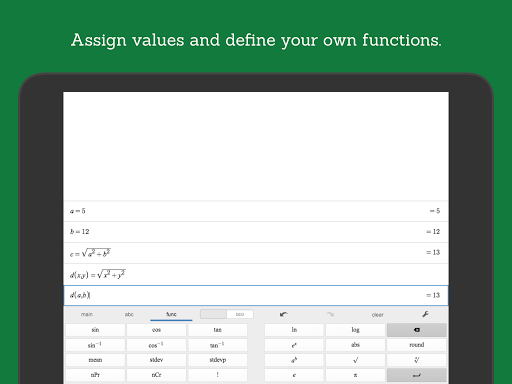
- Create and evaluate your own functions using familiar function notation.
- Assign values to variables for later use.
- View multiple expressions at once. Unlike many scientific calculators, all of your previous work remains visible on the screen.
- The “ans” key always holds the value of your last computation so that you never have to remember or copy a result. If you change an earlier expression, the “ans” value updates automatically.
- Did we mention it’s free?
Learn more at www.desmos.com, and visit www.desmos.com/scientific to see the free, online version of our scientific calculator.
Privacy
Given that the Desmos Scientific Calculator requires no permissions, it presents a very low risk to user privacy and security. However, users should still be cautious when downloading and installing apps from any source, ensuring they are from trusted developers like Desmos Inc. It's also advisable to keep the app updated to protect against any potential vulnerabilities that might be discovered.
Tips
To get the most out of the Desmos Scientific Calculator, users should explore the app's various functions and settings, including the history and bookmark features, which can enhance productivity. For first-time users, starting with the basics and gradually exploring more advanced scientific functions can help in getting accustomed to the app's interface. Additionally, utilizing the app's offline capability can be particularly useful for studying or working in environments with limited internet access.
What's New
Version Information
- Version
- 7.38.0.0
- Downloads
- 1M+
- Updated on
- Aug 11, 2025
- Released
- Oct 23, 2018
- Requires
- Android 8.0
Statistics
Google Play Rating History
Rating Distribution
Downloads Over Time
Desmos Scientific Calculator has been downloaded times. Over the past 30 days, it averaged downloads per day.
Shaded area shows 30-day prediction based on historical trends
Historical data collection started recently. More data points will be available over time.
Desmos Scientific Calculator users say on Google Play
 s huiuno
Great calculator with many built-in functions and features. A particularly great feature is the ability to assign names to variables and when the value of a named variable is changed, all calculated values which uses that variable is automatically updated to use the new value. Great for simple experiments. The developer keeps the older version on its website and so if some desired features are missing in a new version, one can always download the desired older version from the developer.
 Rayvon Gregory
Been using Desmos for years and it's the only calculator I use. I have noticed a small issue on my OnePlus 8, though. Whenever I have a row selected/highlighted and I switch over to another app, the keyboard pops up when I switch back to Desmos. This isn't a big deal normally but manually hiding the keyboard every time I reopen Desmos gets pretty annoying when I'm going back and forth a lot. Please consider fixing this. Besides that, I love the app and I'm happy to call it my go-to calculator.
 Ben Cole
I love desmos scientific and think it's the perfect calculator app! However I recently started using my tablet with a Bluetooth keyboard more for school. I'm shocked to see that Bluetooth keystrokes are not recognized. I'll change my review to 5 stars if this is fixed. Bluetooth keyboards are recognized by desmos graphing on the other hand. Please fix this bug! 🙏
 Bradley Oliver
I really want to like this app. Desmos got me through tough times in engineering school. However, my issue with this is that the buttons are too small and in kind of an awkward position. Even with the font size turned up (which breaks the display) the buttons are still too small. There is so much real estate on the top side of the screen. I don't know why they can't take advantage of it. This isn't a graphing calculator.
 Jennifer B
Keeps glitching and erasing everything randomly by itself every few minutes which is frustrating when i need to look at old equations again. Sometimes will erase several times within a few seconds even though there's nothing on it
ApkTrusted Ratings & Reviews
More from Desmos Inc
See more apps

Similar Apps
HiPER Calc Pro
Paid
Scientific Calculator
Free
Champ Scientific Calculator
Free
HiPER Scientific Calculator
Free
Real Scientific Calculator
Free
Scientific Calculator He-580
Free
Calculator Pro: Calculator App
Free
Graphing Scientific Calculator
Free

GeoGebra Graphing Calculator
Free

Mathway: Scan & Solve Problems
Free

MEL Science: a science lab app
Free

Symbolab: AI Math Solver
Free

Periodict Table Helper
Free

Numerade - Homework Help
Free
OneCalc: All-in-one Calculator
Free
All in One Calculator
Free
Scan this QR code to download

Forwarding you to the page at Google Play market in seconds...
Open Google Play market now