Dokobit icon

Dokobit v2.9.0

Dokobit screenshot 0 Dokobit screenshot 1 Dokobit screenshot 2 Dokobit screenshot 3 Dokobit screenshot 4 Dokobit screenshot 5 Dokobit screenshot 6 Dokobit screenshot 7

About this app

The Dokobit app solves the problem of needing to sign documents electronically on-the-go, benefiting individuals and businesses alike who require a secure and efficient e-signing service. As a top-rated app in the Productivity category with over 100,000 downloads, Dokobit stands out for its simplicity and ease of use, comparing favorably to alternatives. However, its lack of permissions requests is both a blessing and a curse, as it may limit the app's functionality in certain areas. Overall, Dokobit's excellent user rating and moderate download numbers suggest a well-regarded app that effectively addresses the needs of its target audience.

Pros

  • With a 4.5-star rating and over 100,000 downloads, Dokobit has demonstrated its ability to meet the needs of a sizable user base, indicating a high level of social proof and user satisfaction.
  • The app's lack of permissions requests is a significant advantage, as it minimizes potential privacy concerns and ensures a secure user experience, which is particularly important for an app handling sensitive documents.
  • Dokobit's developer, Dokobit, UAB, has established a reputation for providing a reliable and efficient e-signing service, which is reflected in the app's excellent user rating and moderate download numbers.
  • The app's free model and absence of ads or in-app purchases ensure a distraction-free experience, allowing users to focus on signing and managing documents without interruptions or additional costs.
  • Dokobit's simplicity and ease of use make it an accessible tool for users of all technical skill levels, from individuals to businesses, providing a straightforward and efficient e-signing solution.

Cons

  • The app's limited functionality, as inferred from its lack of permissions requests, may restrict its ability to integrate with other apps or services, potentially limiting its usefulness in certain scenarios or workflows.
  • Some users may find the app's feature set to be too basic, particularly if they require more advanced document management or editing capabilities, which could be a drawback for power users.
  • The app's reliance on an internet connection may be a concern for users who frequently work offline or in areas with limited connectivity, potentially hindering their ability to access or sign documents.
  • The developer's update frequency and responsiveness to user feedback are not publicly disclosed, which may raise concerns about the app's long-term support and maintenance.

Best for: The ideal user for Dokobit is an individual or business professional who frequently needs to sign documents electronically, values simplicity and security, and requires a reliable and efficient e-signing service, such as freelancers, entrepreneurs, or administrative staff, who can benefit from the app's ease of use and minimalistic approach to document signing.

Developer Description

e-Signing as an everyday service

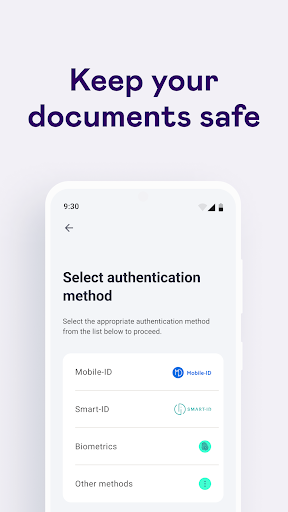
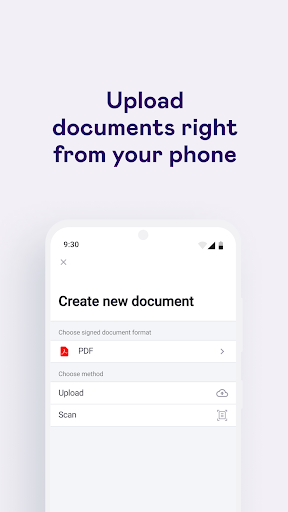
Signing documents from your phone or tablet has never been so easy. Dokobit app allows you to sign legally binding documents with Mobile ID or Smart-ID, effortlessly share documents, collect signatures from others and track signing progress anywhere, anytime. Dokobit is an easy-to-use tool where your documents are organised and accessible wherever you are.
Use Dokobit app to:

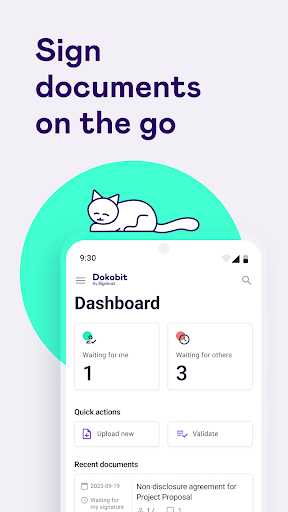
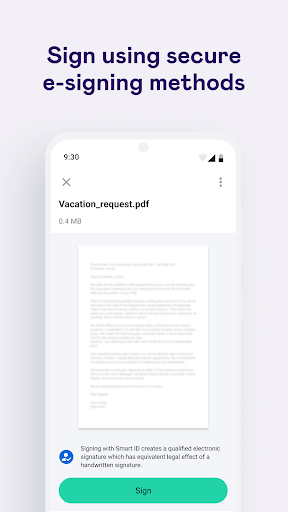
SIGN DOCUMENTS ON THE GO. Sign documents right from your phone using Mobile ID or Smart-ID. With only a few clicks you will be able to read, sign and share the document whether you’re at work, on your way to a meeting or on vacation.

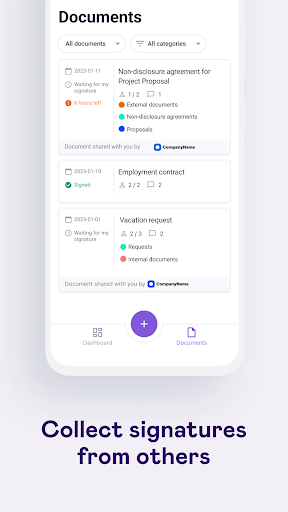
COLLECT E-SIGNATURES FROM OTHERS. Easily add other signing parties to the document, they will receive an email with invitation to sign right away. Only intended persons will be able to access the document after authenticating themselves with an eID.

STORE AND MANAGE YOUR DOCUMENTS. Sort documents into categories for a more convenient and orderly experience. It will make easier to filter and find what you are looking for later on.
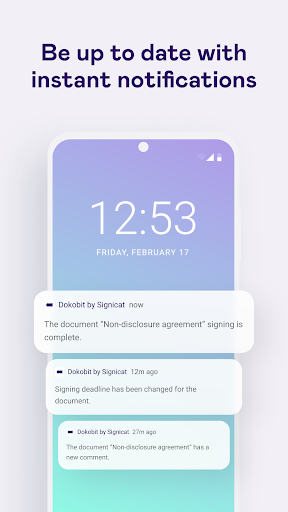
TRACK PROGRESS. See all the actions performed by document users through a detailed list of events. You will be able to see when the document was created, viewed, signed, etc.

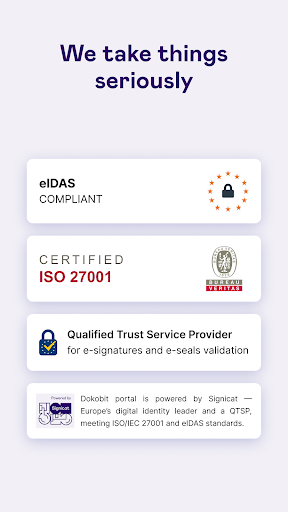
BE SURE E-SIGNATURES ARE EQUAL TO THE HANDWRITTEN ONES. Dokobit supported Qualified Electronic Signatures are equal to handwritten signatures, thus, they are legally binding and accepted across the entire EU.

Privacy

Given the app's lack of permissions requests, users can be relatively confident that their data is not being collected or shared without their knowledge, but it is still essential to review the app's terms of service and privacy policy to understand how their data is handled. Additionally, users should ensure they are downloading the app from a trusted source, such as the official Play Store, to minimize the risk of malware or other security threats.

Tips

To get the most out of Dokobit, users should first familiarize themselves with the app's interface and features, taking advantage of its simplicity and ease of use to streamline their document signing process. Additionally, users can optimize their experience by ensuring a stable internet connection and regularly updating the app to access the latest features and security patches. By doing so, users can maximize the app's potential and enjoy a seamless e-signing experience.

What's New

Minor improvements

Version Information

Version
2.9.0
Downloads
100K+
Updated on
Jan 7, 2026
Released
Jan 22, 2021
Requires
Android 9

Statistics

Google Play Rating History

Current
Average
Range

Rating Distribution

Total Ratings:

Downloads Over Time

Dokobit has been downloaded times.

Total Downloads
Last 30 Days
Avg Daily Est.

Shaded area shows 30-day prediction based on historical trends

Historical data collection started recently. More data points will be available over time.

Dokobit users say on Google Play

★★★★★
Lukas Tutkus Lukas Tutkus

Best app, easy access and sign

7 Jul 23, 2024
★★★★
Viljar Kovaljov Viljar Kovaljov

This type of an app, should not have a block for opening without an app! If I sign and send the document to authorities, you cannot force them to "download and use" your app! This tupe of an app should free and open!

0 Dec 1, 2025
★★★
Valery Cherney Valery Cherney

Could not zoom in on a document.

1 Jan 25, 2024
★★
Andris Mihailovs Andris Mihailovs

It appears that after last update it is not possible to view the document at all (preview option in app gives error and on the web the preview is nowhere to be found)

1 Mar 22, 2023
Povilas Br Povilas Br

Unsafe and dangerous for business use! Dokobit is not verifying if documents are uploaded from personal or business accounts - B2B parties signing documents can never be sure if their confidential agreements are not uploaded from personal accounts of employees - this creates real confidentiality risk, as access can not be restricted in the future. Dokobit support and management is rude and do not cooperate when information leak is discovered. Best is simply avoid unsafe applications.

4 Jan 21, 2022

ApkTrusted Ratings & Reviews

0.0
0 ratings
5
0
4
0
3
0
2
0
1
0
✓ Thank you! Your review has been submitted and will be published after admin approval.
Be the first to write a review...

Similar Apps

Explore Tags

Browse all tags