
Navigate360 Student v26.1.11
EAB Global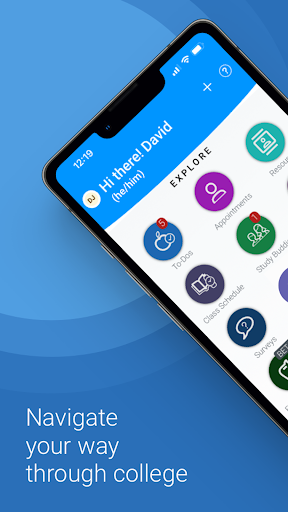
About this app
Developer Description
Enable students to achieve greater success in their college career
Use features like...
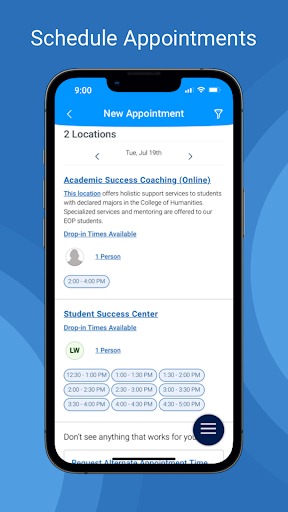
1. Appointment Scheduling - Schedule appointments with your school staff
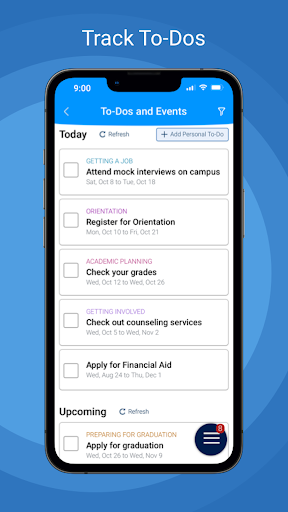
2. To-Dos - View to-dos and events from your school
3. Class Schedule - view your classes and sync them to your phone calendar
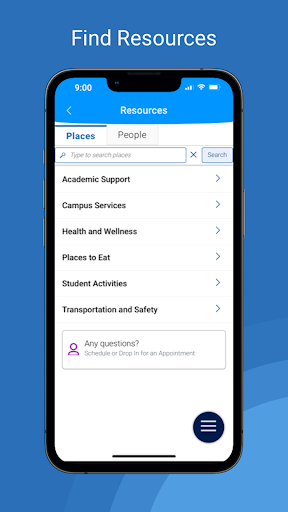
4. Resources - View location and contact info for people and places at school
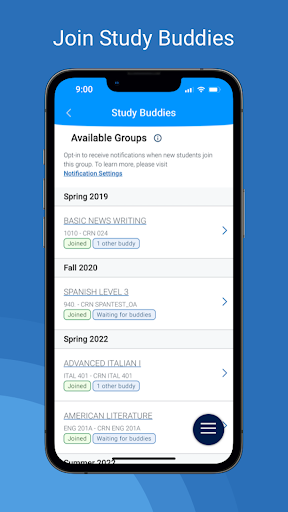
5. Study Buddies - Make study groups with other students
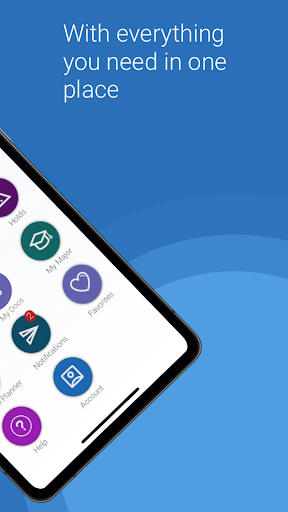
6. My Docs - View appointment summaries, progress reports, and notes from your school
7. Holds - View your holds and steps to remove them
8. Surveys - Share valuable feedback about your experiences at your school
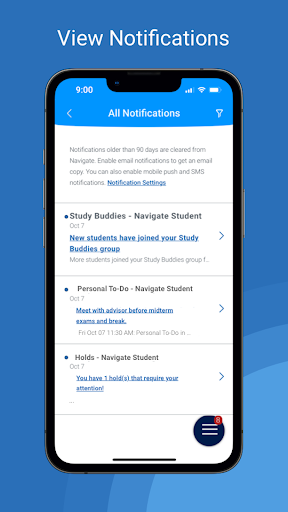
9. Notifications - Configure email, text message, and mobile push notifications
10. My Major - View your major and explore others that might be a good fit
Use our desktop website for course planning, scheduling, and registration.
Note:
• You can only use Navigate if your school partners with EAB.
• Navigate relies on data and configuration from your school. Some features might not be available depending on your school.
• If you have login problems, please use your school-affiliated email address to contact NavigateTechSupport@eab.com
What's New
Version Information
- Version
- 26.1.11
- Downloads
- 500K+
- Updated on
- Jan 8, 2026
- Released
- Dec 12, 2014
- Requires
- Android Varies with device
Statistics
Google Play Rating History
Rating Distribution
Downloads Over Time
Navigate360 Student has been downloaded times. Over the past 30 days, it averaged downloads per day.
Shaded area shows 30-day prediction based on historical trends
Historical data collection started recently. More data points will be available over time.
Navigate360 Student users say on Google Play
 star
star
i like how quickly they responded and fixed the issue
 Shazia Powell
I don't understand what is happening with the app. It's great and helps me a lot, but today I went on there and it's telling about an update that's available and when I come to playstore I don't update option
 Hope Malcom
App does not work as intended. I tried to schedule an appointment on the website and it told me to use the app. I didn't want to call anyone, so I downloaded the app. After downloading the app and pressing a link to schedule, it just brings me to the store page of this app. You know, the one I already downloaded. This could be an issue on my college's end instead of the app, so to feign caution, I'm eating the app 3* instead of 1*. Anything the app can do a web browser can do just fine.
 Bud Poulos
The redesign is nice in some aspects (dark mode is nice), but is mostly terrible. I can no longer see what times my classes are at a glance, it just says "Multiple Meeting Times." I have to click into each of them individually. I can no longer sync classes with my calendar. As of today, Navigate has signed me out and will not let me sign back in.
 AwesomeOne420
The only useful feature this app offers is the study buddies portion. I can only look at my class schedule; I cannot view the actual course material from this app. I can't even view my tuition bill. What little usefulness the developers included in this app is already available on the student home page, where I am able to access everything I need in one place. This app is a waste of internal memory on any device.
ApkTrusted Ratings & Reviews
Scan this QR code to download

Forwarding you to the page at Google Play market in seconds...
Open Google Play market now