
DashOBD v2.6.0
ECM Co.


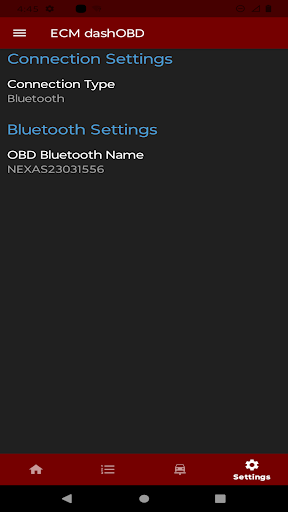


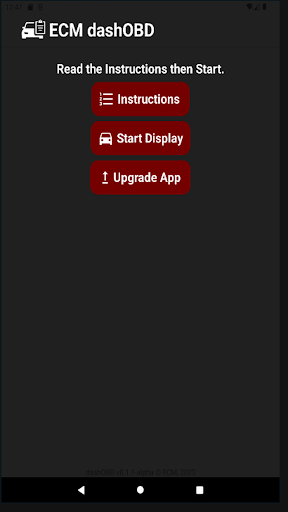
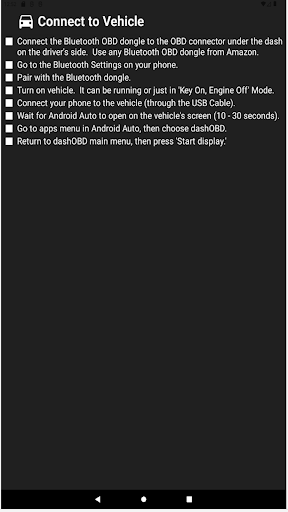
About this app
Developer Description
DashOBD enables the user to view the OBD parameters of their vehicle.
The app has two versions: free and premium. Before you upgrade to the premium version, please make sure that you can successfully connect to the OBD device and view the parameters on the screen.
What's New
- fixed "does not close with android auto (android 14)" bug
In-app purchases
$4.99 per item
Version Information
- Version
- 2.6.0
- Downloads
- 10K+
- Updated on
- Jan 7, 2025
- Released
- Aug 13, 2023
- Requires
- Android 6.0
Statistics
Google Play Rating History
Rating Distribution
Downloads Over Time
DashOBD has been downloaded times. Over the past 30 days, it averaged downloads per day.
Shaded area shows 30-day prediction based on historical trends
Historical data collection started recently. More data points will be available over time.
DashOBD - Google Play Rankings
Top Rankings
| Rank | Country | Category | List | Change |
|---|---|---|---|---|
| — |
Ranking History in
No ranking data available yet. Rankings are updated daily.
#49 in Top Grossing Auto And Vehicles in Australia


#65 in Top Grossing Auto And Vehicles in Italy


#72 in Top Grossing Auto And Vehicles in Spain

DashOBD users say on Google Play
 Daniel Sc
No other app on Android currently allows you to see real-time OBD2 on the infotainment screen in Android Auto. This app has great potential, and although this version only shows numbers and not GUI gauges I hope the developer will be able to add visual gauges in the future
 Victor Gandoff
The app has future, and I hope the developer will continue to enhance it. First you need a quality ELM327 adapter, not the 7.99 version as they do not support all the required parameters that your car may have. I use ODBLink MX+ and it is the only adapter that can get all the proper parameters using CarScanner. The cheapo ones do not get all the parameters. This app will read the standard J1979 params, but not the car proprietary customs ones, i.e. Trans Temp etc. I need ATF on AA!
 Craig Everett
Currently the only app that works with Android Auto on Version 14. I've not had any issues except it lacks guages, and so the text is hard to read while driving. I'd pay for it if it had guages.
 Florida Coon
I love what this is and only wish that torque could do this. However there's are some major issues. First, why can't we save the selected displayed items, having to redo it every time is VERY annoying. A save feature is desperately needed. Also a way to better view the data. But if we could just save the selected items after each cycle of use would be awesome.. please. Once this is done I'll go 5 stars but as of now.. 2 is really all it is worth.
 Paul Schultz
Rudimentary. The info display screen is simple text. Unlike Torque Pro, there are no dials or gauges. Update, v2.5: Some saved basic settings. One hard coded gauge display, not helpful for an EV. Entered custom PIDs, none work. Still a no frills display, text only. Overall, this remains basic alpha-ware.
ApkTrusted Ratings & Reviews
Scan this QR code to download

Forwarding you to the page at Google Play market in seconds...
Open Google Play market now