
GPS Compass Speedometer vVARY
existon





About this app
Developer Description
Useful navigator. First read the manual in the description.
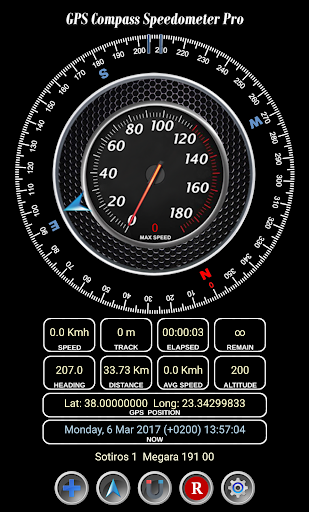
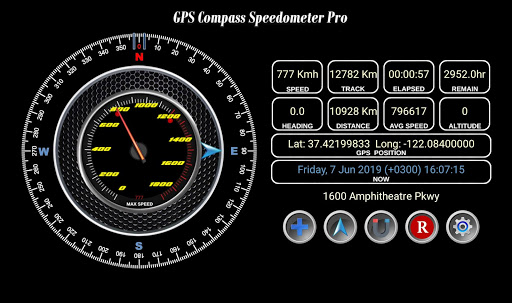
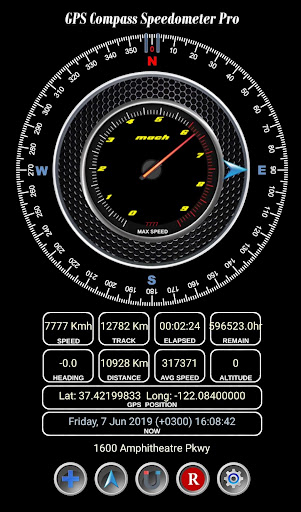
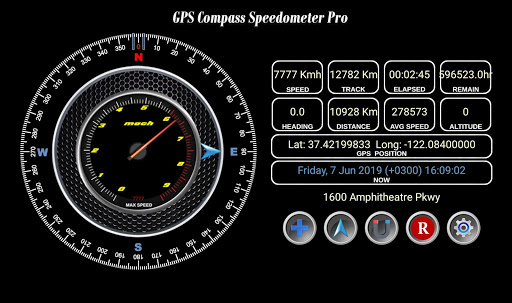
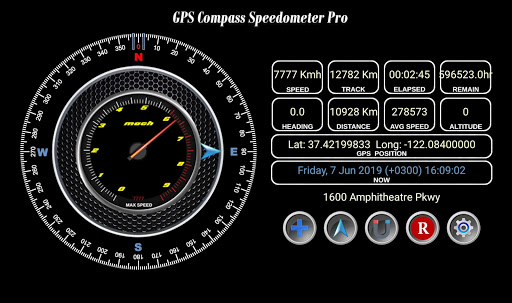
GPS Compass Speedometer Pro provides:
- Supersonic speedometer
- Compass heading. Magnetic or GPS mode.
- Arrow showing bearing to destination.
- Current, average and maximum speed.
- Track distance which is the travelled distance since last reset.
- Elapsed time since last reset.
- ETA (Expected Time of Arrival) and remaining time to reach destination.
- Distance i.e. remaining distance to destination.
- Current position in Latitude-Longitude decimal format.
- Current Date and Time as well as Sunrise and Sunset times.
- Address at current location.
- Option to switch between Metric, Imperial and Nautical units.
- Ability to save waypoints, navigate to waypoints and view them on Google maps.
- Ability to navigate to a point selected on a map.
Short manual
------------------
'+' Button
Press: Add Waypoint to list
Long press: Mark current location as home
Arrow Button
Press: Open Waypoints to select destination etc.
Long press: Navigate to home
Middle Button
Press: Swap between magnetic and GPS heading
Long press: Listen to 'Thank you'
'R' Button
Press: Reset Max Speed
Long press: Reset Track and Time
Wheel Button
Press: Swap between Metric/Imperial/Nautical units
Long press: Turn 'Moving Away' announcement ON/OFF
Remember to long press on a waypoint in the list to rename, delete, set as home or view on Google maps.
If your clipboard supports the 'Share' function as in newer phones you can navigate to any location by sharing Lat, Long as text:
-Select the Lat,Long text
-Tap 'Share' and choose the GPS Compass Speed Pro icon
NOTE: Import and export is through waypoints.txt in the following folder,
Storage/Android/data/com.existon.gpscompasspro/files/data/GPSSpeedCompass/waypoints.txt
If you uninstall the app this file will be deleted so please backup beforehand.
If you don't find this folder browse to it with a USB cable using a computer.
Version Information
- Version
- -
- Downloads
- 10K+
- Updated on
- -
- Released
- Mar 6, 2017
- Requires
- Android Varies with device
Statistics
Google Play Rating History
Rating Distribution
Downloads Over Time
GPS Compass Speedometer has been downloaded times. Over the past 30 days, it averaged downloads per day.
Shaded area shows 30-day prediction based on historical trends
Historical data collection started recently. More data points will be available over time.
GPS Compass Speedometer users say on Google Play
 Nick S
Nice simple interface, displays everything I want to see in one place. Works well on my phone or my tablet. Would like an option for knots for speed for my boat. Hopefully in a future release, but great app, thanks!
 Dayne
Dayne
Just got the app. Still trying to figure out how to fully use it, but so far it seems to work as advertised.
ApkTrusted Ratings & Reviews
More from existon
See more apps






Scan this QR code to download

Forwarding you to the page at Google Play market in seconds...
Open Google Play market now