
SketchCut PRO v3.9.72
TaLi Software Arm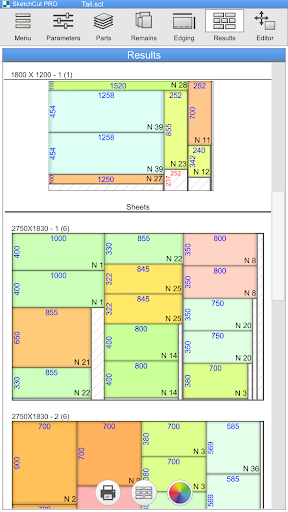


About this app
Developer Description
The App for Calculating and Optimizing Sheet Material Cutting Layouts
The fully updated version of the SketchCut application
For smartphones and tablets
No ads
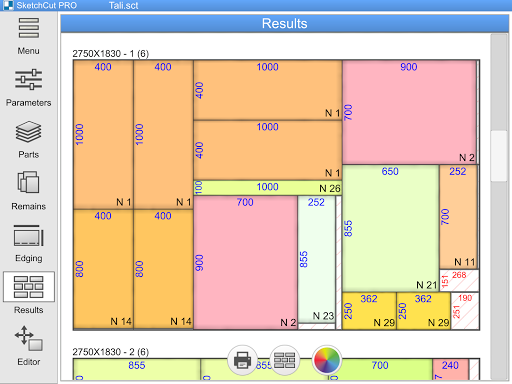
The application is designed with consideration for the specifics of cutting sheet materials (chipboard, MDF, glass, plastics, furniture board, etc.), both manually and on machines.
App Features:
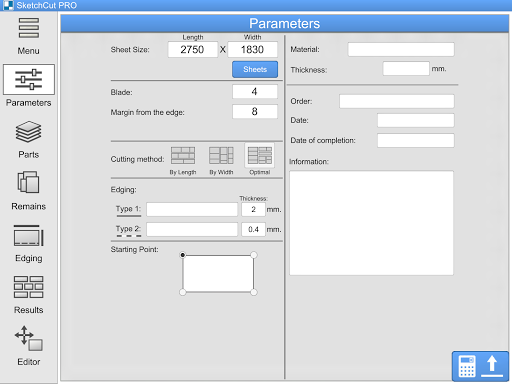
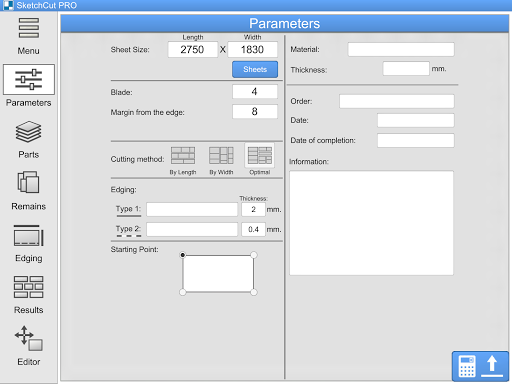
• Easy selection and modification of cutting parameters
- Sheet size
- Cut width
- Edge offset
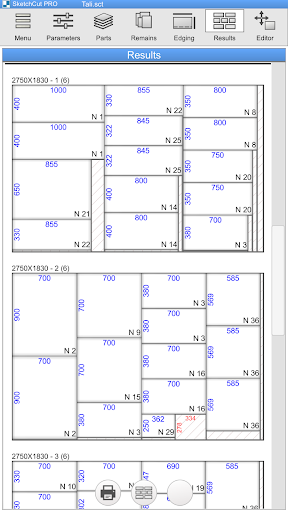
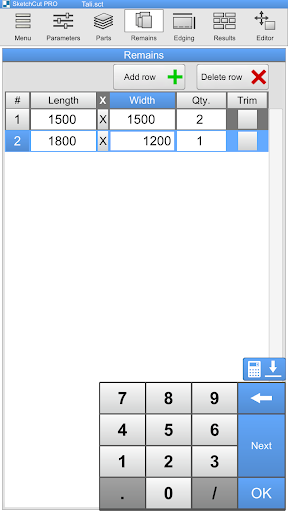
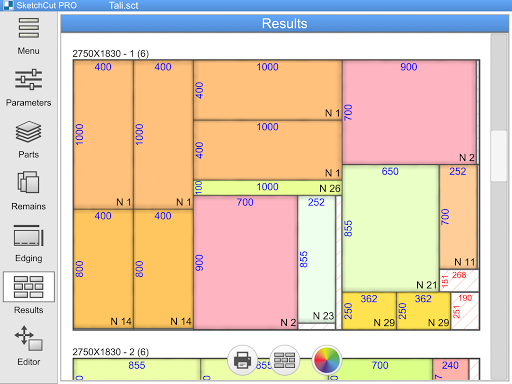
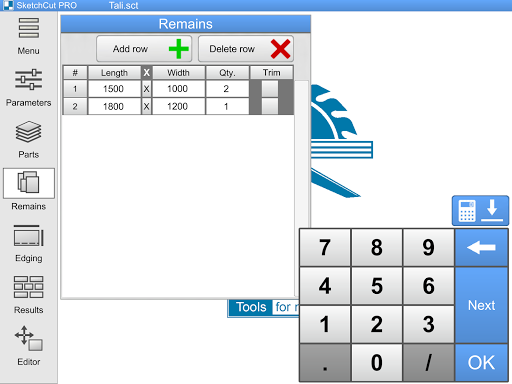
• Cutting standard sheets and panels of various sizes – utilize remnants or sheets of different sizes in a single cutting layout
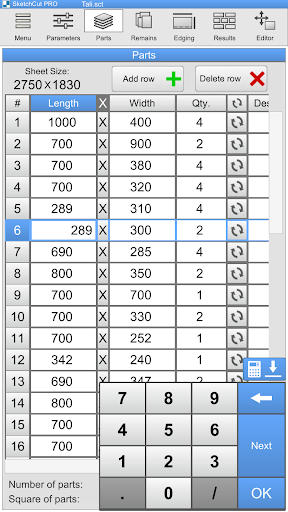
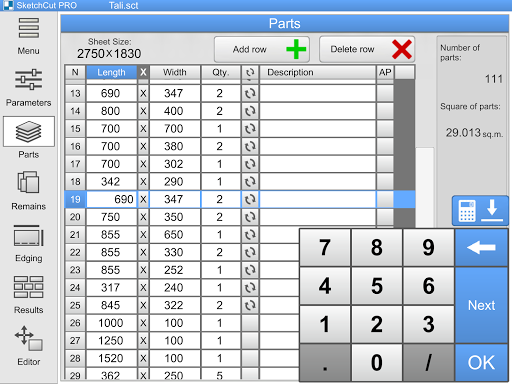
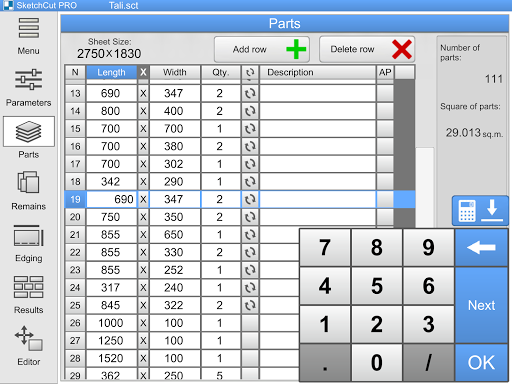
• Input dimensions of parts and remnants in a table – similar to Excel
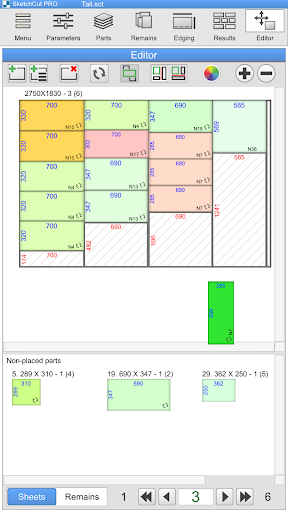
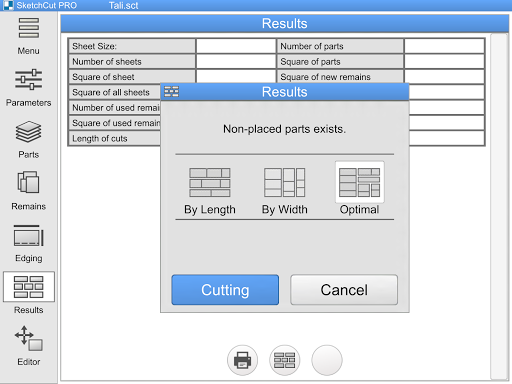
• Three highly efficient methods for calculating cutting layouts
- "By Length" – initial cuts are made along the length of the sheet
- "By Width" – initial cuts are made along the width of the sheet
- "Optimal" – cutting direction is automatically selected for denser nesting of parts on the sheet
Choose the method that suits you and your equipment or the most efficient cutting option.
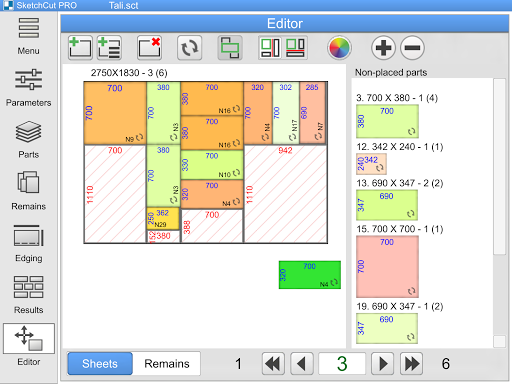
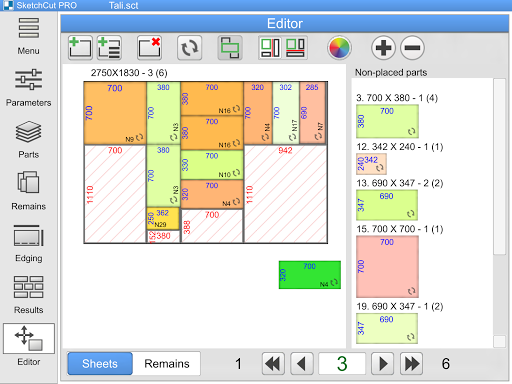
• Cutting Layout Editor – use the Editor to manually arrange parts or adjust the cutting plan
• Save data to project files on your Android device
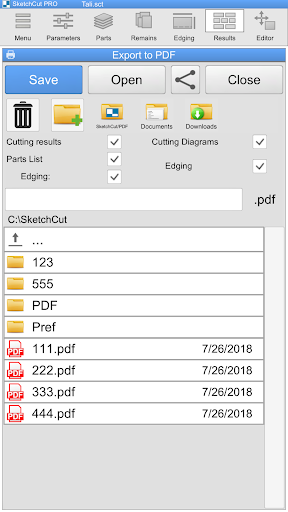
• Save results as .PDF files for printing or sending
• Send PDF files or project files to partners or colleagues via email or messengers directly from the app
Additionally:
• Mark edge processing or edgebanding on parts (2 types of edges) – lengths are calculated automatically
• Mark grooves on parts
• Specify Order Information (Order, material, order date, readiness date, etc.)
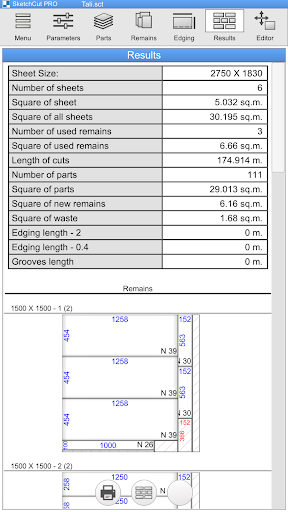
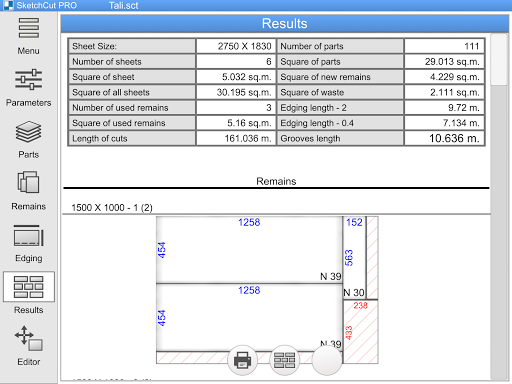
• All cutting data in one table:
- Quantity and area of sheets
- Quantity and area of parts
- Area of remnants and waste
- Length of cuts
- Lengths of edgebandings
- Length of grooves
• Three Measurement Unit Systems:
- Metric (millimeters)
- Imperial (fractional inches – 12” 3/16)
- Imperial (decimal inches – 12.187)
Simple conversion from one measurement system to another.
SketchCut PRO for Android – a reliable tool for working with cutting layouts, always at hand on your smartphone.
What's New
Version Information
- Version
- 3.9.72
- Downloads
- 10K+
- Updated on
- Oct 30, 2025
- Released
- May 25, 2015
- Requires
- Android 8.0
Statistics
Google Play Rating History
Rating Distribution
Downloads Over Time
SketchCut PRO has been downloaded times. Over the past 30 days, it averaged downloads per day.
Shaded area shows 30-day prediction based on historical trends
Historical data collection started recently. More data points will be available over time.
SketchCut PRO - Google Play Rankings
Top Rankings
| Rank | Country | Category | List | Change |
|---|---|---|---|---|
| — |
Ranking History in
No ranking data available yet. Rankings are updated daily.
#15 in Top Paid Business in United States


#2 in Top Paid Business in Brazil


#4 in Top Paid Business in Argentina


#4 in Top Paid Business in Netherlands
SketchCut PRO users say on Google Play
 Morlino Lino
This by far the best overall nesting software that I've used. Everything is clear, intuitive and simple. The ability to add remains to an existing cutlist is a surprisingly useful feature. The ability to use the three different algorithms (length, width, optimal) to get a result makes this program not only ideal for sheet goods, but also for boards or linear cutting. The option to edit my results is definitely a huge plus. TaLi software! Please add a cut sequence to 'Cutting' result. 🙏🏿👍🏿
 A Google user
Superb piece if software for sorting the placement of parts on sheet material for the most effective cutting. The ability to add off-cuts is a good addition, but this could be improved by allowing the addition on remains by material type and thickness as well as length and width. This would allow the user to store all of their remains and let the app tell them which ones to select and use. I wrote this review as a handyman who tried the lite version and found it so useful, I paid for the pro version. This app has already saved me more than it cost in not having to buy 2 sheets of material for a job.
A Google user
The interface is quite good and intuitive, but the app will not allow me to use any of the save or export file functions. I paid for the pro version and use it on a Samsung S5.
 Rajman Mungroo
Deceived, the free lite version has abilities to change font size but not in the pro version, plus lack of manual how to use then didn't knew should save neither did the app ask to save before exiting the app. If am mis_using it let me know. Thanks
 evan sanders
*Update* since android update you can no longer use the keyboard which means you can't save work **** I have the pro version and it can be very useful, a function to be able to copy or repeat measurements when making the cutting list would save a lot of time. A how to use features would be very useful to as i really cant open saved files and its incredibly frustrating. sort this out and it would be great.
ApkTrusted Ratings & Reviews
Similar Apps

ConstructionOnline
Free

House Design : AI Home Design
Paid

magicplan
Free

Kenjo – workforce management
Free

AUTOsist Fleet Maintenance App
Free

Ref Tools
Free

CRM Mobile: Pipedrive
Free

Moblo - furniture 3D modeling
Free

Homestyler - Home Design Game
Free
ZWCAD Mobile - DWG Viewer
Free

Mahaal Point of Sale POS
Free

Bitrix24 CRM And Projects
Free

Houzz - Home Design & Remodel
Free

Automile
Free
AutoCAD - DWG Viewer & Editor
Free

DreamBuild: Sketch to 3D
Paid
Scan this QR code to download

Forwarding you to the page at Google Play market in seconds...
Open Google Play market now