
PicSpiral Spiral Photo: Pic Co vVARY
Fotopix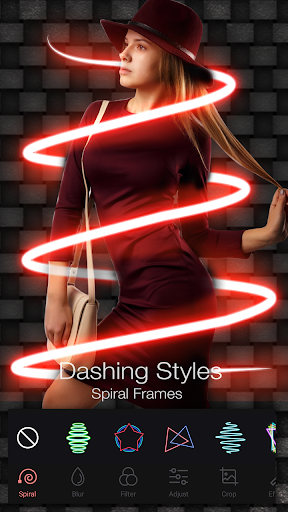










About this app
Developer Description
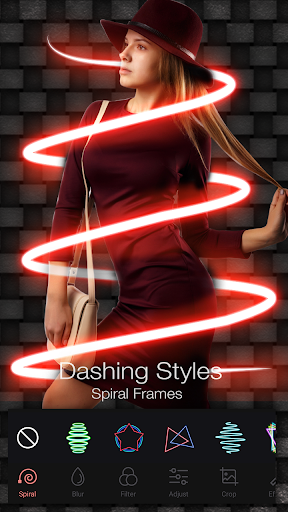
Apply wonderful spiral effect on your photo,edit it & create a spiral photo.
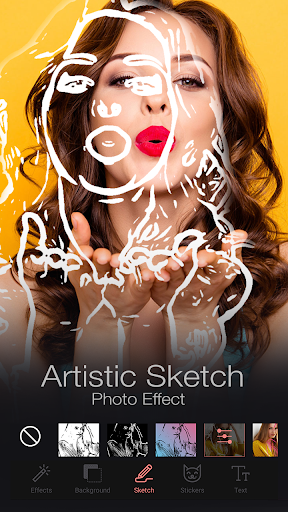
Personalized your picture with text and other text editing options. Decorate image with our selective sticker range. Convert your image to sketch with changeable colors and lines. All these features are available for FREE!
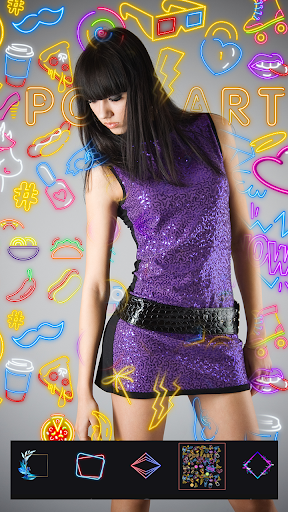
Features of Image editing in PicsSpiral Photo Editor: Pic Collage, Neon Effects:-
1. Wrap your image with our amazing spirals.
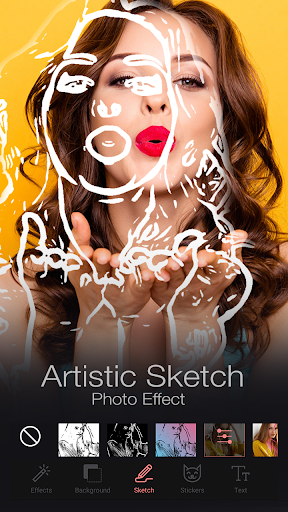
2. Must try our new feature of sketch image, with pre-defined sketch types and editing options .
3. Instantly create Insta-size picture, Fb cover and many more. No crop required for your photo with out different screen sizes.
4. 20+ Blend textures effect to give your beautiful image a completely new look.
5. Adjust smoothness, brightness, contrast etc to give a perfect look to your picture.
6. Personalize your photo with our text stickers having 80+ fonts and many other text editing features. Also app contains 200+ stickers in offline mode, don't wait for the internet just go for it.
7. Horizontal flip, vertical flip, rotation, different picture size available with our free crop feature.
8. 60+ texture background, blur background, gradient background and solid colors are available to give a fantastic base look to your picture.
9. 40-50 frames without any internet.
10. Dslr type blur options for your picture background, with multiple square feature.
11. 40-50 amazing filters.
Features of Collage in PicsSpiral Photo Editor: Pic Collage, Neon Effects:-
1. Re-create your memories with our 360+ collage options. Make your collage more amazing with provided stickers.
2. 200+ stickers and 80+ fonts for text stickers and finger drawing available to give a personal touch to your collage. No being limited to this, you can also pick your own image from gallery as sticker.
3. Collages are available in various sizes like : Insta square, story, 4:3, 3:4, Fb Post, Youtube.
4. Add texture, color and your selected image in background to give a much better look.
5. Change frame size , border and many more image editing option available on single touch of image. You can also change image from one block to another in same frame with simple Drag and Drop.
Share your artwork with your friends and family and please share your value-able feedback with us, to make this application much more better.
In-app purchases
$1.49 - $10.99 per item
Version Information
- Version
- -
- Downloads
- 50K+
- Updated on
- -
- Released
- Feb 21, 2020
- Requires
- Android Varies with device
Statistics
Google Play Rating History
Rating Distribution
Downloads Over Time
PicSpiral Spiral Photo: Pic Co has been downloaded times. Over the past 30 days, it averaged downloads per day.
Shaded area shows 30-day prediction based on historical trends
Historical data collection started recently. More data points will be available over time.
PicSpiral Spiral Photo: Pic Co users say on Google Play
 Tamara Unser
I love this app i have no problems and I recommend it hugely
 Vijay Kuchekar
Osm 😍😍😍
 Suraj David
Nice 🥰
 Mujtaba Abbas
The worst app ever ,when I just tap on the pic to edit it, it says unfortunley picspiral has stoped i tried as many times as possible but it never ,DO NOT INSTALL!!!
ApkTrusted Ratings & Reviews
More from Fotopix
See more apps
Business & Visiting Card Maker
Free

Poster Maker & Flyer Ads Page
Free

Mirror Photo Editor & Collage
Free

Logo Maker - Watermark Design
Free

Video Crop – Trim & Cut Videos
Free

Video to MP3 Converter
Free

Passport Size Photo - ID Maker
Free

Saga Animated Stories
Free

Automatic Background Remover
Free

Family Tree Maker Photo Frames
Free

Invitely-Invitation & RSVP
Free

AI Tattoo Designs - Ink Arts
Free
Similar Apps





Scan this QR code to download

Forwarding you to the page at Google Play market in seconds...
Open Google Play market now