Video Downloader No Watermark v0.2.2
TwoBrother Studio





About this app
Developer Description
Super fast & Effortless no watermark downloader with a single tap.
There you are, GrabVideo - Video Downloader is all you need. This no watermark downloader offers adaptive functions made for video app lovers only! As the name of the app, you just grab the link of the post, then, video app save no watermark such as video, photo, and audio.
Outstanding features of video downloader app:
- Download video video app no watermark: As a content creator, you want to download your own video, but the watermark is still on it. Don’t worry, you can choose “No watermark” option on GrabVideo to save video app video downloader, even if you haven’t decided to switch to public yet.
- Download video app no water mark without “Save” option: This function will help you to download videos from private accounts, or in case the creators forgot to turn on “Downloading option” on their posts.
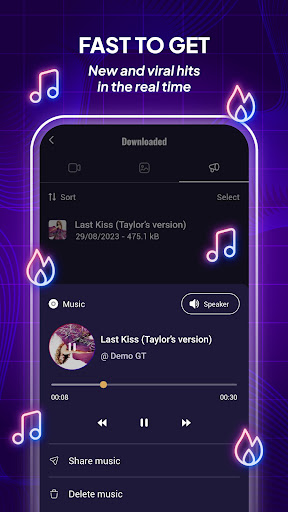
- Download audio: Expand your music collection with the latest and trending music on video app. For video app music downloader, copy the link of the videos, then select “Audio” option. The extracted audio will automatically download music ringtones, which you can set as new ringtones, notifications, alarms,...
- Photo downloader no watermark: If you want to download photo carousel post, don’t mind using GrabVideo. This video app photo downloader function not only allows you to download all photos at once, but you can also view each photo in detail and decide to save single one. Moreover, the function is integrated with video app download no watermark, which you can view and share pictures as slideshow.
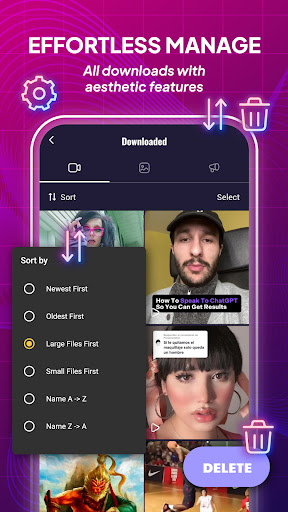
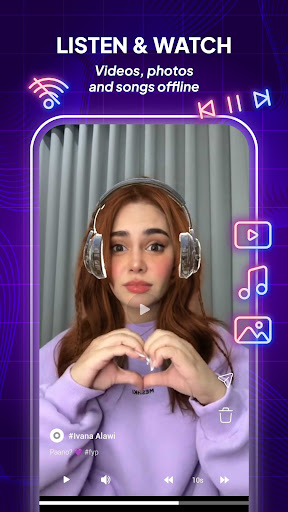
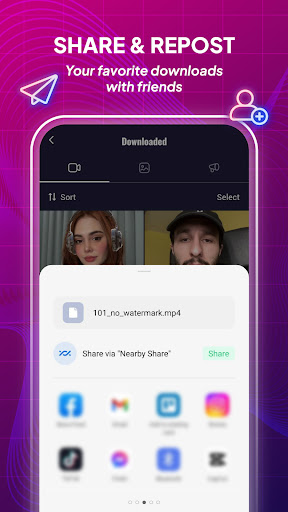
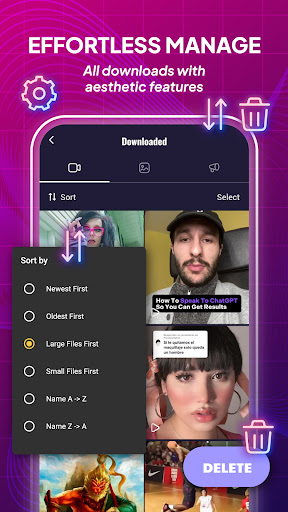
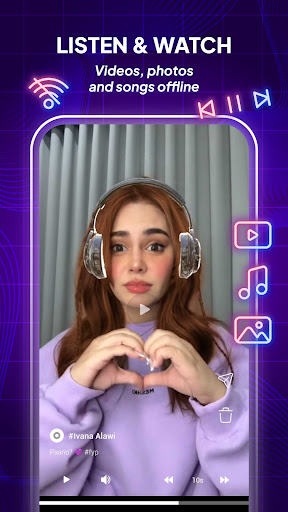
- Smart video app downloading manager: All downloads will become easier to organize, delete, and share with simple taps. You can also scroll through and view each video, photo and listen to video app ringtone while you are offline.
Simple video app saver step tutorials
Tutorial 1: Copy link of video to download video app without watermark
- Step 1: Open app, tap icon “Share” on the right of the video.
- Step 2: Choose “Copy link” option.
- Step 3: Open GrabVideo, paste link and choose the option to save video no watermark.
Tutorial 2: Share video to download on GrabVideo
- Step 1: Follow the step 1 above to download link video app, and select “More”
- Step 2: Find “GrabVideo” if not in the suggestion to share. Then tap to the app icon.
- Step 3: Select the video app audio downloader options shown on the screen and wait a second.
Disclaimer
- GrabVideo is just a third-party app and is not associated with short video platform, which helps you to save video/photos/music only.
- Please value the creator’s property. It’s important to note that you are not allowed to save video app audio, repost, or share videos without permission.
- The user is solely accountable for any illegal activities (such as content re-uploads or video app download video) or violations of third-party rights. We are NOT responsible for any claim or dispute of authors.
On top of that, download GrabVideo today and enjoy the exclusive features of downloader for video app only on Android devices!
What's New
In-app purchases
$0.99 - $7.99 per item
Version Information
- Version
- 0.2.2
- Downloads
- 500K+
- Updated on
- Oct 10, 2025
- Released
- May 7, 2024
- Requires
- Android 7.0
Statistics
Google Play Rating History
Rating Distribution
Downloads Over Time
Video Downloader No Watermark has been downloaded times. Over the past 30 days, it averaged downloads per day.
Shaded area shows 30-day prediction based on historical trends
Historical data collection started recently. More data points will be available over time.
Video Downloader No Watermark users say on Google Play
 Paulin Marigu
first of all when I downloaded this app I thought it will have bugs but suddenly it runs smoothly
 Igor
Igor
This app helped me download TikTok videos but sometimes it stops working and says no internet connection but I clear the cache and re-install it and it works W APP
 Chukwuemeka Emmanuel
just because of the ads I'll give it 3 stars
 Sukbir Mal
not bad
 Shindjoba Christian
Worse App ever, others App adds counts from 5 down, this one is counting from 120 how???? the whole mins waiting you can skip it,, it's worse.
ApkTrusted Ratings & Reviews
More from TwoBrother Studio
See more apps
Similar Apps

Story Saver - Video Downloader
Free

Video Downloader
Free

Video Downloader - Story Saver
Free

Video & Music Downloader
Free

Smart Video Crop - Video Cut
Free

TikTok Studio
Free

Snaphouss
Free

TIKTOK Meme
Paid

Video to MP3 - Video to Audio
Free

Focus Video - Video Compressor
Free

Visha-Video Player All Formats
Free

Reelsapp video trends
Free

Download Twitter Videos - GIF
Free

TickTock-TikTok Live Wallpaper
Free

Unlimited MP3 Music Downloader
Free

All Video Downloader Master
Free
Scan this QR code to download

Forwarding you to the page at Google Play market in seconds...
Open Google Play market now