GSMtasks v5.5.3
GSMvalve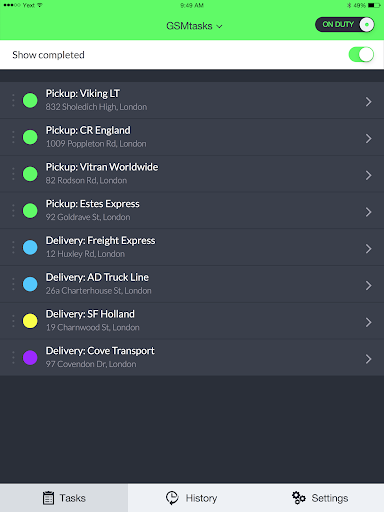

About this app
GSMtasks is a task management app that solves the problem of inefficient delivery and task assignment for businesses, particularly those in the service industry. It benefits most logistics and field service companies that need to manage tasks and deliveries on the go. Compared to alternatives in the Business category, GSMtasks stands out with its simplicity and ease of use, but falls short in terms of advanced features and customization options. Overall, it is a solid choice for small to medium-sized businesses looking for a straightforward task management solution.
Pros
- GSMtasks has a simple and intuitive interface that makes it easy to create and assign tasks, which is a significant advantage for businesses with limited technical expertise.
- The app's offline capability allows users to access and manage tasks even without internet connectivity, which is beneficial for field service workers who may not always have a stable connection.
- GSMtasks has a relatively small size and minimal system requirements, making it accessible to a wide range of Android devices, including older models.
- The developer's website and email support provide a clear channel for users to report issues or request features, which is a good indicator of the developer's commitment to customer support.
- The app's free model with no ads or in-app purchases ensures a distraction-free experience for users, which is a significant advantage for businesses that value productivity.
Cons
- GSMtasks has a limited set of features compared to more advanced task management apps, which may not be sufficient for larger businesses with complex workflows.
- The app's user rating is mixed, with some users reporting issues with stability and performance, which may be a concern for businesses that rely heavily on the app.
- The lack of permissions requested by the app may indicate that it does not have access to certain features or functionality that could enhance its usability, such as location services or camera access.
- The app's update frequency is not publicly available, which may raise concerns about the developer's commitment to maintaining and improving the app over time.
Best for: The ideal user for GSMtasks is a small to medium-sized business owner or manager in the service industry, such as logistics, delivery, or field service, who needs a simple and easy-to-use task management solution to assign and track tasks for their team, and has basic technical skills to navigate the app's interface and features.
Developer Description
Delivery & Task Management
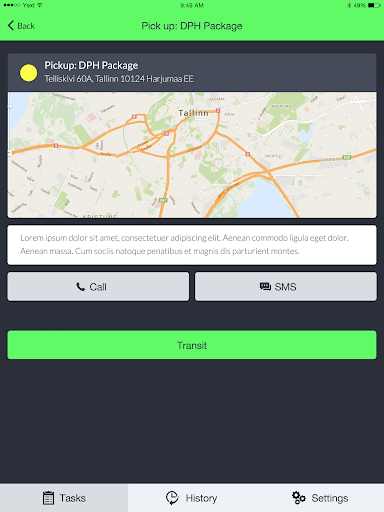
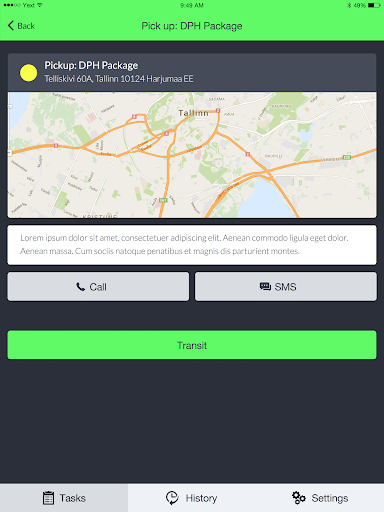
* Complete overview - Overview of all the tasks that need to be completed - visualized on a map with order of fullfilment.
* Realtime updates - Realtime updates to the states of the tasks - watch the daily tasks get completed in real time.
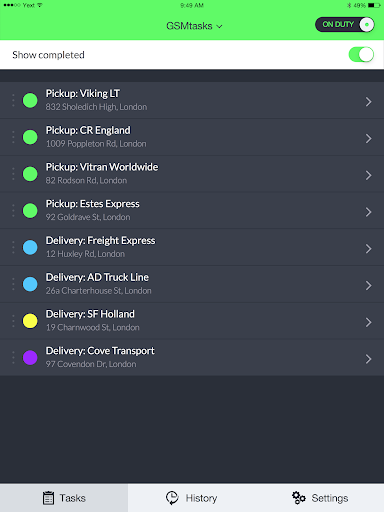
* Drag & drop management - Easy drag & drop management and assignment of tasks in the management or calendar view.
* Route optimizations - Once all the tasks have been entered the software optimizes the driving route of the car to minimize time spent and distance traveled.
* Driver’s mobile app - The mobile app will be with the driver all day and give him updates about the works that need to be completed.
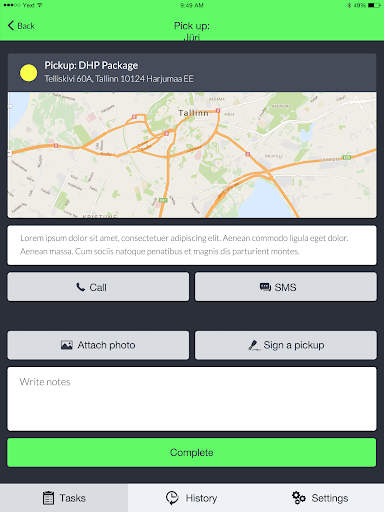
* Digital documents - The documents are digitally attached to the tasks and the driver can review them on his application.
* Clients’ signatures - Once the task is completed it’s possible to have the client sign off on the work beeing completed.
* Complete analytics - Time spent driving, time spent loading/unloading. How much milage has been drived while on a task.
Privacy
Since GSMtasks does not request any permissions, it is unlikely to collect sensitive user data. However, users should still be cautious when creating and assigning tasks, as this data may be stored on the device or transmitted to the developer's servers. To ensure security, users should use strong passwords and keep their devices up to date with the latest security patches.
Tips
To get the most out of GSMtasks, users should start by creating a clear and organized task hierarchy, which will help them to efficiently assign and manage tasks. Additionally, users should take advantage of the app's offline capability by syncing their tasks regularly to ensure that they have access to the latest information even without internet connectivity. Finally, users should explore the app's settings and options to customize their experience and optimize performance.
What's New
Version Information
- Version
- 5.5.3
- Downloads
- 10K+
- Updated on
- Oct 28, 2025
- Released
- Sep 27, 2015
- Requires
- Android 7.0
Statistics
Google Play Rating History
Rating Distribution
Downloads Over Time
GSMtasks has been downloaded times. Over the past 30 days, it averaged downloads per day.
Shaded area shows 30-day prediction based on historical trends
Historical data collection started recently. More data points will be available over time.
GSMtasks users say on Google Play
 Sten Poldoja
Works like a charm. Excellent route optimization function and easy drag and drop task management system
 A Google user
This app is awesome just a little problem it's a bit slow
 Brian King
Nowhere in the app description does it say a paid subscription is required.
ApkTrusted Ratings & Reviews
More from GSMvalve
See more apps



Scan this QR code to download

Forwarding you to the page at Google Play market in seconds...
Open Google Play market now