
SnipBack v1.0.183
HiPOINT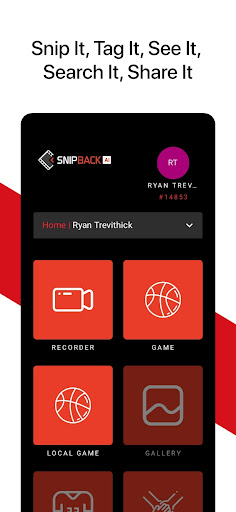





About this app
Developer Description
Powerful multi-camera event recording system, with special AI and CV features.
Simply setup as many iOS devices from various vantage points for an event as you’d like…our platform will record and upload to the cloud WHILE RECORDING, syncing all views automatically, and making the video available for streaming.
MULTI-VIEW RECORDING
Just set the game/event name, then join as many recording devices as you’d like. SnipBack AI will take care of the rest. When watching recorded footage, you’ll easily be able to switch vantage points as all views are automatically synced.
TEAM SHARING
Associate a game/event with a team (or group), and then once uploaded, all team members will automatically have that game ready for streaming in their accounts.
PINNED WHITEBOARDS
Coaches, directors, or event organizers can easily record and pin a whiteboard session to a game/event. Just start a session, then speak, draw, and navigate through the video. Once done just stop the session, and then all team members will automatically see that pinned whiteboard in their accounts. Takes on demand learning to the next level.
REAL-TIME BOOKMARKS
Coaches, directors, and event organizers can easily set digital bookmarks real-time, either from a recording device or from any mobile phones. Simple tap the bookmark button, and then when playing the video easily jump to and review bookmarked footage. If recording via multiple devices, these bookmarks automatically synced across all vantage points.
ADVANCED STREAMING PLATFORM
All recordings are uploaded while recording (not afterwards), and as such footage is available to stream almost immediately (within 60 seconds).
BASKETBALL AI AND CV FEATURES
Utilize AI and CV for basketball, where all basketball footage is processed and made searchable. Users can easily create and view custom SnipReels, which are virtual videos broken down into play blocks. These blocks can be generated automatically by AI/CV or manually by coaches. Examples of some AI/CV blocks would be made shots, missed shots, made 3-pointers, assists, and turnovers just to name a few. Users scan share, link, or export any such block; they can even pin a custom whiteboard to a block.
AUDIENCE PARTICIPATION
Never before has it been so simple and secure for event participants to tap into any setup event cameras to get desired photos and videos for themselves. Once logged into an event with a special event code, they can simply tap their own bookmark button each time something they want footage for occurs (e.g. their kid just made a nice play). After that the desired footage from all vantage points automatically gets downloaded into their gallery….it’s that simple!
What's New
- Snip type selection in recorder.
- Mapping teams to games.
- Live organization settings update across devices.
- Bug fixes and improvements.
Version Information
- Version
- 1.0.183
- Downloads
- 1K+
- Updated on
- Feb 3, 2026
- Released
- May 27, 2022
- Requires
- Android 11
Statistics
Google Play Rating History
Rating Distribution
Downloads Over Time
SnipBack has been downloaded times. Over the past 30 days, it averaged downloads per day.
Shaded area shows 30-day prediction based on historical trends
Historical data collection started recently. More data points will be available over time.
SnipBack users say on Google Play
 baller
why does this app have no reviews 😭🙏
 Hedonist
THEY FORCE YOU TO CREATE AN ACCOUNT BEFORE YOU CAN EVEN TRY THE APP, THEN THEY START TO ASK FOR VERY INTRUSIVE SENSITIVE DEVICE PERMISSIONS. UNINSTALLED THIS RUBBISH... STAY AWAY FROM THIS DEMANDING APP.
ApkTrusted Ratings & Reviews
Scan this QR code to download

Forwarding you to the page at Google Play market in seconds...
Open Google Play market now