GX Remote Control v4.5.0
Honeywell International, Inc.












About this app
Developer Description
GX Remote Control - Flex/Dimension intruder panel.
Key Features:
Fully encrypted and secure
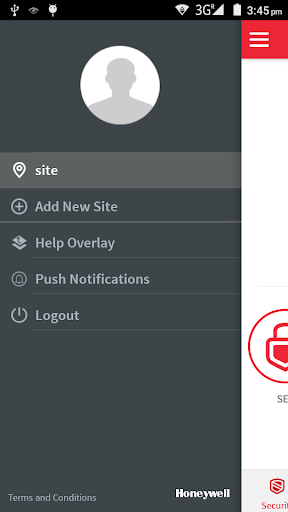
Icon Mode for simple setting and unsetting operations
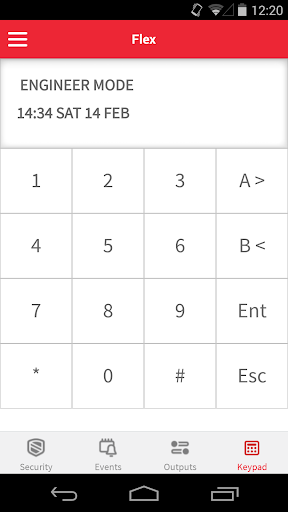
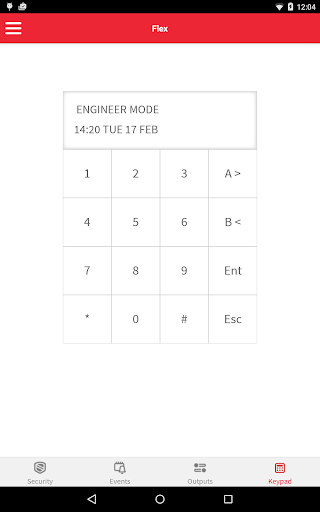
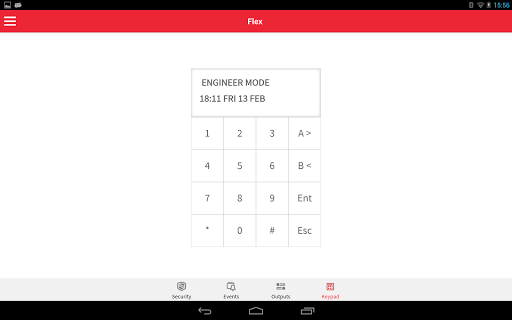
Includes a virtual keypad mode for more complicated programming operations
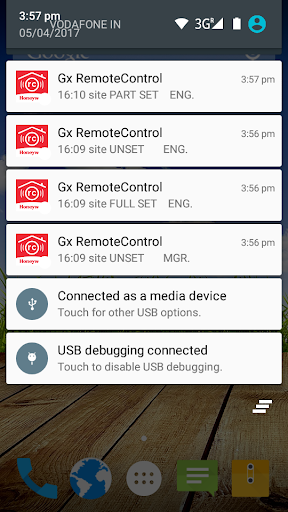
Upload event logs to help identify what happened and when
Control multiple Honeywell Galaxy Flex and/or Dimension control panels by switching easily between them within the app
To enable this app to function on your Galaxy Flex or Galaxy Dimension panel, please talk to your alarm installer to discuss system set up and activation.
Android Version required: 4.0 Minimum
What's New
Enhancements and Bug fixes
Version Information
- Version
- 4.5.0
- Downloads
- 50K+
- Updated on
- Dec 17, 2025
- Released
- Sep 17, 2024
- Requires
- Android 8.0
Statistics
Google Play Rating History
Rating Distribution
Downloads Over Time
GX Remote Control has been downloaded times. Over the past 30 days, it averaged downloads per day.
Shaded area shows 30-day prediction based on historical trends
Historical data collection started recently. More data points will be available over time.
GX Remote Control users say on Google Play
 A Google user
Push Notification working fine.
 Jason Ball
Positive: Set/unset one click operation. Push notifications useful feature and avoids the need for SMS text messaging. Keypad is a versatile option for more complex engineering tasks. Negative: Login configuration screen should be hidden when logging into panel and password should be saved. Biometric security should be added to app for enhanced device security. Panels cannot be removed from web service, only create new sites, which is annoying. No new features in last couple of years.
A Google user
App is good, push notifications are great but only being able to choose one notification sound for all events is not so great. The app needs the ability to have separate sounds per event type. At the moment it is impossible to tell if the alarm has activated or been unset.
A Google user
Very Very Slow. Also "Panel firmware upgrade is needed now to support new functionality, Contact your dealer now" How do I update from V1.x to V3.1???? Cannot do much without this!!!!!!
 Jan-Willem Jonker
Push notifications don't work anymore since the update. Please add a login ui like the evohome app and make the alarm sound specific/stand out against the normal alarms of the phone. Read the feedback, all of them are the same, pick it up, take ownership. :(
ApkTrusted Ratings & Reviews
More from Honeywell International, Inc.
See more apps
Honeywell Easyset
Free

Connected Life Safety Services
Free
MASmobile
Free
MASmobile
Free

Honeywell Connect Mobile
Free

Honeywell Connect Me
Free

Honeywell Forge Cabin Network
Free
Light Touch
Free

BMS Startup
Free

Honeywell RoomUp
Free

HMS HD Plus
Free

Flow Manager
Free

DVM Mobile
Free
Honeywell Versatilis Config
Free

Smart Talk by Honeywell
Free

Honeywell Global Events
Free
Scan this QR code to download

Forwarding you to the page at Google Play market in seconds...
Open Google Play market now