Humana Enrollment Document Tra v1.1.2
Humana Inc.

About this app
Developer Description
Humana’s Enrollment Document Transmitter app is designed to send documents.
Compatibility: Requires 6.0 or later.
DESCRIPTION
Humana’s Enrollment Doc Transmitter app is designed for use by Commercial Group and Medicare brokers/agents, Humana staff, and Benefit Administrators to send Enrollment Documents/Applications to Humana for Processing.
KEY FEATURES
• Requires internet connectivity (Wi-Fi or cellular data)
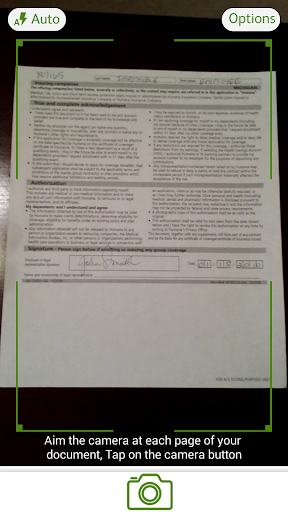
• Smart image (auto focus) or option for user to select manual capture
• On device encryption for images
• Images are deleted from device once sent
• Device Rights Management to prevent screen shots
• Ability to send up to five documents (20 pages per document) in a single transmission
BENEFITS
• Streamline submission of paperwork to Humana’s workflow process.
HOW TO SET UP HUMANA’S ENROLLMENT DOCUMENT TRANSMITTER
• Download the Humana Enrollment Document Transmitter app from Google Play and install it on your Android phone or tablet.
• Launch the app by clicking on the Humana Enrollment icon.
• Accept the End User License Agreement upon first use of the app.
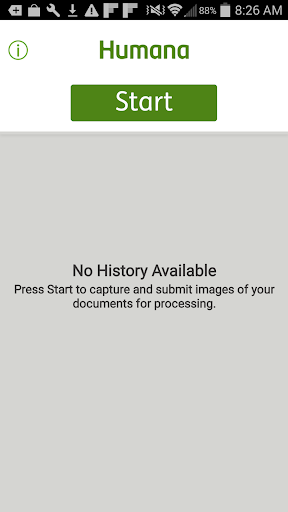
• Review the User’s Guide, FAQs, and the License Agreement by tapping the (i) button at the top of the Home/Start screen before you begin.
HOW TO USE
Before you begin, stack the pages of each document you plan to transmit on a hard surface with a solid background and in an area with adequate lighting.
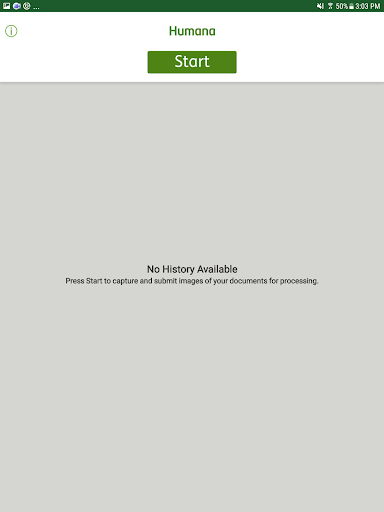
• Press Start to begin to capture and submit images of your documents for processing.
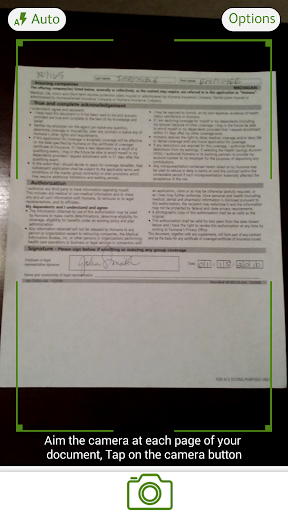
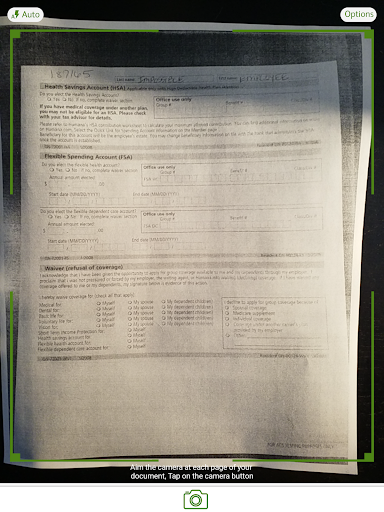
• Point your camera at each page of your document and follow the instructions on the camera’s display screen. The camera will focus and capture the image and indicate the number of pages captured up to the maximum of 20 pages.
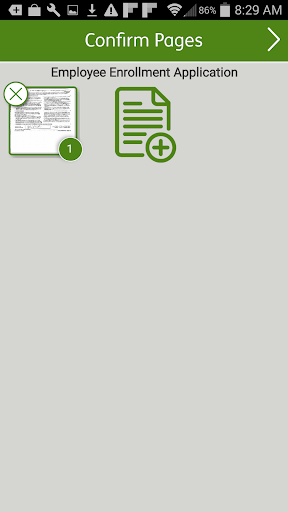
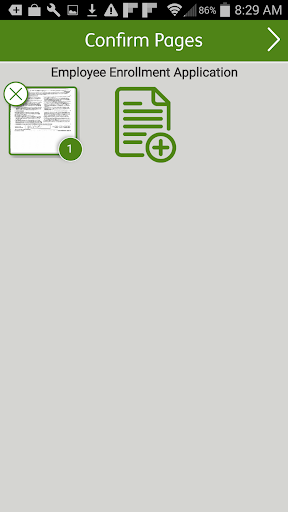
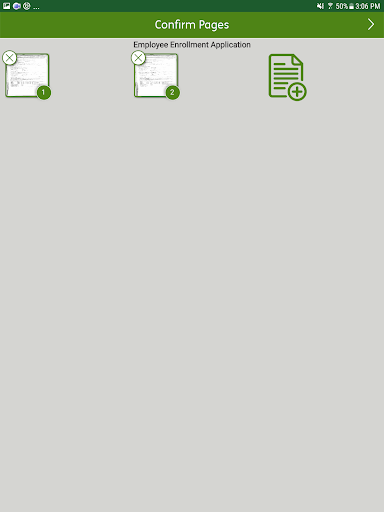
• Crop and adjust the brightness of each page of your document and Confirm Pages or add a Page by pressing the Page icon.
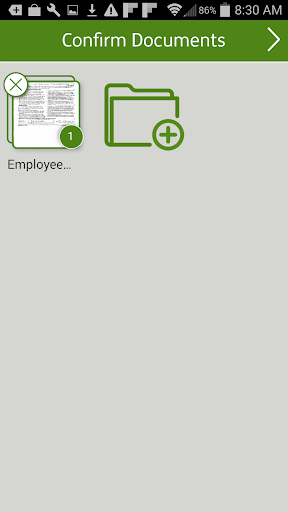
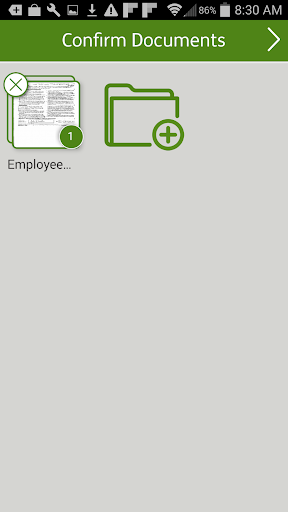
• Add any additional documents (up to a maximum of 5 separate documents) to be sent at the Confirm Documents screen by pressing the Document icon.
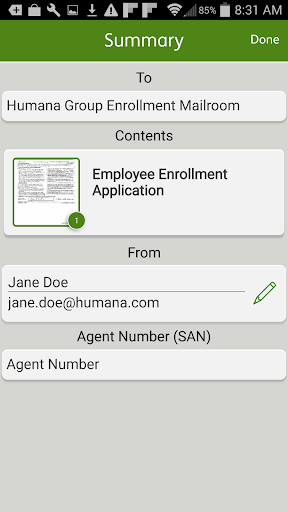
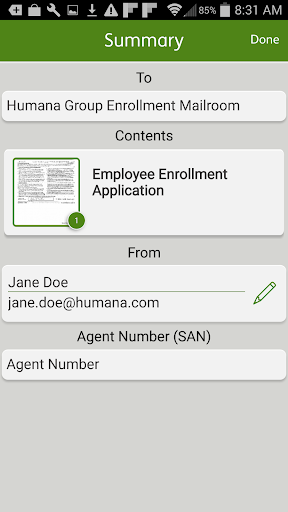
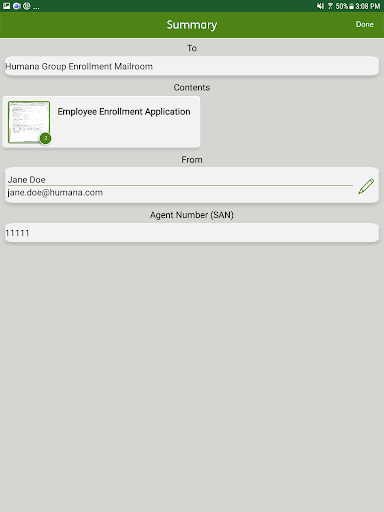
• Complete required personal information, your first and last name, valid email address and your Agent SAN number.
• The app will automatically delete the contents of the transmission and return to the Start screen where you will be able to view the status of the transmission.
• Select the item to view the Submission ID of the transmission on the Summary screen. You may want to keep a record of the Submission IDs corresponding to the documents you sent.
• The app will also send a submission email with a Batch Submission ID and Individual Transmission IDs for each document included in the batch to the email you entered.
• If the End User License Agreement changes, you will be prompted to accept the revised license agreement.
SYSTEM REQUIREMENTS – we recommend a device with a minimum 5 megapixel rear camera
Minimum 6.0 Android version
What's New
Version Information
- Version
- 1.1.2
- Downloads
- 10K+
- Updated on
- Sep 9, 2025
- Released
- Jul 19, 2017
- Requires
- Android 10
Statistics
Google Play Rating History
Rating Distribution
Downloads Over Time
Humana Enrollment Document Tra has been downloaded times. Over the past 30 days, it averaged downloads per day.
Shaded area shows 30-day prediction based on historical trends
Historical data collection started recently. More data points will be available over time.
Humana Enrollment Document Tra users say on Google Play
 A Google user
It has been a week since the app hasn't worked on my note 8. Called it in last week. Still no solution...
 Amy Hall
Update AEP 2023: it's been 3 years and app still doesn't transmit apps after uploading. Problem still unresolved. AEP 2020: App stopped working. Won't open. Had issues for a few months. I uploaded an application back in August. Got confirmation of the transmittal being successful. Humana never received the app. This used to be a great app that was easy to use. Not sure what happened but definitely needs fixed, especially now that AEP is here.
ApkTrusted Ratings & Reviews
More from Humana Inc.
See more apps





Scan this QR code to download

Forwarding you to the page at Google Play market in seconds...
Open Google Play market now