
SchoolBridge v1.16.2
Inbox Design


About this app
Developer Description
The most complete app for NZ schools
FEATURES FOR PARENTS
• Easy Sign in with Magic Link
• Fast Absence Reporting
• School Notices & Alerts
• Online Permission Slips
• Forms & Documents
• Newsletters
• QR Scanner for web sign in
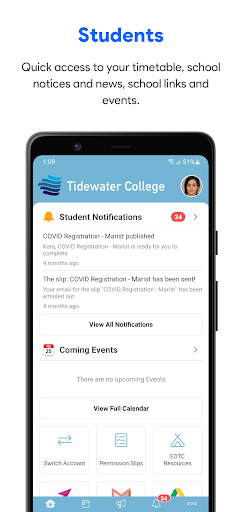
FEATURES FOR STUDENTS
• Student ID Card
• View Your Timetable
• School Notices & Alerts
• News & Newsletters
• Teacher Contacts
• School Links
FEATURES FOR SCHOOL STAFF
• Staff ID Card
• Staff Alerts
• Staff Planner
• Leave Requests
• Reimbursement Claims
• Student Search
• EOTC Management
SCHOOL ADMINISTRATORS
The SchoolBridge platform enables schools to get more out of their SMS data to serve their communities better. To enable SchoolBridge for your School, please call:
07 281 1600
or email us:
support@inboxdesign.co.nz
What's New
Version Information
- Version
- 1.16.2
- Downloads
- 100K+
- Updated on
- Dec 15, 2025
- Released
- Sep 30, 2021
- Requires
- Android 7.0
Statistics
Google Play Rating History
Rating Distribution
Downloads Over Time
SchoolBridge has been downloaded times. Over the past 30 days, it averaged downloads per day.
Shaded area shows 30-day prediction based on historical trends
Historical data collection started recently. More data points will be available over time.
SchoolBridge - Google Play Rankings
Top Rankings
| Rank | Country | Category | List | Change |
|---|---|---|---|---|
| — |
Ranking History in
No ranking data available yet. Rankings are updated daily.
#4 in Top Free Apps in New Zealand


SchoolBridge users say on Google Play
 Missing Linc
Awesome! For me this app is easy to navigate & use , notifications are good & helpful 👍
 A West
a dark mode would be absolutely peach, as the light mode is very bright. the app is very simple to use, so my only complaint is the lack of a dark mode.
 Raja PT
It's OK.
 Andrew Reynolds
The app is ok, but I want to be able to login to the School Bridge web portal. I don't want to connect any of my accounts to the app. I don't want to give the app permissions to read my profile and calendar. I don't want to have to scan a QR code or get a time limited code sent to my email, these are time-wasting steps when I just want to save login details in my password vault.
 Nicky
Nicky
It is not working properly. Shows both students logged in, but shows details of one student in both so cannot see details of the other. Also keeps coming up with 3 choices timetable, Whangaparaoa website, Bridge but none of the buttons work. Tried uninstall ingredients and re-installing and it will not.load at all. I'm sure it is a glitch as last year it worked well.
ApkTrusted Ratings & Reviews
Scan this QR code to download

Forwarding you to the page at Google Play market in seconds...
Open Google Play market now