Gurmukhi Keyboard v1.7.3
Surinder Pal Singh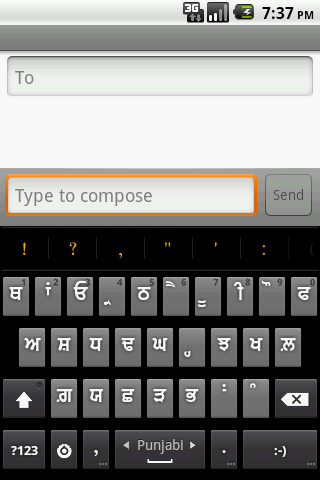
About this app
Developer Description
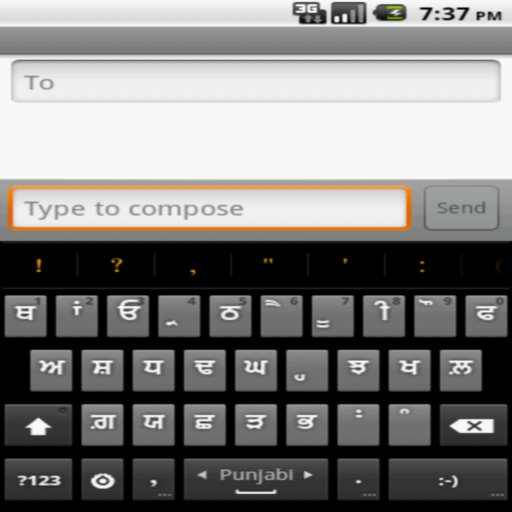
Keyboard to type in Gurmukhi.
Please follow following steps to enable the keyboard:-
Android version < 4.0
1. Settings-->click Language & Keyboard on phone
2. Select Gurbani keyboard from the list.
3. Go to Gurbani Searcher application(or any text field)
4. Long click on the text field.
5. Select Inputmethod
6. Select Gurmukhi keyboard.
7. System will display warning, press "OK"
8. Go to settings of Gurmukhi Keyboard and enable Punjabi in "Input Languages".
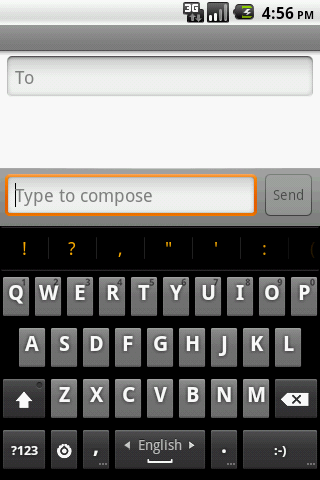
9. Go back to the application and swipe on "spacebar" to toggle between Punjabi and English. One can also enable other locales by going to settings of Gurmukhi Keyboard.
Android version 4.0 (ICS)
1. Settings-->click Language & Keyboard on phone
2. Select Gurbani keyboard from the list.
3. System will display warning, press "OK"
4. Enable Gurmukhi keyboard as default keyboard in settings.
5. Go to settings of Gurmukhi Keyboard and enable Punjabi in "Input Languages".
6. Go back to the application and swipe on "spacebar" to toggle between Punjabi and English. One can also enable other locales by going to settings of Gurmukhi Keyboard.
HTC Sense UI users OS version 4.0 and greater (ICS)(Thanks to Harkamal Singh Sandhu for the instructions below:-)
1. Once the keyboard is installed, do a hot reboot.
2. You cannot long press or swipe through the keyboards to find Gurmukhi keyboard.
3. When the keyboard is activated, you will get an icon on the top, which is of a keyboard. Drag this down and you can change the input method from HTC Sense Input to Gurmukhi.
4. Go to settings of Gurmukhi Keyboard and enable Punjabi in "Input Languages".
5. Go back to the application and swipe on "spacebar" to toggle between Punjabi and English. One can also enable other locales by going to settings of Gurmukhi Keyboard.
Please note that without the above steps, the keyboard will not show and by design(android feature), the keyboard will not get listed in application. Please do not rate the application in ignorance, I would suggest to read the instructions and enable it correctly and after doing due diligence and rate it. A bad rating out of ignorance may prevent others genuine users to take advantage. BTW, the above set of steps are applicable for any android keyboard and that's how android allows to plugin other keyboard. Also I would like to impress upon the fact that Android by default has no support for Punjabi fonts and this keyboard doesn't provide any magic to enable non-cooperating application to start supporting Punjabi fonts. This keyboard helps cooperating application (like Gurbani Searcher) to type in Punjabi fonts. I would like to re stress that the participating application should provide support for Punjabi fonts for this keyboard to work in harmony with it.
The keyboard supports following types of keyboards.
Punjabi Keyboard, Gurmukhi Keyboard, Gurbani Keyboard, Gingerbread keyboard, Hindi Keyboard.
Regards,
-Surinder Pal Singh
What's New
-Added native support for contextual permissions.
Version Information
- Version
- 1.7.3
- Downloads
- 1M+
- Updated on
- Dec 18, 2018
- Released
- Feb 1, 2011
- Requires
- Android 4.0
Statistics
Google Play Rating History
Rating Distribution
Downloads Over Time
Gurmukhi Keyboard has been downloaded times. Over the past 30 days, it averaged downloads per day.
Shaded area shows 30-day prediction based on historical trends
Historical data collection started recently. More data points will be available over time.
Gurmukhi Keyboard users say on Google Play
 kawaljit singh
I was using this app from past 2-3 years. never faced a problem. but there are some typing problem like ਕੰਨਾ, ਸਿਅਾਰੀ , ਬਿਅਾਰੀ। kindly resolve this issue.
 Jaspal Soni
It is an excellent app but requires access to users credit card numbers and password information. Until such terms and conditions are not modified I am reluctant to give any rating. Thanks. 3/17/2024 Since my last review, no one has contacted me or communicated addressimg my concerns of intruding into personal infor, creditcard and password snooping whivh is very concerning. If I ignore that I would rate this app very high. My question remains: why is our personal information is at risk when
 Malkiat Singh
It's want improvement many deficiencyin this ਪ੍ਰਾੲਿਮਰੀ ਅੈਜੂਕੇਸ਼ਨ Like m nu sihari nahi proper A nu dulawaan nahi proper
 Bhagwant Singh
ੲਿਸ ੲਿਹਨਾਂ ਸਹਾੲਿ Like these words, while typing there is space between some fonts automatically and unable to write accurate word. Please update that.
 Deep Sandhu
There is gap between few words while typing in panjabi..early this problm was not there but yesterday , after update I am facing this problem As ੲਿਕ ਵਾਰ ਦੀ ਗੱਲ ਸੀ ੳੁਸ ਦਾ ਨਾਮ Ect...after 2018 No new vesn is there of this app Pls give us some thing new 2020 verson As language tr Facing lot of problms
ApkTrusted Ratings & Reviews
More from Surinder Pal Singh
See more apps


Similar Apps



Scan this QR code to download

Forwarding you to the page at Google Play market in seconds...
Open Google Play market now