EZAudioCut-MT audio editor v1.14.1
ruomu studio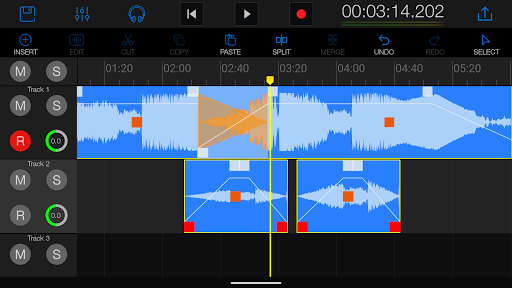

About this app
Developer Description
audacity, audition,cool editor, multi track audio editor
EZAudioCut-MT continues the high-precision editing characteristics of single-track editing products, and supports high-precision zooming and high-precision editing. Allows you to complete complex audio editing without PC.
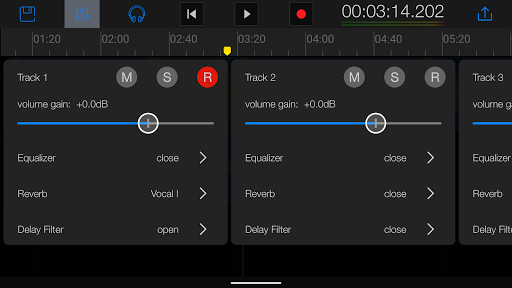
EZAudioCut-MT supports up to 64-track audio simultaneous editing, and provides real-time editing waveform preview.
You can record with EZAudioCut multi-track accompaniment, and record while playing.
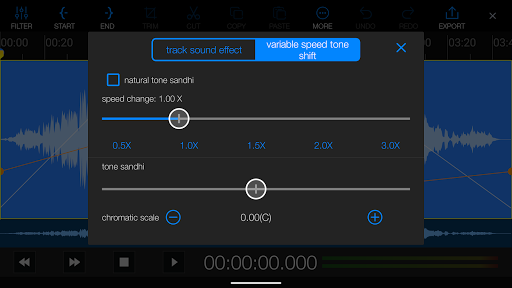
Support falling tone and rising tone. (You can't find the accompaniment for the boys version and the girls version, it doesn't matter, EZAudioCut-MT will help you lower the key and record your personal perfect scale).
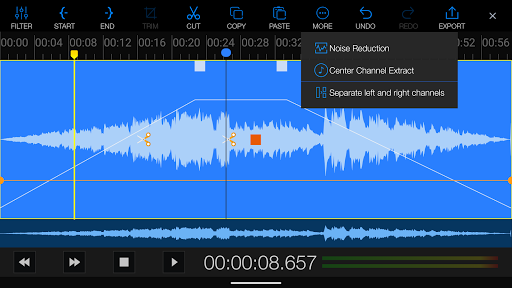
Support accompaniment production, can not find the accompaniment you need, eliminate the vocals through the original singing, you can get any accompaniment you want. Support multiple accompaniment extraction modes.
The audio variable speed effect allows your recordings to be played back at multiple speeds.
Support adsorption function, can quickly align to the position you need.
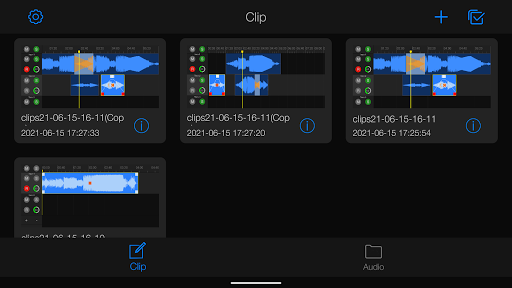
Support multi-track splicing, multiple audio mixing, arrangement and so on. Complete various tasks of your audio editing.
Support voice noise reduction. Sampling neural network noise reduction algorithm, powerfully remove the noise floor of the speech.
Support metronome.
Easy Cut Multi-Track Version (EZAudioCut-MT) has the following features
● Ultra-high-precision editing, up to 64-track mixing
● Audio accompaniment extraction, vocal elimination (center channel extraction method)
● Brand new pitch shift, speed change, better pitch-down and pitch-up effect
● Powerful RNN voice noise reduction function
● AI extracts audio accompaniment and vocals
● Superb sound processing
● Support for importing external links of online songs
● Able to record sub-sections and sub-tracks to better produce covers and sings
● Support external microphone with better sound pickup
1. High-precision editing, zooming, real-time audition, pre-listening and preview effects.
2. Support copy, paste, intercept, gain, split, merge, move, snap, fade in, fade out, cross fade in and fade out effects.
3. Support audio track volume gain, single block volume gain, range volume gain, volume line editing (volume partial gain or reduction).
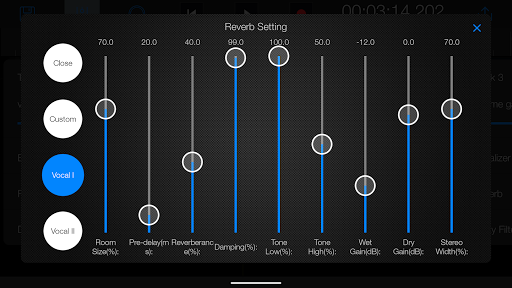
4. Support for Noise Reduction, Vocal Remove, Center Channel Extract, EQ, Reverb, Delay, Speed, Tempo, pitch sound effects.
5. Support earphone monitoring, input gain, metronome function during recording.
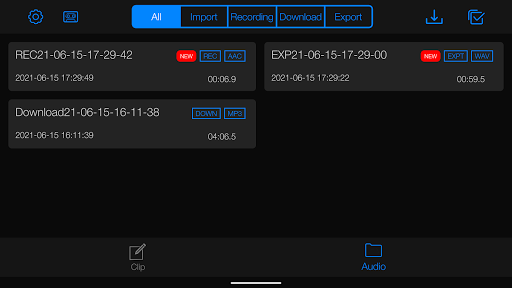
6. Supports importing from multiple sources (recording, downloading from external links, sharing with other apps, video extraction and audio).
7. Support multiple quality (48k,,44.1k, 32k, 16k) and multiple formats ( mp3, aac,flac, wav) audio export.
8. Support network song external chain download and import editing function.
9. Support video extraction audio function (video to audio), support audio format transcoding.
10. Support undo and redo (maximum 50 steps).
11. Support the recycle bin function.
12. Support single recorder function.
What's New
1) Added audio snapping when dragging to the playhead and other audio clip edges, with enable options.
2) Added volume line adjustment in the multitrack editing view with related settings.
3) Added settings to enable fade in/out, drag trimming, and audio marker features in the multitrack view.
4) Added custom track height adjustment in the multitrack view.
In-app purchases
$2.99 - $59.99 per item
Version Information
- Version
- 1.14.1
- Downloads
- 100K+
- Updated on
- Jan 4, 2026
- Released
- Jun 11, 2021
- Requires
- Android 8.0
Statistics
Google Play Rating History
Rating Distribution
Downloads Over Time
EZAudioCut-MT audio editor has been downloaded times. Over the past 30 days, it averaged downloads per day.
Shaded area shows 30-day prediction based on historical trends
Historical data collection started recently. More data points will be available over time.
EZAudioCut-MT audio editor users say on Google Play
 Joeniedes Militante
I am so happy I found this app. It is so useful for me.. I am only using this as DIY solo project. Raw audio takes, 4 tracks only. Ill subscribe and pay when I have the budget.. thank you for this
 Rayasat
good
 ሜሎስ ስቱዲዮስ Melos studios
it's one of the best audio editing app for Android . keep up the good work. But the last update is very bad it keeps crashing while editing in the multiple track and it crushes more on the main editor. please fix that. except that it's the best.
 Master Jeff
Doesn't have "pause" button during recording. Doesn't "select all" command to merge all pieces, doesn't have "Balance" (L/R) adjuster, no way to choose from which mic it will record. If I have BT headphones (with mic) connected it will record from phone built-in mics. Bad for blogging.
 Dylan
Dylan
You can't get past the ads. U want to create an MP3? you have to watch an ad and the ad won't close which negates your ability to make an MP3 and around and around we go .This program is finicky, it's easy to move tracks by mistake. the Dev sent me a video closing an ad successfully. An ad that was 15 seconds long, everyone I see is over a minute, fishy. I'm done screwing around with ads that won't close. Don't waste your time putting effort into a project on this app... it's pointless.
ApkTrusted Ratings & Reviews
More from ruomu studio
See more apps

Scan this QR code to download

Forwarding you to the page at Google Play market in seconds...
Open Google Play market now