
Notification light for Samsung v6.05
Jawomo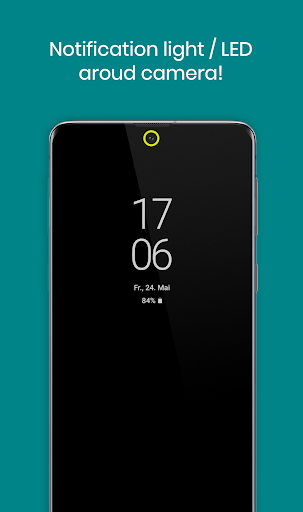
About this app
Developer Description
aodNotify - Notification light / LED for Samsung Galaxy S23, S22, A52, Note20...
With aodNotify you can easily add a notification light / LED directly to Samsung's Always On Display! Never miss notifications again!
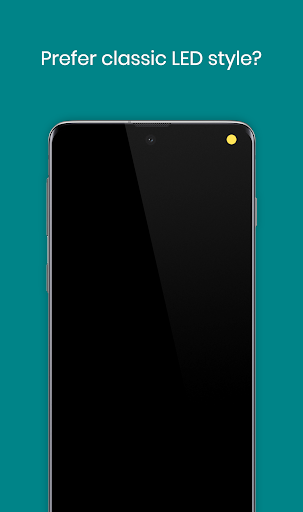
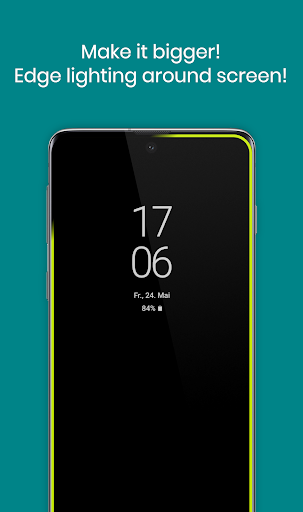
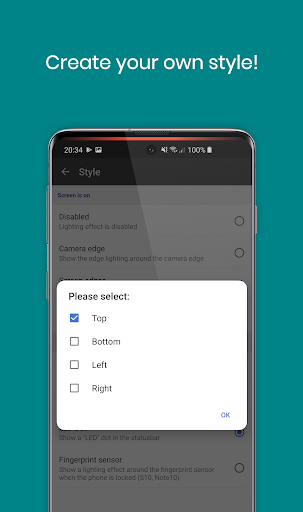
You can select different notification light styles and show the notification light around the camera cutout, screen edges or even simulate an LED notification dot in the statusbar of your Galaxy S23 / S22 / Note 20 / S21 / S10 / Note 10 or A52 series device!
Select from dozens of smooth animated light effects like led blink, neon, echo and many more!
As the notification light is integrated in Samsung's Always On Display it has minimal battery consumption and doesn't drain your battery like other apps which keep your phone awake!
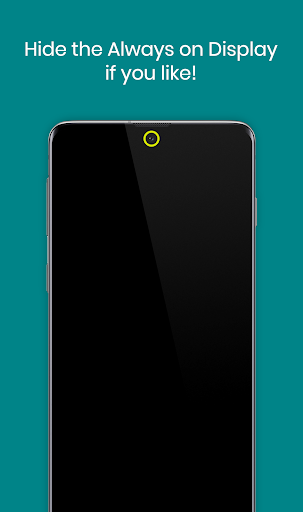
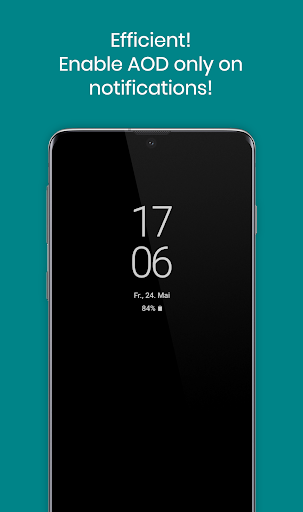
If you don't need the Always On Display, the app can also activate the Always On Display (AOD) only on notifications or show the notification light / LED even without the Always On Display!
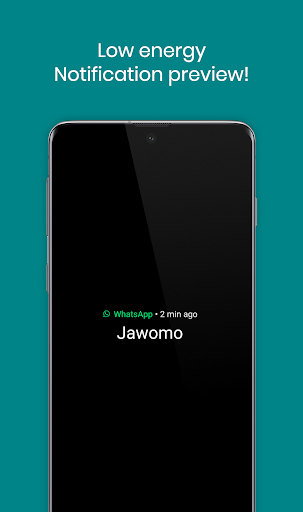
With the notification preview feature you can see the notification sender at a glance without waking your Galaxy phone!
MAIN FEATURES
• Notification light / LED for Samsung Galaxy S23, S22, Note 20, S21, S10, Note 20, A52 and others!
• Low energy notification preview
• Activate Always On Display (AOD) only on notifications
• Charging / Low battery light / LED
MORE FEATURES
• Light effects like led blink, or echo!
• Get notified without notification sound!
• Notification light styles (around camera, screen, LED dot)
• Custom app / contact colors
• ECO animations to save battery
• Interval mode (on/off) to save battery
• Night times to save battery
• Minimal battery consumption
BATTERY USAGE PER HOUR ~
• NOTIFICATION LIGHT - 3.0%
• NOTIFICATION LIGHT in INTERVAL MODE - 1.5%
• NOTIFICATION LIGHT in ECO ANIMATION - 1.5%
• NOTIFICATION LIGHT in ECO ANIMATION & INTERVAL MODE - 1.0%
• NOTIFICATION PREVIEW - 0.5%
• ALWAYS ON DISPLAY - 0.5%
Without the notification light / LED the app consumes almost 0% battery!
SAMSUNG DEVICES
• Galaxy S23 / S22 / S21+ / S21 Ultra
• S21 / S20+ / S20 Ultra
• Galaxy S8 / S9 / S10 / S10+
• Note 8 / Note 9 / Note 10 / Note 20
• A52 / A72 / A51 / A71
• A6 / A7 / A8 / A9
• A30 / A50 / A70 / A80
• C5 / C7 / C8 / C9
• M30
NOTES
• The app is not compatible with Samsungs new android 14 update. Working on a solution
• This app uses accessibility services to help people working in loud enviroments as well as hard of hearing or deaf people to get a visual notification feedback.
• Samsung may block this app with future updates!
• Please check if the app is compatible before updating phone software or always on display!
• Altough we never experienced any screen burn in issues on our test devices, we recommend to not keep the notification light / LED active for a long time! Use at you own responsibility!
"Samsung Galaxy" is a protected trademark of "SAMSUNG ELECTRONICS"
Disclosure:
The app uses the AccessibilityService API to display a floating popup to enable multitasking.
No data is collected or shared using the AccessibilityService API!
What's New
• Translations updated
• Fixes & optimizations
In-app purchases
$2.49 - $6.99 per item
Version Information
- Version
- 6.05
- Downloads
- 1M+
- Updated on
- Jan 19, 2025
- Released
- May 24, 2019
- Requires
- Android 8.0
Statistics
Google Play Rating History
Rating Distribution
Downloads Over Time
Notification light for Samsung has been downloaded times. Over the past 30 days, it averaged downloads per day.
Shaded area shows 30-day prediction based on historical trends
Historical data collection started recently. More data points will be available over time.
Notification light for Samsung users say on Google Play
 Nicholas Hall
After having this app for quite some time (uninstling it, reinstalling it) I finally sorted out the settings... and I am finally very happy with it. If you set the notify message time long enough, hide Samsung AOD, and make sure the phone does not battery save (kill) the app it works great and does the job. I am now using a S25 Ultra and the app is still good as ever. Well worth the small cost of the app 👍👍👍👍👍
 Walter Schultz
Update: paid version works great
 Ilyas G
It works, but not like the real notification LED used to work. I bought the premium version & played with the settings for... 30 minutes? The old notification LED would only run when the screen was off, and the notifications would persist until cleared. I can't figure out how to do that in this app.
 Angus Mair
Hopeless. have been wrangling with this on my S25 for four days now. Works, doesn't work, works for a while, doesn't work. If you have time to guess which Android settings you need to change - because it's not intuitive and rhe suggestions just don't work - then it might work for you. My money went down the drain. Binning it and trying something else.
 Jun Cast
since UI7 update this app has been consuming battery. on the battery app, AoD is using 34-48% of my battery usage daily. I've lost 6% battery in 20 min of being idle and AoD is 82% off that. what's up?
ApkTrusted Ratings & Reviews
More from Jawomo
See more apps








Similar Apps

Nova Launcher
Free
Moto Widget
Free

Borealis - Icon Pack
Paid

True Edge: Edge Lighting & AOD
Free
Icon Pack Studio
Free
GranPlayer
Free
Magazine Lockscreen XOS
Free

Lena Icon Pack Shapeless Icons
Paid

PurpleLine Icon Pack : LineX
Paid

BOLT Icon Pack
Paid

Action Launcher: Pixel Edition
Free
Alarm Clock
Free
Good Lock: Premium Lock Screen
Free

Vera Icon Pack: shapeless icon
Paid

Retro Mode - Icon Pack (Light)
Paid

OrderBoard Display
Paid
Scan this QR code to download

Forwarding you to the page at Google Play market in seconds...
Open Google Play market now