Watt Key — Watch App for Tesla vVARY
Joshendy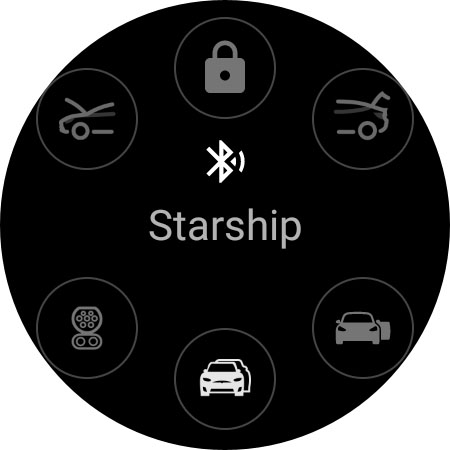

About this app
Developer Description
Turn your watch into a key fob for your Tesla
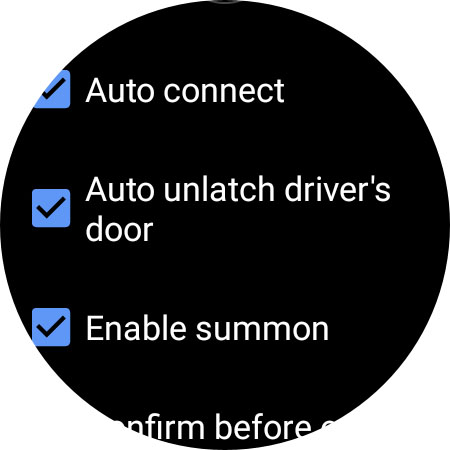
* Automatically unlock/lock as you walk towards/away from your Tesla
* Automatically unlatch the driver's door as you approach
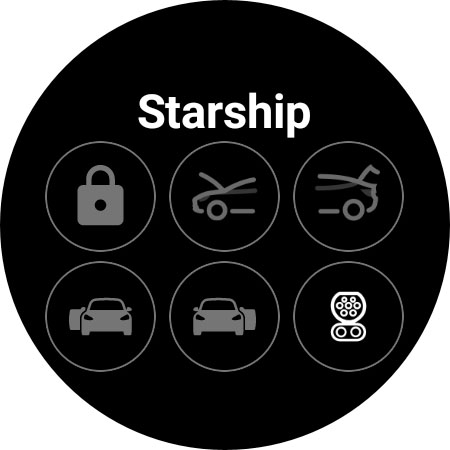
* Unlatch any door (or all of them!)
* Manually lock/unlock
* Open the frunk
* Open and close the trunk
* Open, close and unlock the charge port
* Tile for quick access to commands
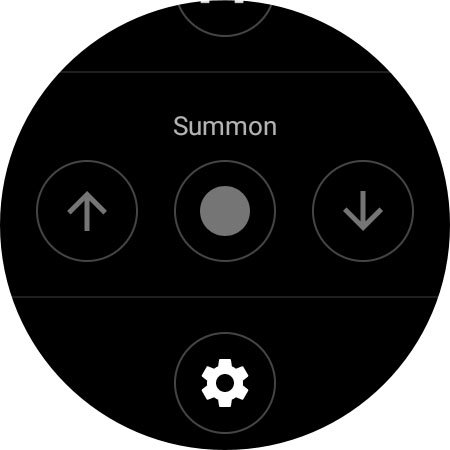
* Summon forward and reverse (Enable in settings - your Tesla must have EAP or FSD)
Only works on Tesla's with Bluetooth key functionality: Model 3/Y and the new refresh Model S/X.
To install you can open Google Play Store app on your Wear OS watch and search: "Watt Key" or open Google Play Store in your web browser and search "Watt Key". For some reason the Google Play Store phone app will show the app as incompatible with your devices. You MUST have Bluetooth and Location enabled or Watt Key won't be able to find your Tesla. The Watt Key notification must be allowed or the app won't be able to run in the foreground.
No internet connection is required, just your Wear OS watch with Bluetooth turned on. As the app connects directly to the car, actions are immediate and there's no noticeable delay between pressing the buttons and the car performing the action.
If you have any issues while using the app please email me so I can help: joshendy89@gmail.com
Works best on Samsung Galaxy Watch 4 and higher, and the Google Pixel watch.
This app requires your watch to have Wear OS version 2 or higher. Unfortunately older versions of Galaxy Watch have Tizen OS and not Wear OS so you'll be unable to use this app on those watches.
Language support:
English
Korean
French
German
Security and privacy:
This app generates a secure cryptographic key that it uses to authenticate with your vehicle. This key is stored encrypted on your watch and can only be accessed by the app. At any time you can delete the key or all keys from this app via the Settings menu and also delete them from within the Lock menu on your Tesla. Watt Key supports Tesla's new end-to-end encrypted commands.
Disclaimer:
This app is not endorsed by Tesla. Use at your own risk. No guarantees are given as to functionality or uptime as this is very dependent on Tesla. You are responsible for any changes you make to your vehicle using this app.
What's New
* Show how many nearby Teslas there are when scanning for your Tesla
Version Information
- Version
- -
- Downloads
- 1K+
- Updated on
- Sep 19, 2025
- Released
- Jun 3, 2022
- Requires
- Android Varies with device
Statistics
Google Play Rating History
Rating Distribution
Downloads Over Time
Watt Key — Watch App for Tesla has been downloaded times. Over the past 30 days, it averaged downloads per day.
Shaded area shows 30-day prediction based on historical trends
Historical data collection started recently. More data points will be available over time.
Watt Key — Watch App for Tesla - Google Play Rankings
Top Rankings
| Rank | Country | Category | List | Change |
|---|---|---|---|---|
| — |
Ranking History in
No ranking data available yet. Rankings are updated daily.
#48 in Top Paid Lifestyle in United States

#52 in Top Paid Lifestyle in Poland

#52 in Top Paid Lifestyle in Saudi Arabia

#52 in Top Paid Lifestyle in India
Watt Key — Watch App for Tesla users say on Google Play
 Man Liu
I've been using this App for over a year now and it has always worked well and as advertised. I just miss the Watt Time App (that I also purchased but is currently not working) since it's cloud based (as opposed to Bluetooth) and can control the Tesla without having to be near the vehicle with more features.
 Thomas Bihn
With a Galaxy Watch 6, the initial configuration does not keep the app active (no notification running either), but the app does exactly what I want it to do. I can swipe up and tap the app at the bottom of my apps drawer and then open the door to the vehicle. I prefer this over always on anyway, because in most cases, I'll want my phone with me and if the app is always active, it increases the chance of leaving the phone behind. Now, I have a backup beyond just the key card.
 Thomas Caven
Great app except for the battery drain,I added it to my Galaxy Watch 6 Classic & added a tile, Over the first night my watch lost 50% battery, I turned RUN AS SERVICE off which helped a bit but it still lost 25% battery overnight this is still more than the 6% it normally uses, I have now had to close the app down & open it only if I ever need it which isn't that great to be fair as I assumed it would work as a key the same as my phone, I emailed & asked for help but as yet have had no reply.
 Marc
Marc
Don't work with my Watch 5 Pro. After installation, it works and a few hours later the watch does not find my car and do not connect anymore.
 JS
JS
What a scam. Developer had an app called watt time, release a new product called Watt key based on a new API. Old application didn't work, forced to buy the new one. New app didn't work, said it couldn't find vehicle with vin. Don't support this developer
ApkTrusted Ratings & Reviews
Scan this QR code to download

Forwarding you to the page at Google Play market in seconds...
Open Google Play market now