
写真クラウド vVARY
KDDI株式会社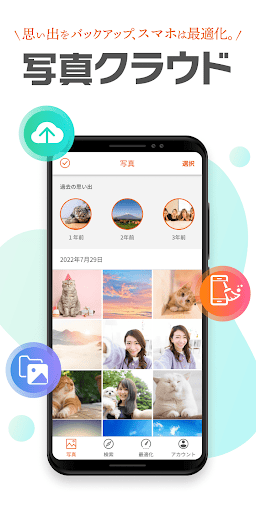







About this app
Developer Description
You can automatically back up the photos and videos taken by the customer. The function to solve the tight terminal capacity (large-capacity cloud / data organization function) is also substantial.
*Not applicable if you join with a corporate contract after June 30, 2022.
Please see the URL below to check the release date.
URL: https://www.au.com/mobile/product/smartphone
You can back up the photos and videos you have taken.
We also have a wide range of functions (large-capacity cloud/data organization functions) to solve the problem of device capacity constraints.
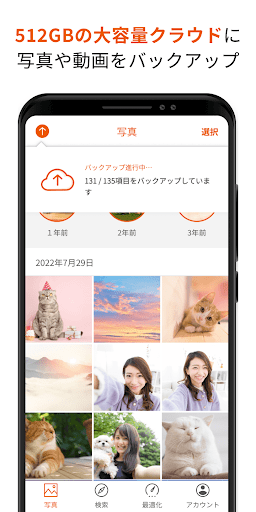
1. Back up photos and videos to a large capacity cloud of 512GB
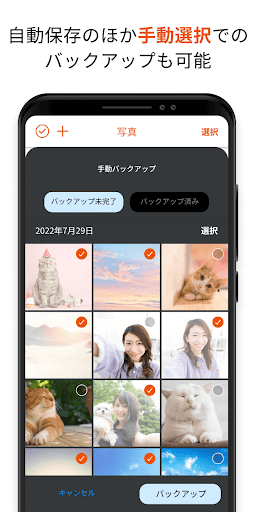
・You can select the backup method to suit your style from automatic or manual selection.
- Improved backup function allows for smooth transfer of photos and videos (time required to complete backup of 5GB: approximately 10 minutes)
*Upload speed: Measured results when connected to Wi-Fi of approximately 200 Mbps, and may vary depending on the customer's usage environment and device used.
*Backup will be completed in the same amount of time even during background communication.
2. Optimize free space on your device
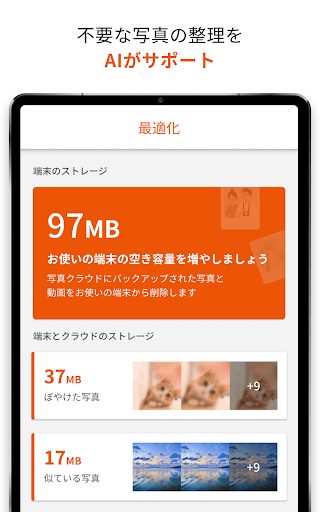
・Image authentication using AI selects blurry or similar photos, etc.
- Supports organizing free space on your device by suggesting deletion of selected photos
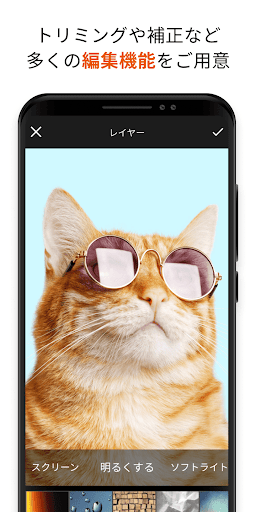
3. Easily edit backed up photos
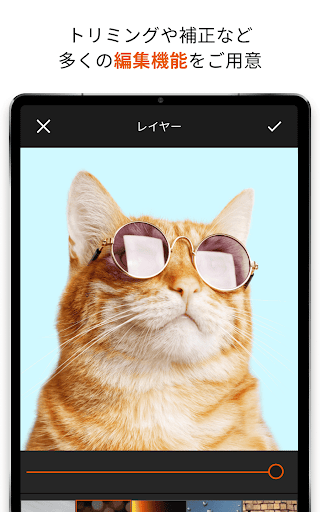
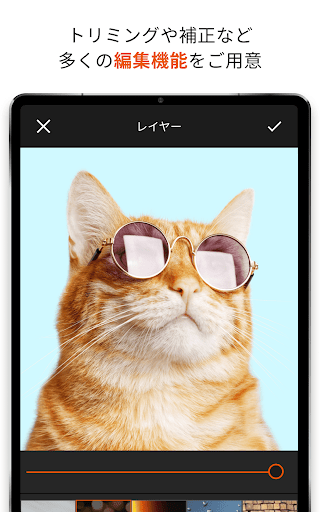
・Photos saved in the cloud can be edited using various functions (cropping, filters, color correction, focus, frames, etc.)
4. Easily organize your backed up photos and videos
・Organize by location, selfie, or video, and AI automatically identifies the people in the photo to support organization.
5. Easily search backed up photos and videos
・Function to search for photos and videos by tag based on album name and location
■Android OS version recommended for use 11.0 or higher (installable 6.0 or higher)
*For devices equipped with the above installable OS, it may not work due to OS updates, special settings of the device, free space, communication status/speed, etc. Please note that we do not guarantee operation on all devices.
Version Information
- Version
- -
- Downloads
- 100K+
- Updated on
- -
- Released
- Jan 17, 2026
- Requires
- Android Varies with device
Statistics
Google Play Rating History
Rating Distribution
Downloads Over Time
写真クラウド has been downloaded times. Over the past 30 days, it averaged downloads per day.
Shaded area shows 30-day prediction based on historical trends
Historical data collection started recently. More data points will be available over time.
写真クラウド - Google Play Rankings
Top Rankings
| Rank | Country | Category | List | Change |
|---|---|---|---|---|
| — |
Ranking History in
No ranking data available yet. Rankings are updated daily.
#30 in Top Free Photography in Japan


写真クラウド users say on Google Play
 Photo9
good
 blue rose_095
バックアップを手動に選択しても勝手にバックアップしてしまいます
ApkTrusted Ratings & Reviews
More from KDDI株式会社
See more apps
au海外放題
Free

povo2.0アプリ
Free

SATCH X
Free

My au(マイエーユー)-料金・ギガ残量の確認アプリ
Free

auセルフケア
Free

+メッセージ(プラスメッセージ)
Free

auサービスToday
Free

データお引っ越し
Free

au スタンプカードアプリ
Free

auウェルネス-ヘルスケア&歩くとコイン(ポイント)がたまる
Free

Pontaパス
Free

auの音楽アプリ - auスマートパスプレミアムミュージック
Free

auオフィスナンバー
Free

auメール
Free

【お店用】au PAY for BIZ
Free

ウイルスブロック
Free
Scan this QR code to download

Forwarding you to the page at Google Play market in seconds...
Open Google Play market now