Draw on Any Screen and Share v11.0
Krishnu labs




About this app
Developer Description
You can draw on every screen of your smartphone and take screenshots and videos.
Activate the draw mode, draw or mark something on your screen and click on the screenshot button. You can take screenshot instantly and share with other.
This draw on screen app is quick accessible to take screenshot. Whatever you are doing on the screen, you can always turn on or off the drawing mode easily.
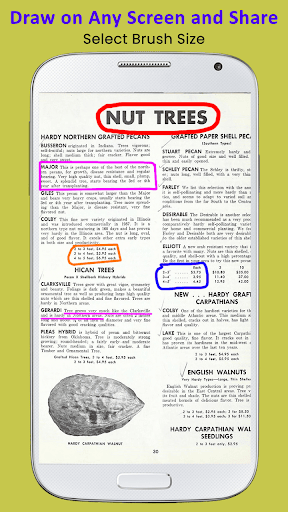
Draw on screen is perfect for presentations, video tutorials or screenshots to highlight texts or images on the screen.
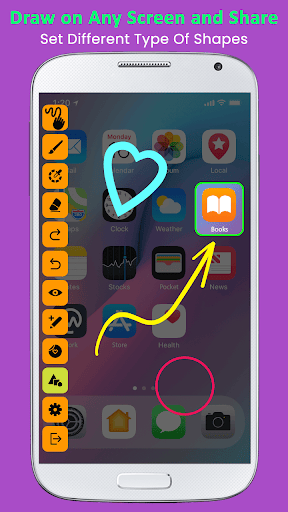
Draw on Any Screen and Share provide drawing pad with floating toolbar and you can use this tools without leave the current running app.
Change menu position of draw on screen at top and bottom of your mobile screen, so you can draw on screen easily.
This drawing pad app is helps to add text, add sticker, add image from gallery or camera, also add different shape to mark text or image on your mobile screen and take screenshot of your drawing and share it with social sites.
Features :-
- Draw on any screen anywhere.
- Draw with different colors.
- Draw with different sizes.
- Undo and Redo easily.
- Erase whatever drawn on screen.
- Select shape line, rectangle,circle, eclipse, qubic bezier, quadratic bezier.
- Shake device to take screenshot.
- Reset drawing.
- Change menu bar position.
- Floating toolbar.
- Add image, text, sticker and different shape on screen.
- Take screenshot with single click.
What's New
Version Information
- Version
- 11.0
- Downloads
- 100K+
- Updated on
- Aug 7, 2025
- Released
- Jan 31, 2019
- Requires
- Android 7.0
Statistics
Google Play Rating History
Rating Distribution
Downloads Over Time
Draw on Any Screen and Share has been downloaded times. Over the past 30 days, it averaged downloads per day.
Shaded area shows 30-day prediction based on historical trends
Historical data collection started recently. More data points will be available over time.
Draw on Any Screen and Share users say on Google Play
 da di
da di
Love this app! Very useful while playing Sudoku. Could you make an option where we can use other apps while still seeing the drawing? Thank you!
 Alexander Hoff
Should be movable, all around, and to choose what buttons to show
 Kushagra Kukreja
can we minimize if the panel is anywhere but top left
 Basil
Basil
very very tacky
 Ajay Ahlawat Official
unable to use in Landscape made
ApkTrusted Ratings & Reviews
More from Krishnu labs
See more apps


Scan this QR code to download

Forwarding you to the page at Google Play market in seconds...
Open Google Play market now