Bird Watch Face icon

Bird Watch Face v1.0.0

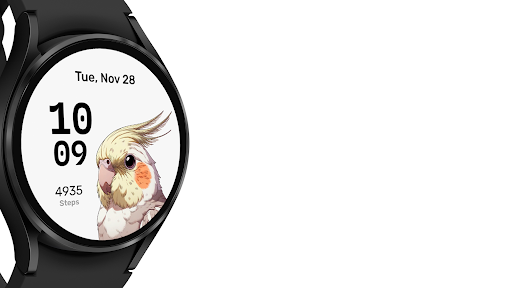
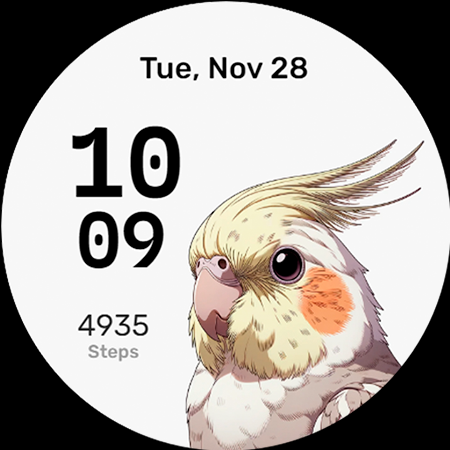
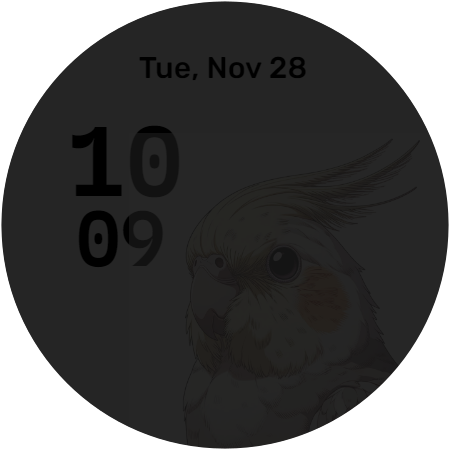
Bird Watch Face screenshot 0 Bird Watch Face screenshot 1 Bird Watch Face screenshot 2 Bird Watch Face screenshot 3

About this app

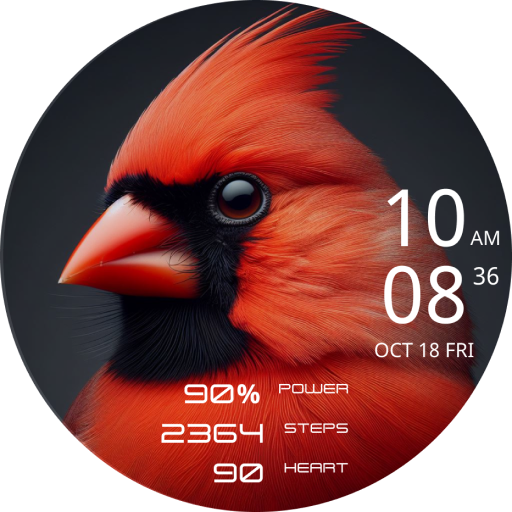
The Bird Watch Face app solves the problem of dull watch faces for Wear OS users by offering a minimalist bird-themed design, which will likely appeal to nature enthusiasts and those seeking a simple, aesthetically pleasing watch face. Given its niche appeal, this app benefits users who value unique, non-intrusive designs and are willing to pay a small fee for such customization. Compared to other personalization apps, Bird Watch Face stands out with its focused, uncomplicated approach, but may fall short in terms of versatility and feature richness. Its lack of permissions requests is a notable advantage in terms of privacy.

Pros

  • The app's minimalist design is a significant advantage for users who prefer simple, non-distracting watch faces, making it ideal for everyday use.
  • With no permissions requested, Bird Watch Face ensures a high level of user privacy, which is a rare but welcome trait in the personalization category.
  • The paid model without ads or in-app purchases provides an uninterrupted user experience, free from the annoyance of advertisements or the temptation of additional purchases.
  • The developer's decision to keep the app small and focused suggests an intent to maintain a lean, efficient piece of software, potentially leading to better performance on Wear OS devices.
  • The straightforward, one-time payment of $0.49 for the app is a transparent and fair monetization strategy that reflects the app's value without exploiting users.

Cons

  • The lack of user ratings and limited download numbers may indicate a lack of community feedback or issues with the app's visibility, potentially making it harder for new users to discover and trust the app.
  • Given its niche appeal, Bird Watch Face might not cater to users looking for feature-rich or highly customizable watch faces, limiting its broader appeal.
  • The absence of a developer website raises questions about the developer's long-term support and commitment to updating the app, which could be a concern for users investing in paid software.
  • There's a risk that the app's simplicity might become too bland for some users over time, leading to a desire for more dynamic or interactive watch face options.

Best for: The ideal user for Bird Watch Face is a Wear OS user, likely an adult with a basic to intermediate level of technical skill, who values simplicity, privacy, and unique design aesthetics, and is willing to pay a small fee for a high-quality, distraction-free watch face experience that reflects their personal style or interests.

Developer Description

A Minimalist Bird Watch Face for Wear OS.

A Minimalist Bird Watch Face for Wear OS.


Supports Wear OS devices with API Level 30+ (Wear OS 3.0 and above).
Not suitable for rectangular watches.

*Features:*
Minimalist design
Steps indicator
Custom complication
AOD Mode

*How to apply the watch face:*
- Once the installation is complete, press and hold the clock display on your watch. Swipe to the right and select the 'add' option. A catalogue of installed watch faces will appear for you to pick from. Simply choose your desired watch face and then apply it.
- For Samsung Galaxy Watch users, an alternative method is available through the Galaxy Wearable app. Navigate to 'Watch faces' within the app to make your changes.

Privacy

Since Bird Watch Face requests no permissions, the risk of data collection or privacy breaches appears to be minimal. However, users should still be cautious when installing any app, ensuring they download from trusted sources like the Play Store. It's also advisable to monitor the app's behavior and update frequency to ensure it remains secure and functional.

Tips

To get the most out of Bird Watch Face, users should first ensure their Wear OS device is compatible and updated to the latest software version. Setting up the watch face is straightforward, but exploring the device's settings to customize the watch face's behavior, such as adjusting brightness or screen timeout, can enhance the user experience. Additionally, periodically checking the Play Store for updates can help maintain the app's performance and security.

What's New

First version.

Version Information

Version
1.0.0
Downloads
100+
Updated on
Nov 3, 2023
Released
Nov 3, 2023
Requires
Android 11

Statistics

Google Play Rating History

Current
Average
Range

Rating Distribution

Total Ratings:

Downloads Over Time

Bird Watch Face has been downloaded times.

Total Downloads
Last 30 Days
Avg Daily Est.

Shaded area shows 30-day prediction based on historical trends

Historical data collection started recently. More data points will be available over time.

ApkTrusted Ratings & Reviews

0.0
0 ratings
5
0
4
0
3
0
2
0
1
0
✓ Thank you! Your review has been submitted and will be published after admin approval.
Be the first to write a review...

More from KyleKun

See more apps

Similar Apps

Explore Tags

Browse all tags