
Pulsar Chess Engine v5.31
Mike Adams






About this app
Developer Description
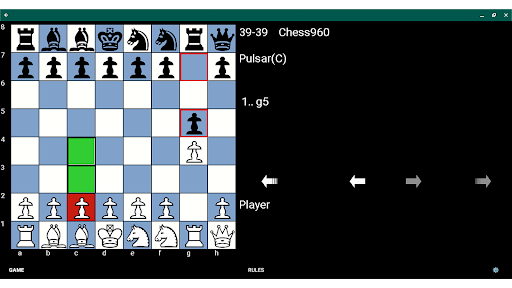
Computer Chess Playing Program, Variants - Chess960. Analyze Classic Games, PGN
Pulsar logs all its games that end with a result and they can be opened in the Game menu. Newest games are on top and if the game is a chess game, Stockfish engine analysis is available. Engine analysis is also available in reviewing Chess960 games however no castle info is sent to the engine. Additional classic PGN game collections are available to view and analyze.
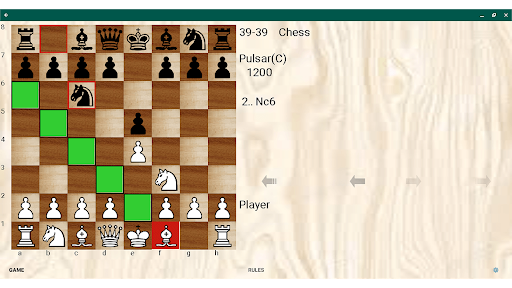
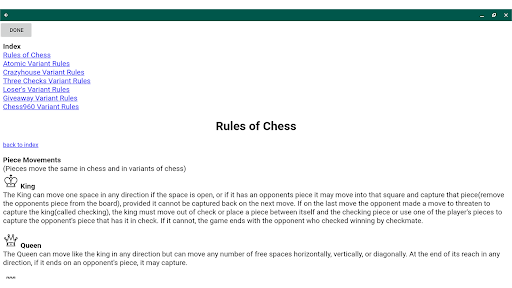
Pulsar includes levels for all its games and their rules It's add free. It defaults to Easy if the users just starts playing, otherwise go to the game button and choose new game to configure a more specific game. Last game type played is saved on restart of the app. There are some choices for board colors and chess pieces as well as the apps background color. There are also show books moves and show thinking options in settings.
The board in Pulsar Chess Engine is Accessible by Talkback, for the blind and visually impaired. Only direct tapping is supported, not swiping. Tap on a square, and it will speak what's on the square such as "e2 - white pawn". Double tap to select the square with Talkback on. There is also speak move. This speak move and tap on square info is in English as well as Spanish, Italian, French and German. Talkback can normally read text on buttons and labels etc, but a board is a collection of images. To be accessible, the board has to be programmed to return text when the tap is in the space of a square.
Pulsar started as a computer chess program and over time learned variants. It remains an interesting chess only program if the users it not interested in variants. I ran it extensively on two servers testing the app against strong players and also testing how to handicap it on handicapped computer bots. The ratings that appear on the board when selecting from the first 8 difficulty levels are estimates based on what I saw running it at various strengths.
On game / new game if play vs the computer is unchecked the user can play in two person mode which I've found useful when I have a device and want to play a chess game but no chess board with another person who is present.
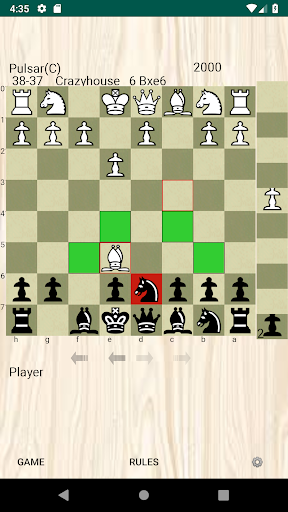
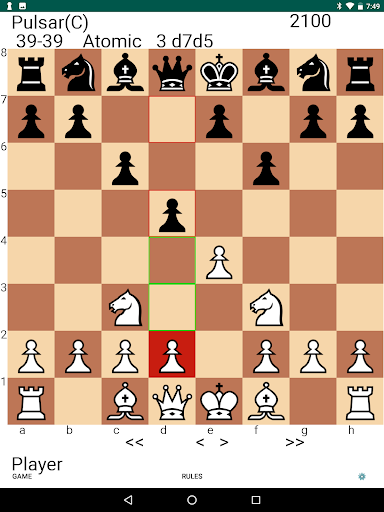
The Atomic Chess variant in Pulsar follows ICC rules and has no concept of check and king can castle in check. In Crazyhouse the user can use a turn to drop on board any of the pieces they have captured and the piece palette with the drop pieces appears to right of board.
The engine code on all platforms, mobile and Computers is pulsar2009-b. If users follow the support link or visit developer website, they can get pulsar2009-b binaries that work on all the different computer operating systems in Winboard Protocol supported clients. I have decided to not release an Android binary at this time. Partly because we use the Winboard Protocol and the UCI official protocol does not support all the variants Pulsar plays so it would not run in UCI clients.
What's New
Version Information
- Version
- 5.31
- Downloads
- 10K+
- Updated on
- Aug 18, 2025
- Released
- Jan 12, 2019
- Requires
- Android 6.0
Statistics
Google Play Rating History
Rating Distribution
Downloads Over Time
Pulsar Chess Engine has been downloaded times. Over the past 30 days, it averaged downloads per day.
Shaded area shows 30-day prediction based on historical trends
Historical data collection started recently. More data points will be available over time.
Pulsar Chess Engine users say on Google Play
 A Google user
Has one of the best engines I have seen. Interfacing is a little different than what I am used to but developer was kind enough to help me out. For the record I have tried 16 different chess programs from google and would rate this in the top three.
A Google user
This is the best chess app I've found yet! I've been playing losing chess with my coworkers recently, so having a (rather good) AI to play that variant with is good practice. The only thing keeping my review at 4 stars is that the reverse variants seem to be missing a couple of features: When promoting a pawn, there is no option to promote to king, even though the AI can (and will usually) promote to king. Additionally, the AI can force en passant but does seem like it is forced to do the same
 Austin Chen
Bot castles under check (Atomic Chess, Dificult Level) Please fix
 Parviz Imani
you can barely play this with screen readers at least if their was a typing move option or moving with voice commands this could be a bit more playable
A Google user
Doesn't work with other UCI apps...like droidfish etc
ApkTrusted Ratings & Reviews
More from Mike Adams
See more apps

Similar Apps

Chessmaster AI
Paid

Mini Chess Games
Paid

SparkChess Pro
Paid

Chess with AI
Paid

Chessity: Fun Chess Learning
Free

Checkers Pro 2026
Paid

Chess and Dames
Paid

Chess Blitz - Chess Puzzles
Free

Chessarama
Paid

EasyGo - Tsumego, SGF editor
Free

Chess Classic Pro – Premium
Paid

Starsix Sudoku Original
Paid

Black & White Puzzle Chess
Paid

BrainTac – Tic Tac Toe
Paid

Cipher
Paid

Chess Stars Multiplayer Online
Free
Scan this QR code to download

Forwarding you to the page at Google Play market in seconds...
Open Google Play market now