
Cursive Writing Wizard - Kids v4.0.0
L'Escapadou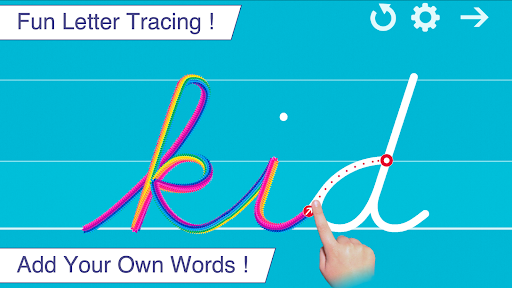

About this app
Developer Description
A fun app to learn cursive handwriting - Letters, numbers & add your own words!
** Editor's Choice Award (96/100) - Children's Technology Review **
Cursive Writing Wizard is the perfect app to help every child learn how to trace their ABC's, 123's and custom words (such as their names) through a fun system carefully designed to maintain motivation.
Features:
• Show and enforce how to trace letters and words correctly
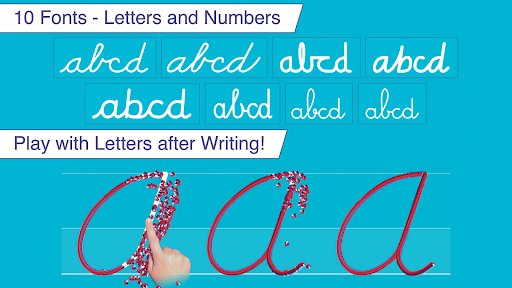
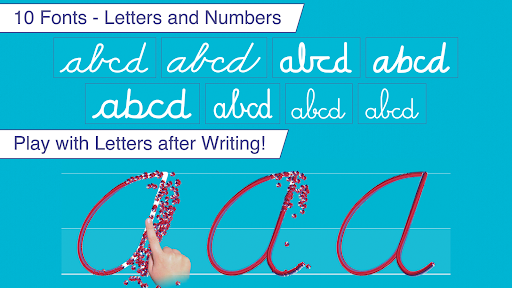
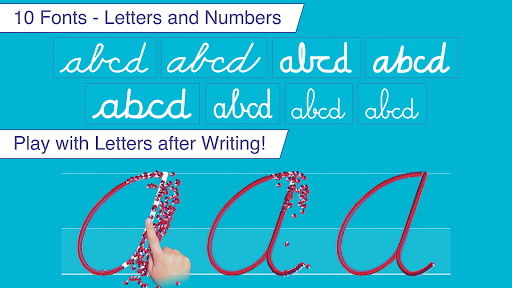
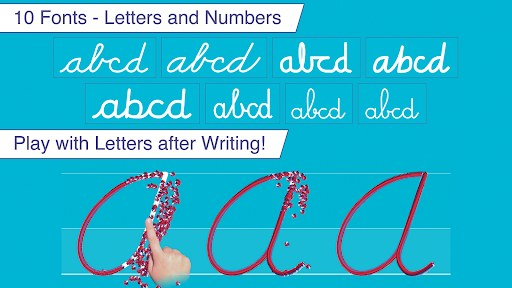
• 3 most popular US fonts (ZB, DN & HWT) + UK , French and Swiss fonts
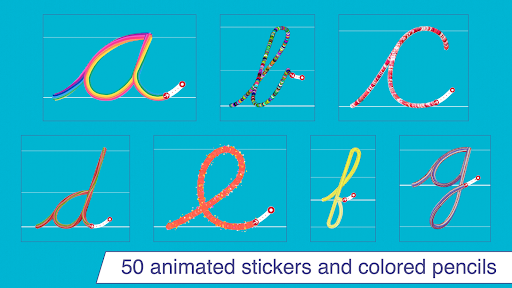
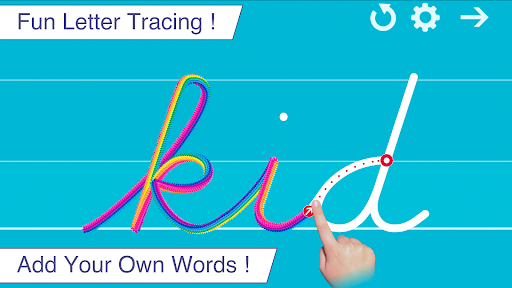
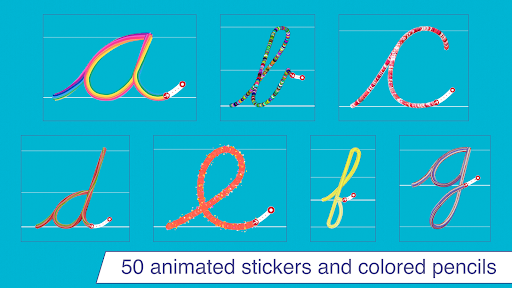
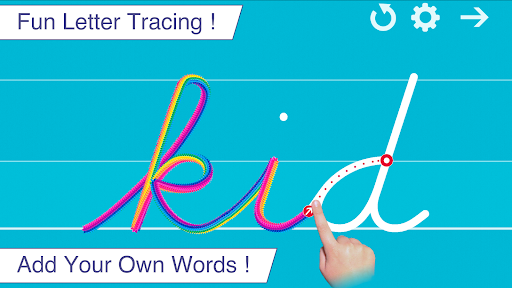
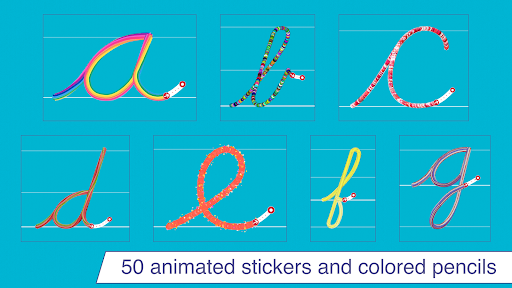
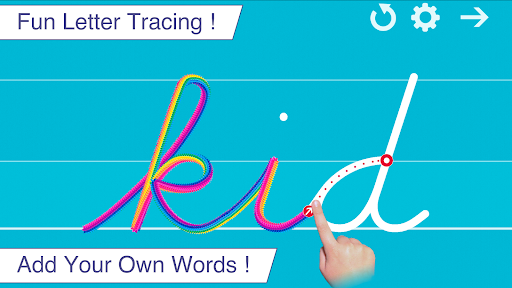
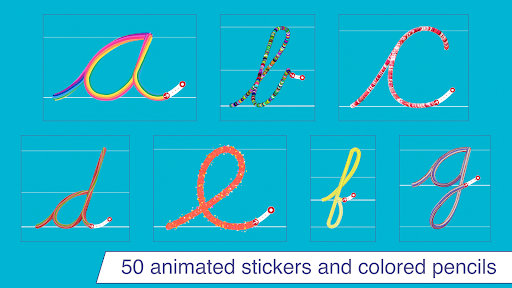
• Fun tracing using 50+ animated stickers, sound effects and interactive games that animate letters at the end of tracing
• Uppercase & lowercase letters, numbers and words
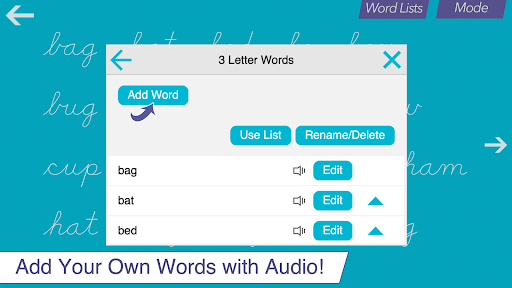
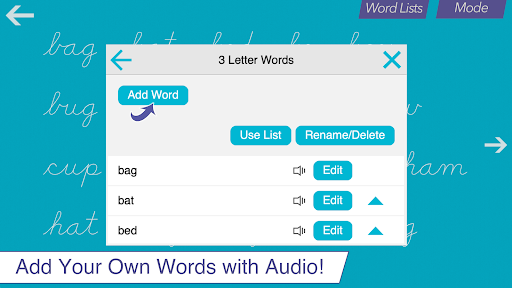
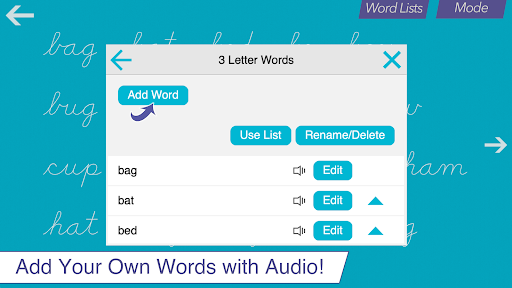
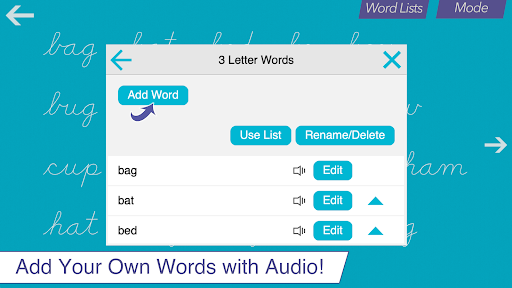
• Ability to create your own word lists (and record audio for each word)
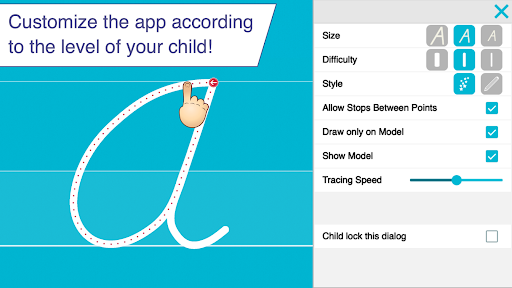
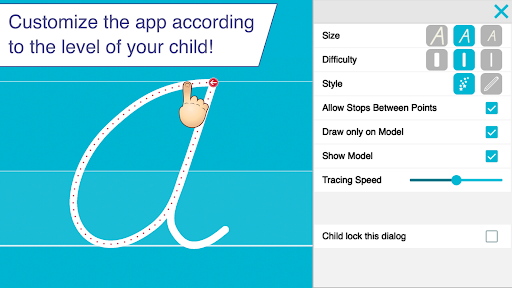
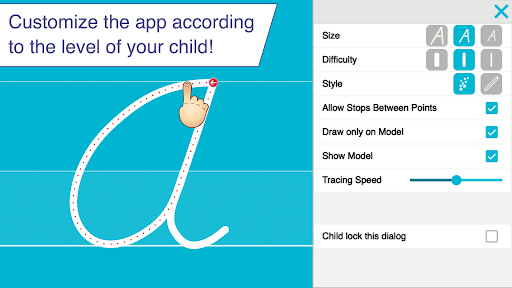
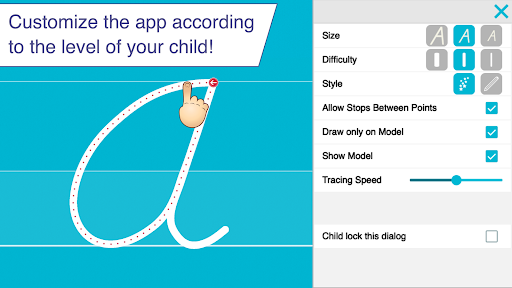
• Fully customizable to suit every child’s needs (letter size, difficulty,...)
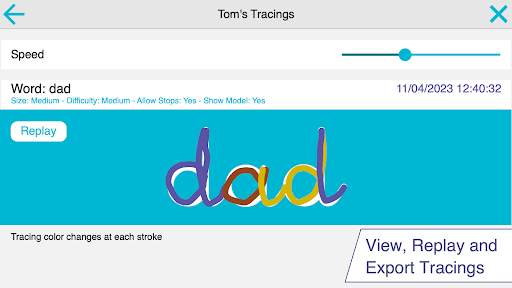
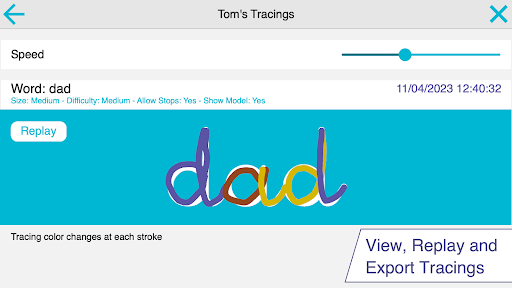
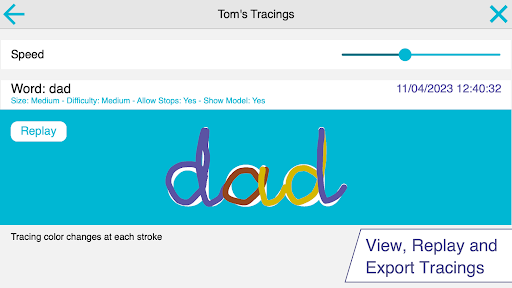
• Check progress thanks to reports that display what the child has traced
• Shapes tracing activity for toddlers
• Left-Handed Mode
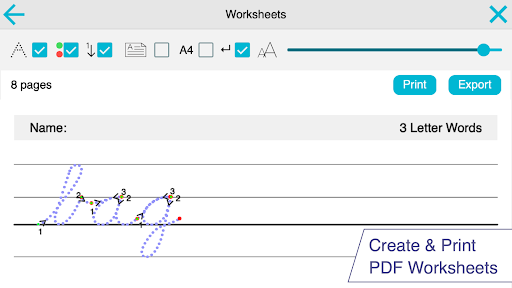
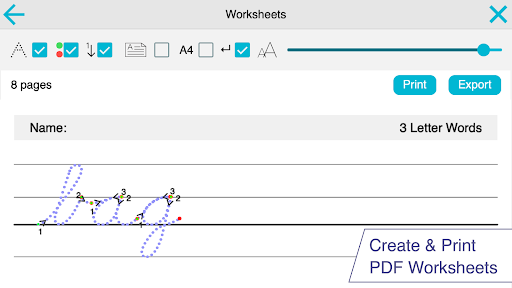
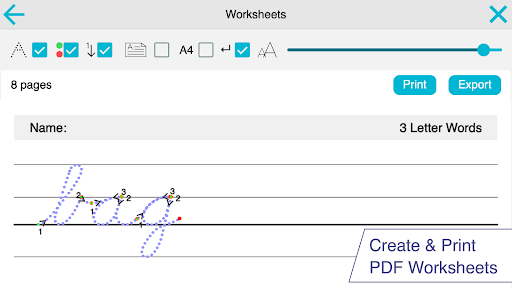
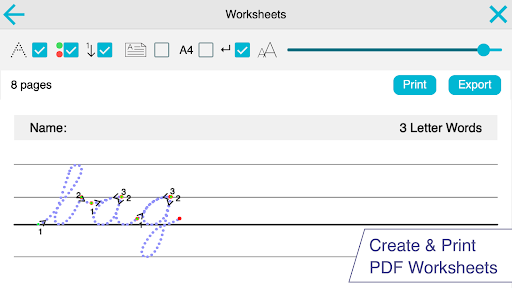
• Create Worksheets and print them to help your child to write on paper
Suitable for kindergarten, toddlers, early learners, preschool and 1st grade kids, Writing Wizard is an award-winning app used in many schools in the US !
-> if you want to test the app first, try our free demo !
_______
PERFECT FOR KIDS
Kids want to have fun, and Writing Wizard offers a lot of fun to keep them motivated in learning writing!
• Kids learn trace letters, numbers and shapes using 50+ animated stickers and sound effects
• Once tracing is complete, kids can interact with them on 4 games that animate letters
• Children can trace any word and record their own voice for each word (write their name and hear it when tracing)
• Preschool kids learn the whole alphabet with letter sound and letter name: they learn the appearance and pronunciation of each letter, they trace the letter and hear the sound at the same time
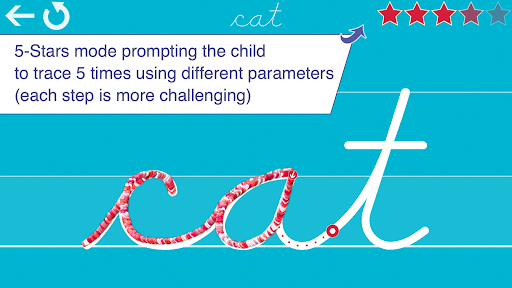
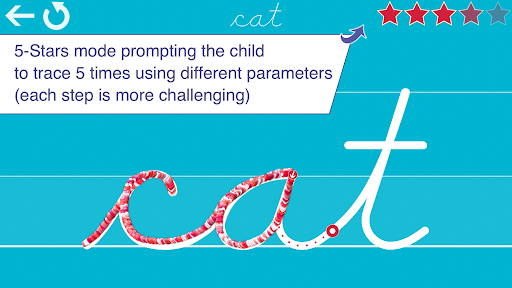
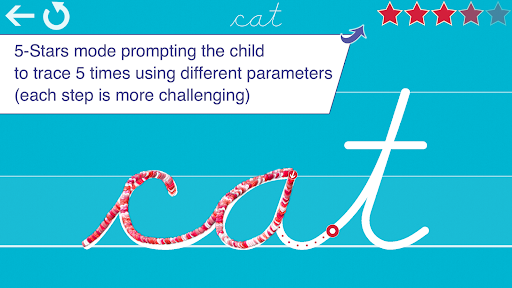
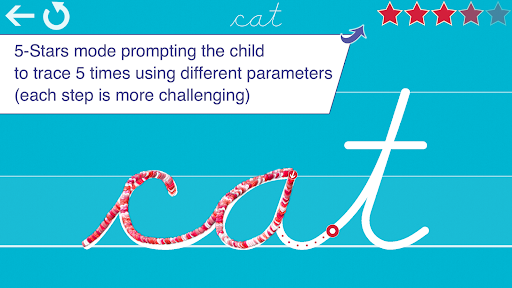
• Kids can collect stars in 5-Stars play mode and have fun succeeding modes increasingly difficult
• Early learners have five practice options: capital letters, lower-case letters, numbers, shapes or practicing full words
_______
PERFECT FOR PARENTS & TEACHERS
• Ability to create your own word lists (and record audio for each word)
• Detailed reports provide information on what kids have done, including the ability to replay and export the tracings to view kids' progress
• Share word lists
• Multiple parameters to customize the app according to child’s current education level (letter size, difficulty, show/hide model, allow to stop between key points, etc.)
• Letter names and letter sounds (which can be customized)
• A customizable 5-Stars play mode to maintain motivation and fun
• Create an unlimited number of users
_______
KNOW WHAT'S INSIDE
As a Moms with Apps member, we follow the "Know what's inside" best practices for kids’ apps.
L’Escapadou takes children’s privacy seriously. We believe you should not have to worry about your kids being tracked by apps or websites. This app:
• Does not contains ads (except for our own apps which are listed in a child protected section)
• Does not collect any user information
• Does not contain in-app purchases (except for school licences)
• Protected External Links (a multiplication must be solved).
What's New
• New behaviors when the app detects that the child's finger, or the stylus, is out the correct path
• Update of the Swiss Romandy font
• All French fonts have also been improved
• New tiny font size is now available in the settings for the 5-star mode
• New Settings to customize the guiding lines displayed when writing
• Printable Worksheets: New Settings
In-app purchases
$17.99 - $129.99 per item
Version Information
- Version
- 4.0.0
- Downloads
- 10K+
- Updated on
- Nov 21, 2025
- Released
- Jan 8, 2015
- Requires
- Android 5.0
Statistics
Google Play Rating History
Rating Distribution
Downloads Over Time
Cursive Writing Wizard - Kids has been downloaded times. Over the past 30 days, it averaged downloads per day.
Shaded area shows 30-day prediction based on historical trends
Historical data collection started recently. More data points will be available over time.
Cursive Writing Wizard - Kids - Google Play Rankings
Top Rankings
| Rank | Country | Category | List | Change |
|---|---|---|---|---|
| — |
Ranking History in
No ranking data available yet. Rankings are updated daily.
#5 in Top Paid Education in France

Cursive Writing Wizard - Kids users say on Google Play
 A Google user
I think it is a great app for kids to learn
A Google user
Installed on Samsung Galaxy S Tablet. The main reason we paid $4 for this app is because it stated that we could make our own word lists. Technically, I could make my own list. However, once the app is closed out and reopened, the word lists and user data are gone. Also, I tried to name the word lists "School" and various other things, but the name will not show up.
A Google user
Excellent for the startup kids
A Google user
The letter "e" is wrong on the French style print. Please please update and I will give it 5 stars. I would also like to see additional feature where tracing freestyle where we can practice with getting out of the lines is allowed like in real paper.
A Google user
I purchased this app and it worked nice in my moto G3. But when I changed my mobile to mi Max the writing animations are too slow to work. Uninstalling to reinstall but if failed again plz return at least half of my money.
ApkTrusted Ratings & Reviews
More from L'Escapadou
See more apps
Writing Wizard - Handwriting
Paid

Writing Wizard - Alphabet ABC
Free
French Words - Learn spelling
Free
Montessori - Learn to Read
Free
Cursive Letters Writing Wizard
Free
Japanese Writing Wizard
Free
Word Wizard - Spelling Tests
Free
Montessori Words & Phonics
Paid
French Words - Lite
Free
French Words for Kids
Paid
Similar Apps
Starfall ABCs
Free

WonJo Kids Learning Games
Free

ABCmouse Classic
Free
Alphabet with Bunny: Kids ABC
Free

Starfall I'm Reading
Free
Hooked on Phonics Learning
Free
Starfall Learn to Read
Free
Rito Kids: Learn to Write
Free
Joy of Reading - learn to read
Free

Math Lingo: Be Fluent in Math
Free
Coloring Pages for Kids
Free

Begin Learning
Free

MathsUp - Play and Learn
Free
Tracing Letters
Free
Todo English - ESL for Kids
Free

Magrid - Early Math Learning
Free
Scan this QR code to download

Forwarding you to the page at Google Play market in seconds...
Open Google Play market now