NostalgiaNes Pro v2.5.6
Nostalgia Emulators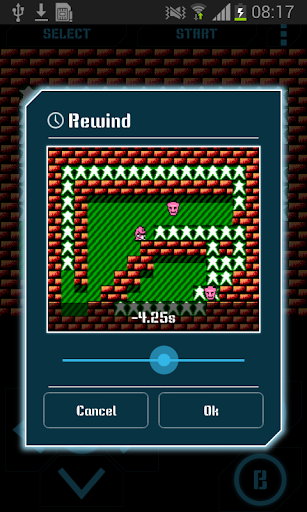
About this app
Developer Description
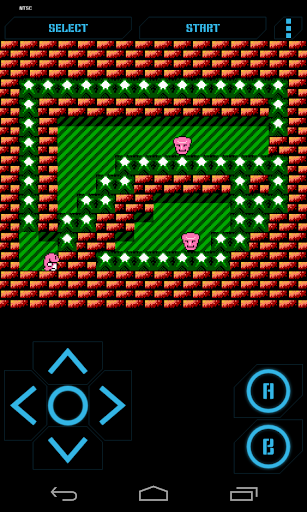
NostalgiaNes is a high quality emulator
TRY THE LITE VERSION FOR FREE BEFORE PURCHASING: https://play.google.com/store/apps/details?id=com.nostalgiaemulators.neslite
NO GAMES ARE INCLUDED IN THE APP!
NostalgiaNes is a high quality emulator based on the most up-to-date revision of the famous FCEUX.
Features
- Modern, cool-looking & user friendly interface
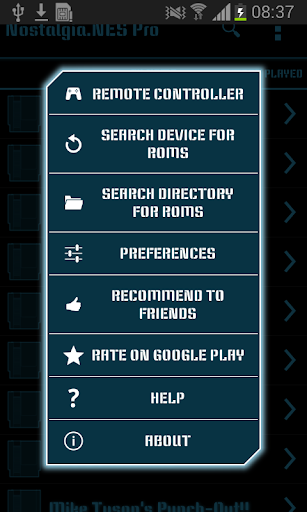
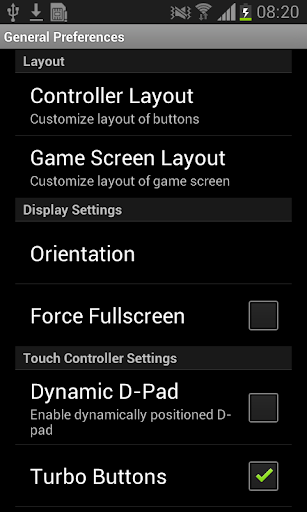
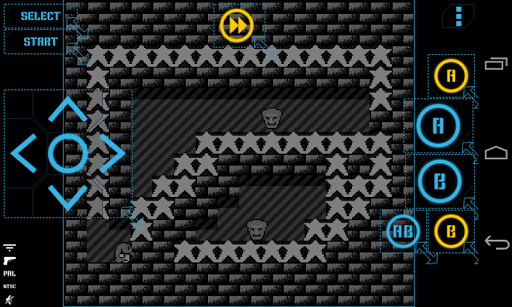
- Highly customizable virtual controller! You can adjust the size and position of each button to suit your needs.
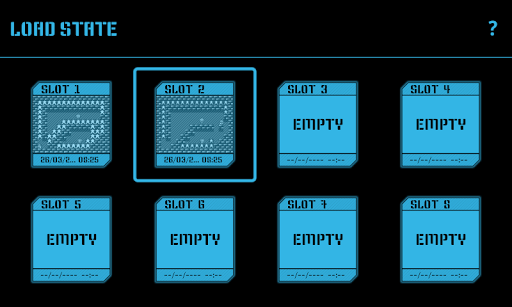
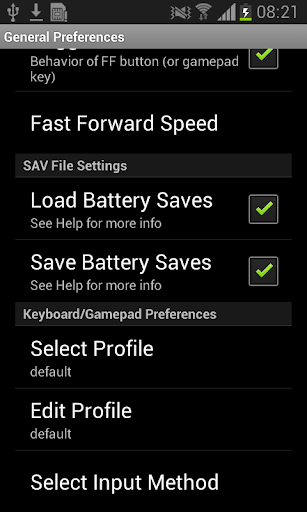
- Game progress saving and loading - 8 manual slots with screenshots & an autosave slot. Share save states among your devices via BT, mail, skype etc. directly from the app.
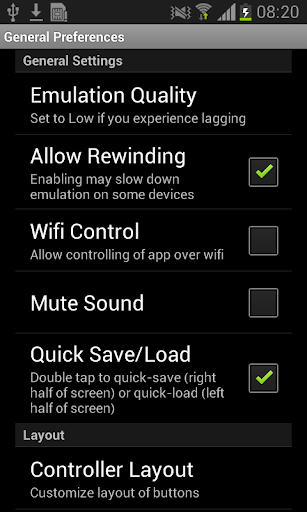
- Quick Save/Quick Load
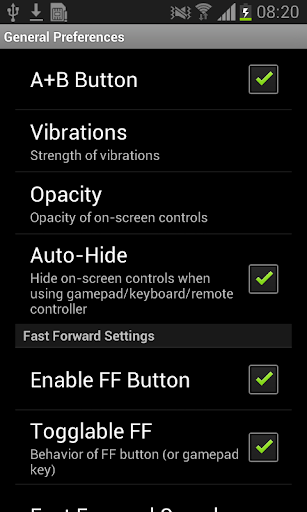
- Controls opacity settings
- Rewinding! Got killed by a bad guy? Never mind! Just rewind the game a couple of seconds back and try again!
- Wi-Fi controller mode! This unique feature allows several devices to be connected with each other. Turn your phone into a wireless gamepad and play your favorite multiplayer games with your friends. We support up to 4 players!
- Zapper (light gun) emulation
- Turbo buttons & A+B button
- PAL (Europe)/NTSC (USA, Japan) video modes support
- Hardware accelerated graphics utilizing OpenGL ES
- 44100 Hz stereo sound
- Hardware keyboard support
- Supports HID bluetooth gamepads (MOGA, 8bitdo etc.)
- Screenshots - easily capture an image of the game any time during gameplay
- Use special cheat codes to make games even more fun!
- File support for .nes and .zip extensions
No ROMs are included in the application.
NostalgiaNes is GPLv3-licensed and you can download its source code here: http://goo.gl/FxU6Iq
Do not hesitate to send bug reports, suggestions or questions to our email.
What's New
Version Information
- Version
- 2.5.6
- Downloads
- 50K+
- Updated on
- Oct 31, 2024
- Released
- Jun 26, 2013
- Requires
- Android 5.0
Statistics
Google Play Rating History
Rating Distribution
Downloads Over Time
NostalgiaNes Pro has been downloaded times. Over the past 30 days, it averaged downloads per day.
Shaded area shows 30-day prediction based on historical trends
Historical data collection started recently. More data points will be available over time.
NostalgiaNes Pro - Google Play Rankings
Top Rankings
| Rank | Country | Category | List | Change |
|---|---|---|---|---|
| — |
Ranking History in
No ranking data available yet. Rankings are updated daily.
#63 in Top Paid Arcade in United States

#29 in Top Paid Arcade in Japan


#47 in Top Paid Arcade in Brazil
![Neon Valley [CLASSIC]](https://play-lh.googleusercontent.com/4244o1TduKn7pbpjC982rAv4szI-2lYceltOoMS-L7Z21sla_ItXzAN5t2HuCRlyANtEItTk4kL0UtYVyWQYQA) Neon Valley [CLASSIC]
NostalgiaNes Pro
Neon Valley [CLASSIC]
NostalgiaNes Pro
#47 in Top Paid Arcade in Mexico
![Neon Valley [RETRO TAP]](https://play-lh.googleusercontent.com/KX-OrodEXUuWw7nawgdn-nTcXzd-6FG-aI4ack2O41N3TMWhF1n-BRgn0kPsiqwm1gMqxMruzes8oZwPk8IBWs8)
NostalgiaNes Pro users say on Google Play
 Joe T
Joe T
Nothing at all to complain about! I was disappointed with the controller layout issue, but the dev listened to the complaints and fixed it. That being done, there's nothing I would change. I can orient the on-screen controller however I want to, there are no compatibility issues that I've discovered, and all the functions I want. 5 stars.
 Jimmy Dooley
Works perfectly but... how do I rename my games?
 Monk aFire
I upgraded to pro because when I would change the gamepad it wouldn't retain my swtup when exiting the settings screen. I have looked for "Save Settings" or "Apply" but I don't see anything. Please help. Thanks *It seems my customization is now staying in the layout editor but it doesn't apply to the game.
 matt johnson
I totally can't stand how the controller setup is now. I could change the button layout so the control and buttons were bigger playing landscape, now control and buttons are small. I can change the control layout but it always goes back to original settings and buttons are stacked; vertically, I can change the configuration and go back to the game and everything is fine. I don't like playing on portrait mode, I love playing landscape, it's more comfortable for me and easier to use, please fix!
 John Paul Landry
Was a great emulator, but has become almost unplayable. I can no longer change the layout of the controller and if it was so counterintuitive, i wouldn't mind. With the A and B buttons stacked the way they are it makes platformers almost unplayable and definitely not fun. Would be great if a patch or an update would fix it, or if a reversion to an older version were possible
ApkTrusted Ratings & Reviews
More from Nostalgia Emulators
See more apps




Similar Apps

Banebush
Paid

PicoMaster - Master System Emu
Paid

Santa's Hunt
Paid

Run.Exe: Ultimate Escape
Paid

Miami Gangster Mafia Game 3D
Free

Please Don't Touch Anything VR
Paid

Nightmares Labyrint Escape
Paid

PicoEngine: PC Engine Emulator
Paid

Kiwanuka
Paid

JumpFox
Paid

Neon Stack 3D Enhanced
Paid

Drifting Car City Driving Game
Paid

Miami Gangster Car Simulator
Paid

Playtown Genesis - Horror Game
Free

Job Simulator
Paid

M5 Tank - ForeverBattle BaseTD
Paid
Scan this QR code to download

Forwarding you to the page at Google Play market in seconds...
Open Google Play market now