
Panorama Crop - PanoCut v3.4.3
justapps
About this app
Developer Description
Create a Panorama Crop for Instagram in 3,2,1: Choose, Split and Save!
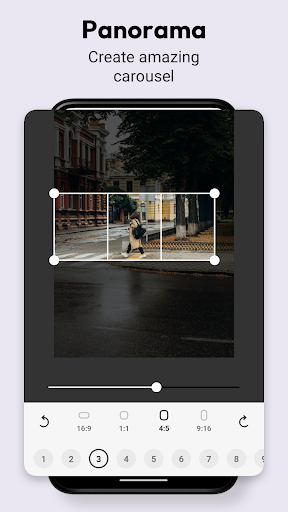
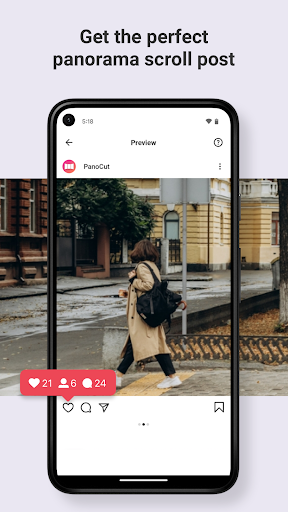
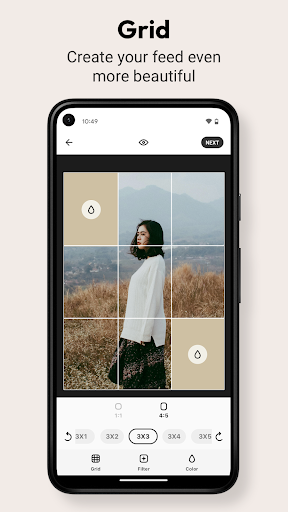
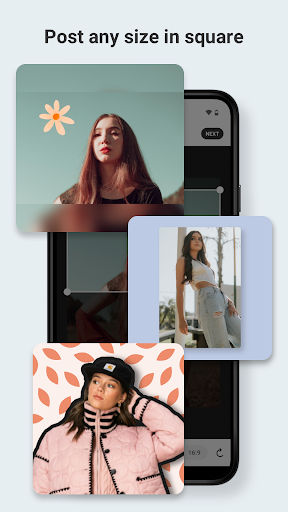
With PanoCut you can perform a photo split for Instagram in less than a minute. But why do you need it? Well, A Panorama Crop for Instagram allows you to show every detail of your wide photos with multi-photo posts. Panorama Split for Instagram – Panorama Split photos also prettifies your profile.
Why Choose PanoCut?
Easy to Use: Even a small kid can operate this app! Just choose a photo, select aspect ratio, select how many splits you want to create and hit the save button! That’s it!
In your Language: Not everyone is a master of English and we know that everyone’s emotions and thoughts are connected with their mother language. We also want to stay connected with you that’s why we have made PanoCut available in a dozen languages. We are adding more languages soon.
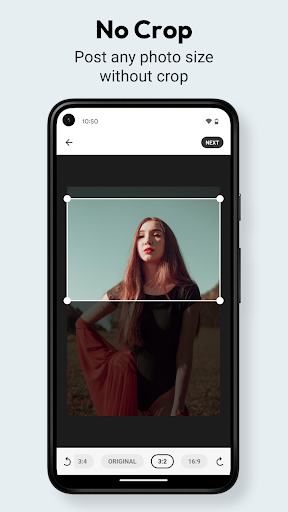
Aspect Ratio: PanoCut makes sure the post is a “no crop for Instagram”. Because cropped photos might detach some important details from the photograph.
10 Splits: The app gives you all the control over how many photos splits for Instagram you want. You can choose from 1 to 10 splits.
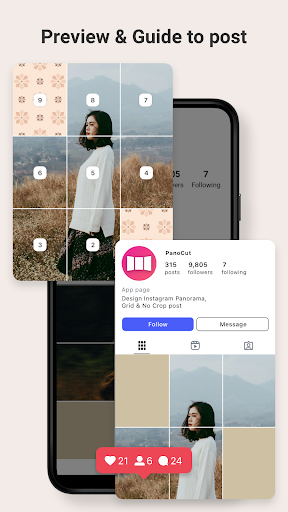
Preview: PanoCut allows you to hit the preview icon before you even save the photo splits. So you can get an idea of how these posts are going to look when someone Swipe Instagram.
So why wait? Install the app today and beautify your Instagram profile in no time.
What's New
In-app purchases
$3.49 - $17.99 per item
Version Information
- Version
- 3.4.3
- Downloads
- 1M+
- Updated on
- Dec 9, 2025
- Released
- May 5, 2022
- Requires
- Android 10
Statistics
Google Play Rating History
Rating Distribution
Downloads Over Time
Panorama Crop - PanoCut has been downloaded times. Over the past 30 days, it averaged downloads per day.
Shaded area shows 30-day prediction based on historical trends
Historical data collection started recently. More data points will be available over time.
Panorama Crop - PanoCut users say on Google Play
 Afroz Ahmed
good 👍🏻😊
 Janvi Sahu
very good
 Ɓíƙí Ɓɦօⱳɱíƙ
good
 Joy biswas
ভালো
 Tejanvesh Bommakanti
only 4:5 & 1:1 ratios are available for free in cropping for sliding post in Instagram. absolutely useless if you want to crop any other ratios for making posts once in a blue moon.
ApkTrusted Ratings & Reviews
More from justapps
See more apps
Invitation Card Maker
Free

Post Maker for Social Media
Free

Presets for Lightroom Mobile
Free

Background Eraser - Remova
Free

Daily Random Facts - Factofy
Free

Quotes Creator App - Quotify
Free

No Crop for IG - CroPic
Free
Vintify : Vintage Photo Editor
Free

Grid layout for Instagram feed
Free

Collage Maker - Collage Art
Free

Business Card Maker & Template
Free

Poster Maker | Flyer Maker
Free
Learn Words Daily - Vocabulary
Free

Couple Games - Luvo
Free

Greeting Card Maker - GreetArt
Free

Wallpapers by Mino
Free
Similar Apps

Panorama Scroll Carousel Maker
Free

Smart Video Crop - Video Cut
Free

Background remover - remove.bg
Free

mcpro24fps manual video camera
Paid
ReLens Camera-Focus &DSLR Blur
Free
Polarr: Photo Filters & Editor
Free
Photo Collage Maker: SCRL
Free

Flow Studio: AI Photo & Design
Free
Manual Camera DSLR (Lite)
Free

Unfold: Story & Reels Maker
Free

Photo Editor - Collage Maker
Free

Node Video - Pro Video Editor
Free
StoryArt - story & reels maker
Free

iFrame: Photo Collage Maker
Paid

Camera FV-5 Lite
Free
InstaSize: AI Photo Editor
Free
Scan this QR code to download

Forwarding you to the page at Google Play market in seconds...
Open Google Play market now