
Passio GO! v144
Passio Technologies Inc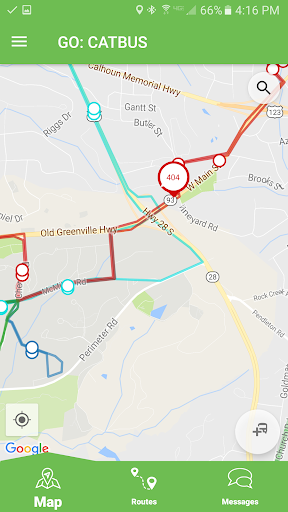
About this app
Developer Description
A full featured, real-time transit locator system
Track and view all routes at once
Select individual routes
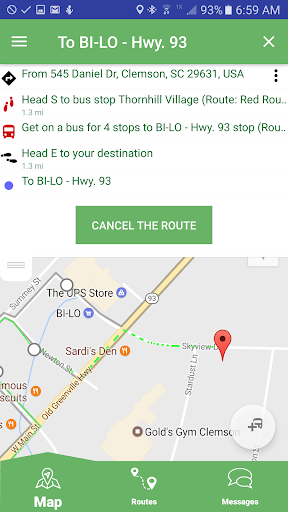
Navigate to specific stops or follow an individual bus
See schedule information
See the next bus arriving and details about that stop location
Receive alerts and directly provide feedback
What's New
Version Information
- Version
- 144
- Downloads
- 100K+
- Updated on
- May 26, 2025
- Released
- Apr 21, 2017
- Requires
- Android 6.0
Statistics
Google Play Rating History
Rating Distribution
Downloads Over Time
Passio GO! has been downloaded times. Over the past 30 days, it averaged downloads per day.
Shaded area shows 30-day prediction based on historical trends
Historical data collection started recently. More data points will be available over time.
Passio GO! - Google Play Rankings
Top Rankings
| Rank | Country | Category | List | Change |
|---|---|---|---|---|
| — |
Ranking History in
No ranking data available yet. Rankings are updated daily.
#34 in Top Free Auto And Vehicles in United States


Passio GO! users say on Google Play
 Dianna Frickel Weaver
easy to use once you figure it out
 T. Pisani
started getting notifications and there's no way I see to turn them off. I don't use the app regularly so the notifications are very unnecessary. will have to uninstall if they don't stop.
 Sky Boi
Currently, the app takes forever to load and frequently doesn't respond. Works but poorly.
 Crazyfoox ox
it was really helpful at first maybe a little inaccurate at times. But now I it doesn't track the bus for me anymore, only showing stops. not even time estates.
 Minty
Minty
AI art in the tutorial. App bugs out if you select a stop that's used for two different routes. Only shows bus schedules for the day, meaning you can't use this app to see the bus schedule for tomorrow. Seeing a route's full schedule is also not an intuitive thing to figure out (there's a button that says "show schedule," but it just shows you the name of the route..), but the way you do it is by long tapping the **top right** side of a stop name after normal tapping a stop on the map.
ApkTrusted Ratings & Reviews
More from Passio Technologies Inc
See more apps







Similar Apps












Scan this QR code to download

Forwarding you to the page at Google Play market in seconds...
Open Google Play market now