PDF Reader & PDF Converter v2.0.7
Vision Apps Tech





About this app
Developer Description
Convert images, text & HTML into PDF files or PDF to image, split & merge docs
Merge or split PDFs effortlessly to suit your specific needs. Benefit from the advanced image converter that supports multiple formats including PNG, JPG, GIF, and WebP, empowering you to handle diverse visual requirements effortlessly.
Moreover, leverage the bookmark feature to easily access and organize your PDFs for optimal efficiency. Experience the utmost convenience with PDF READER and image converter. Additionally, transform your PDFs into various formats, including images, HTML, and text to pdf.
Whether you're a professional managing intricate reports, a dedicated student studying textbooks, or an individual handling personal documents, our reader provides a seamless platform for navigating through your PDF files with ease and efficiency. It’s a perfect pdf viewer.
Key Features of PDF Reader and PDF Converter app:
1. Image Converter: An inclusive image conversion tool offering diverse functionalities for transforming images across various formats.
2. Text to PDF: Effortlessly convert text documents into PDF format, ensuring compatibility and easy sharing of textual information.
3. PDF to Image: Convert PDF files into image formats, allowing you to extract and utilize specific pages or sections as images for various purposes.
4. HTML to PDF: Convert web pages or HTML content into PDF documents, preserving the original layout and content structure.
5. Images to PDF: Convert image to PDF and compile multiple image files into a single PDF document, ideal for creating portfolios, presentations, or reports.
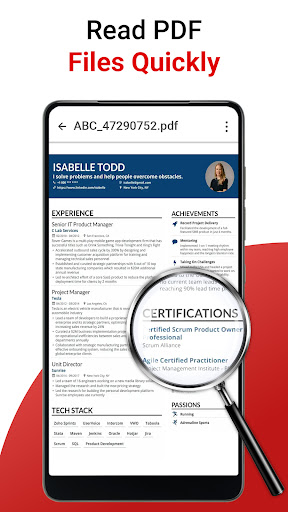
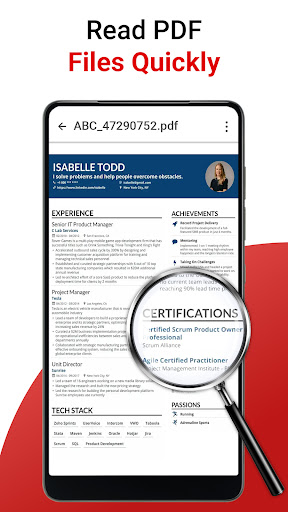
6. Zoom pdf: you can zoom your PDF documents for a clear reading.
7. Split PDF: Seamlessly split large PDF files into smaller, more manageable sections, enabling better organization and distribution.
8. Merge PDF: Combine multiple PDF files into a single comprehensive document, facilitating easier handling and sharing.
9. PNG to JPG: Convert PNG images to JPG format, ensuring compatibility and flexibility in image usage.
10. JPG to PNG: Convert JPG images to PNG format, preserving image quality and enabling transparency support.
11. GIF to JPG: Transform GIF images into JPG format, allowing better image optimization and compression.
12. GIF to PNG: Convert GIF images to PNG format, ensuring image quality and transparency preservation.
13. WebP to JPG: Effortlessly convert WebP images to JPG format, enabling wider compatibility and utilization.
14. JPG to WebP: Convert JPG images to WebP format, offering enhanced compression and web optimization.
15. Bookmark PDF: Easily bookmark your PDF documents by clicking on the icon.
16. Dark theme: Enhance your reading experience with the Dark Theme feature, allowing you to switch to a darker color scheme.
With the PDF READER & image converter, experience the ultimate convenience of a comprehensive PDF converter that meets all your digital document needs. Accessing, viewing, and interacting with PDF documents of various sizes and complexities is effortless.
What's New
Version Information
- Version
- 2.0.7
- Downloads
- 100K+
- Updated on
- Sep 3, 2024
- Released
- Sep 22, 2022
- Requires
- Android 5.0
Statistics
Google Play Rating History
Rating Distribution
Downloads Over Time
PDF Reader & PDF Converter has been downloaded times. Over the past 30 days, it averaged downloads per day.
Shaded area shows 30-day prediction based on historical trends
Historical data collection started recently. More data points will be available over time.
PDF Reader & PDF Converter users say on Google Play
 Muskan Rehman
Is the best app of work I like it
 Dr.Hamza Irfan
Good
 Olayiwola Omowumi
The update is pure nonsense. Even after watching the compulsory useless ads, still could not convert. No more recommended, waste of time, data...
ApkTrusted Ratings & Reviews
More from Vision Apps Tech
See more apps

Scan this QR code to download

Forwarding you to the page at Google Play market in seconds...
Open Google Play market now