
Model 1965 (Full) vVARY
Phoenix 3D Design Studio


About this app
Developer Description
Dynamic 3D watch face for Wear OS
1965 Model: a new dial inspired by the dashboard of the 1965 Porsche 911.
A true automotive icon! 😊
With stunning animations simulating lighting effects like on a real watch.
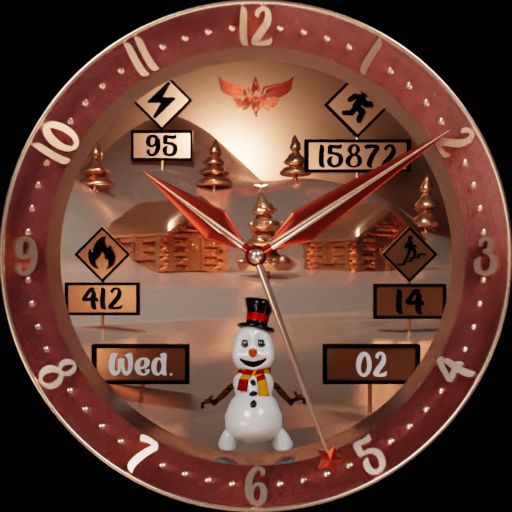
With 6 dials and 4 different hand types.
With numerous complications: day of the week, date, step count, step goal, distance, battery level, heart rate, moon phase, temperature, temperature unit, and current weather.
You can also configure several settings: dial type, hand type, distance unit (kilometers or miles), step goal, digital date format (European or American), and digital heart rate display.
If the weather information is not displayed on the watch face, you must:
- Check in the Settings / Location menu of your watch if location is enabled
- Access the watch's weather widget
- Allow the weather app to access location
- Connect the watch to your phone via Bluetooth
- Wait approximately 10 minutes for the weather data to be updated
For more information about my watch face collection, please visit:
- My Facebook page: https://www.facebook.com/phoenix.watchfaces.9
- My Instagram page: https://www.instagram.com/phoenix.3dds
- My YouTube channel: https://www.youtube.com/@phoenix3dds7052
Have fun ;-)
What's New
Version Information
- Version
- -
- Downloads
- 10+
- Updated on
- Dec 30, 2025
- Released
- Nov 8, 2025
- Requires
- Android Varies with device
Statistics
Google Play Rating History
Rating Distribution
Downloads Over Time
Model 1965 (Full) has been downloaded times. Over the past 30 days, it averaged downloads per day.
Shaded area shows 30-day prediction based on historical trends
Historical data collection started recently. More data points will be available over time.
ApkTrusted Ratings & Reviews
More from Phoenix 3D Design Studio
See more apps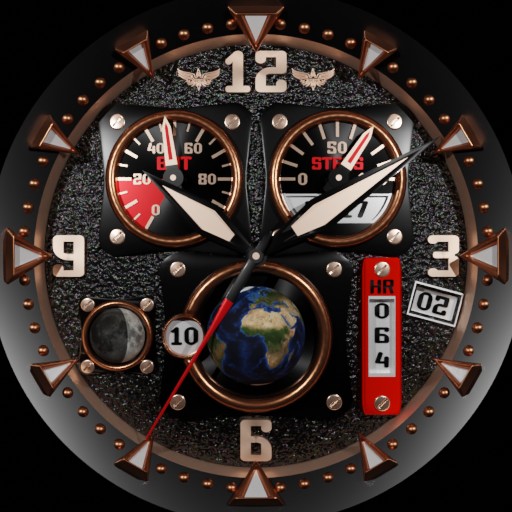


Scan this QR code to download

Forwarding you to the page at Google Play market in seconds...
Open Google Play market now