
pMD v17.2.2
pMD



About this app
The pMD app solves the problem of secure and efficient clinical communication, charge capture, and care navigation for healthcare professionals. It benefits doctors, nurses, and other medical staff who need to communicate sensitive patient information securely. Compared to alternatives in the Medical category, pMD stands out with its excellent user rating and moderate download numbers, indicating a strong reputation and social proof. However, its lack of permissions may raise questions about its functionality and data collection.
Pros
- The pMD app has an excellent user rating of 4.9/5, indicating a high level of user satisfaction and trust in the app's functionality and security.
- With over 100,000 downloads, the app has moderate social proof, suggesting that it is a popular and reliable choice for healthcare professionals.
- The app's developer, pMD, has a professional website and email support, indicating a commitment to customer service and transparency.
- The app's small size and lack of permissions suggest that it is lightweight and efficient, with minimal impact on device performance and battery life.
- The app's free model with no ads or in-app purchases ensures that users can access its features without interruptions or additional costs.
Cons
- The app's lack of permissions may raise concerns about its ability to access and transmit sensitive patient information, potentially limiting its functionality.
- Some users may be concerned about the app's data collection and storage practices, particularly given the sensitive nature of medical information.
- The app's limited information about its security protocols and encryption methods may raise questions about its ability to protect user data.
- The app's compatibility with older Android versions may be limited, potentially excluding some users from accessing its features.
Best for: The ideal user for the pMD app is a healthcare professional, such as a doctor, nurse, or medical administrator, who needs to communicate sensitive patient information securely and efficiently, and who values a reliable and user-friendly clinical communication and charge capture solution.
Developer Description
Secure Messaging, Clinical Communication, Charge Capture, & Care Navigation
PATIENTS
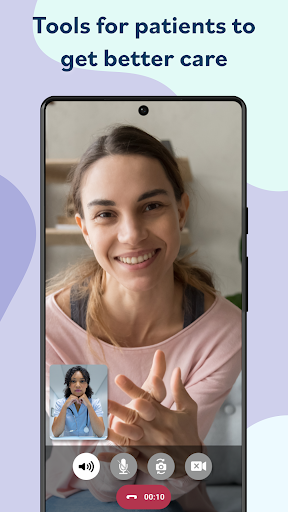
Please download this app to access your pMD® Telehealth account and connect with your care providers.
HEALTHCARE PROVIDERS
This app is free to download for distribution to existing customers and for secure messaging. A subscription is required to use this app for pChat™, pCharge™, and pRevenue™. Discover more at www.pmd.com.
pMD® pChat™ - Communicate with Confidence
Instant, HIPAA-compliant communication and telehealth for care teams and healthcare practices.
• Enterprise and Practice Messaging, Patient Hand-off, Telehealth
• Enhance Collaboration, Reduce Errors, Get Time Back
pMD® pCharge™ - Charge Capture Made Simple
Easily capture charges and quality-of-care data at the point of care using
your phone or tablet. Save charges in two taps with Instant Capture!
• Mobile Rounding and Charge Entry, CMS-qualified MIPS registry
• Reduce Charge Lag, Improve Accuracy, Increase Revenue
pMD® pRevenue™ - Comprehensive Revenue Cycle Management
Reduce claims lag, denials and overhead. Access everything pMD has to offer: charge capture, secure communication, patient engagement, rounding and patient handoff, telehealth, ePrescribe, and workflow enhancements. You take care of the patients and we’ll take care of the rest!
• End-to-End Billing Services, Patient Payments, Software Integrations
• Increase Practice Revenue, Lower Cost to Collect, Reduce Days in A/R
WHY CHOOSE pMD?
• pSuite – Unparalleled customer service with ongoing support
• Updates – Regular releases of new features and enhancements
• Trust and Security – pMD is SOC-2 certified and trusted by over 13,000 physicians and small practices
Privacy
Given the app's lack of permissions, users should be cautious about the data they transmit through the app and ensure that they understand pMD's data collection and storage practices. Users should also review the app's terms of service and privacy policy to understand their rights and responsibilities. To minimize risks, users should only transmit sensitive information through the app when necessary and use strong passwords and two-factor authentication.
Tips
To get the most out of the pMD app, users should first review the app's features and settings to understand its functionality and customization options. Users should also take advantage of the app's secure messaging and charge capture features to streamline their clinical communication and billing processes. Additionally, users should regularly update the app to ensure they have access to the latest security patches and features.
What's New
Version Information
- Version
- 17.2.2
- Downloads
- 100K+
- Updated on
- Jan 16, 2026
- Released
- Oct 27, 2013
- Requires
- Android 6.0
Statistics
Google Play Rating History
Rating Distribution
Downloads Over Time
pMD has been downloaded times. Over the past 30 days, it averaged downloads per day.
Shaded area shows 30-day prediction based on historical trends
Historical data collection started recently. More data points will be available over time.
pMD users say on Google Play
 Susan S
Very reliable, affordable app with all the features I need to do telehealth. very friendly and helpful support staff.
 Sony R
Great app to talk to your doctors if I could only figure out how to answer it without hanging up on them
 Miquela Encalade
sometimes I'll go hours without connection and will miss messages
 Soar -
pMD would be so much better if it allowed patients to create an account and engage in video sessions using a laptop or desktop computer.
 Frederick Swift
I'm ready at the appointed time, I followed instructions as I could, no call, no contact. I am not liking this system.
ApkTrusted Ratings & Reviews
Similar Apps



Scan this QR code to download

Forwarding you to the page at Google Play market in seconds...
Open Google Play market now